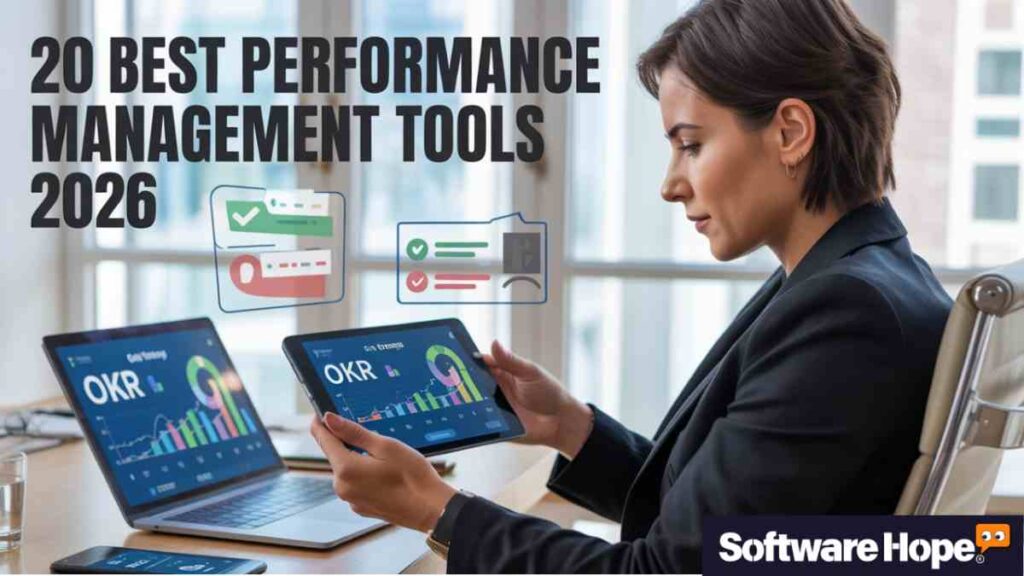
20 Best Performance Management Software of 2026

20 Best Performance Management Software of 2026

5/5 - (4 votes)

So you’re looking for the best performance management software? Smart move. Managing employee performance can feel like juggling flaming torches while riding a unicycle — it’s tricky, and you need the right tools to pull it off. Whether you’re running a small startup or managing a giant team, having software that tracks goals, handles reviews, and keeps everyone on the same page makes life way easier.

In this article, we’re breaking down the top 20 performance management tools that actually work in 2026. We’ll cover what each one does, who it’s perfect for, pricing, features, and all the little details that matter. By the end, you’ll know exactly which employee evaluation tool fits your needs. Let’s jump in.

Table of Contents

Comparison of 20 Best Performance Management Software

Sr Image Name Rating Pricing Compatibility Features Website Details Page
1 Lattice Lattice
5.0
Paid Web-based,iOS,Android
  • Continuous performance reviews; Goal tracking with OKRs; Real-time feedback; Employee engagement surveys; 1-on-1 meeting templates; Career development paths
Visit Website View Details
2 15Five 15Five
5.0
Paid Web-based,iOS,Android
  • Weekly check-ins; Performance reviews; OKR tracking; 1-on-1 meeting agendas; Engagement surveys; Recognition features
Visit Website View Details
3 PerformYard PerformYard
5.0
Paid Web-based
  • Customizable review templates; 360-degree feedback; Goal management; Automated review cycles; Real-time reporting; Employee self-assessments
Visit Website View Details
4 BambooHR BambooHR
5.0
Paid Web-based,iOS,Android
  • Employee self-service portal; Performance appraisal tools; Goal tracking; Feedback and notes; Mobile app; Reporting and analytics
Visit Website View Details
5 Leapsome Leapsome
5.0
Paid Web-based,iOS,Android
  • OKR and goal management; 360-degree reviews; Learning and development modules; Meeting templates; Engagement surveys; Competency frameworks
Visit Website View Details
6 Culture Amp Culture Amp
5.0
Paid Web-based,iOS,Android
  • Employee engagement surveys; Performance review cycles; 360-degree feedback; Goal setting and tracking; Skills coaching; Advanced analytics
Visit Website View Details
7 Workday Workday
5.0
Paid Web-based,iOS,Android
  • Continuous performance management; Calibration sessions; Succession planning; Compensation planning; Talent reviews; Learning integration
Visit Website View Details
8 Betterworks Betterworks
5.0
Paid Web-based
  • OKR management; Continuous feedback; Performance reviews; 1-on-1 meeting tools; Calibration features; Integrations with Slack and Teams
Visit Website View Details
9 Deel Deel
5.0
Freemium Web-based,iOS,Android
  • Performance reviews; Goal tracking; Feedback tools; Global payroll integration; Compliance management; Time tracking
Visit Website View Details
10 HiBob HiBob
5.0
Paid Web-based,iOS,Android
  • Performance review cycles; Goal management; Continuous feedback; People analytics; Onboarding workflows; Social feed and shoutouts
Visit Website View Details
11 Trakstar Trakstar
5.0
Paid Web-based
  • Customizable review forms; 360-degree feedback; Goal setting and tracking; Continuous feedback tools; Automated review cycles; Reporting dashboards
Visit Website View Details
12 ClearCompany ClearCompany
5.0
Paid Web-based,iOS,Android
  • Applicant tracking; Performance reviews; Goal alignment; Onboarding workflows; Employee engagement surveys; Succession planning
Visit Website View Details
13 Engagedly Engagedly
5.0
Paid Web-based,iOS,Android
  • Continuous performance management; 360-degree reviews; OKR and goal tracking; Learning management; Employee engagement surveys; Recognition and rewards
Visit Website View Details
14 Peoplebox Peoplebox
5.0
Freemium Web-based
  • OKR management; Performance reviews; 1-on-1 meeting tools; Engagement surveys; People analytics; Integrations with Slack and Teams
Visit Website View Details
15 Profit.co Profit.co
5.0
Freemium Web-based
  • OKR management; Performance reviews; Task management; KPI dashboards; Check-ins and 1-on-1s; Strategy execution tools
Visit Website View Details
16 Teamflect Teamflect
5.0
Freemium Windows,Mac,Web-based,iOS,Android
  • Native Microsoft Teams integration; Performance reviews; Goal tracking; 1-on-1 meetings; Recognition and praise; Task management
Visit Website View Details
17 Small Improvements Small Improvements
5.0
Paid Web-based
  • 360-degree feedback; Continuous feedback; Performance reviews; Objective tracking; 1-on-1 meeting tools; Personal development plans
Visit Website View Details
18 Primalogik Primalogik
5.0
Paid Web-based
  • Performance review cycles; 360-degree feedback; Employee engagement surveys; Goal setting; Anonymous feedback options; Reporting tools
Visit Website View Details
19 Synergita Synergita
5.0
Paid Web-based,iOS,Android
  • Continuous performance management; Competency management; 360-degree appraisals; Goal management; Succession planning; Learning and development integration
Visit Website View Details
20 Zoho People Zoho People
5.0
Freemium Web-based,iOS,Android
  • Performance appraisal cycles; Goal setting and tracking; 360-degree feedback; Time tracking; Leave management; Integration with Zoho ecosystem
Visit Website View Details

1. Lattice: Lattice is the Best Performance Management Software for easily tracking goals and OKRs.

Lattice

5.0
View Details

Lattice is one of those tools that honestly feels like it just gets it when it comes to employee performance. It’s made for companies that want a clean and simple way to run reviews, set goals, and see how everyone’s doing. If you’re searching for the Best Performance Management Software or looking at top employee evaluation tools 2026 that won’t confuse or stress out your team, this is a pretty solid choice. It works really well for mid-sized and growing companies that care about culture and helping people grow.

What really makes Lattice stand out is how everything is connected. Goals, feedback, and reviews all work together instead of feeling like separate jobs you have to deal with. So nothing feels messy or out of place. The design is clean and people actually like using it. Which is kind of rare for performance review software for small business or even bigger teams. You can tell the team behind it put real thought into making it feel more human and less like boring HR software.

Key Features

  • Continuous performance reviews that let managers and employees check in regularly without waiting for annual reviews
  • Goal tracking with OKRs so everyone knows what they’re working toward and how progress looks
  • Real-time feedback tools that encourage quick shoutouts and constructive notes throughout the year
  • Employee engagement surveys built right in, helping you measure how people feel about work
  • 1-on-1 meeting templates that guide conversations and keep things productive
  • Career development paths so employees can see where they’re headed and what skills they need
Pros & Cons

✅ Pros

  • The interface is clean and user-friendly, which means less training time for your team
  • Integrates smoothly with Slack, Teams, and your existing HR tools
  • Employees can give and receive feedback in real-time throughout the year
  • Customizable review cycles let you run quarterly, annual, or project-based reviews
  • Strong analytics dashboard shows trends in performance and engagement
  • Mobile app works well for managers and employees on the go

❌ Cons

  • Pricing can get steep for smaller companies with tight budgets
  • Some advanced features require a learning curve to set up properly
  • Reporting could be more flexible for teams with unique needs

Device Compatibility:

  • Lattice works as a web-based platform, so you can access it from any browser on Windows, Mac, or Linux. They’ve also got mobile apps for iOS and Android that work pretty well for quick check-ins and feedback.

Pricing:

  • Lattice doesn’t offer a free plan, but they do have a demo you can request. Pricing starts around $11 per person per month for the Performance Management + OKR & Goals package. Larger bundles with engagement surveys and other features cost more. You’ll need to contact their sales team for exact pricing based on your company size.

Customer Support:

  • Support is available through email and live chat during business hours. They’ve also got a help center with articles and guides. Phone support is available for higher-tier plans. Response times are generally good, though chat can get busy during peak hours.

2. 15Five: 15Five is the Best Performance Management Software for quick weekly feedback.

15Five

5.0
View Details

15Five is all about weekly check-ins and simple talks between managers and employees. It’s made for companies that want to stop boring yearly reviews and focus on regular feedback instead. Among the top employee evaluation tools 2026, it feels more like a team chat app than old HR software. Small and mid-sized businesses like it because it’s easy to use and quick to set up.

What makes 15Five different is the weekly pulse check-in. Each week, employees answer a few short questions. Managers then get a clear idea of how everyone is doing. It usually takes around 15 minutes, which is how the tool got its name. This keeps communication open and honest. The platform also has goal tracking and performance reviews like other best performance management software, but the weekly check-ins are where it really shines.

Key Features:

  • Weekly check-ins where employees share wins, challenges, and what’s on their mind
  • Performance reviews that pull data from weekly check-ins, making reviews less stressful
  • OKR tracking to align individual goals with company objectives and monitor progress
  • 1-on-1 meeting agendas that help structure conversations and track action items
  • Engagement surveys to measure how people feel about work and spot burnout early
  • Recognition features where team members can give shoutouts and celebrate wins
Pros & Cons

✅ Pros

  • Weekly check-ins keep communication consistent without feeling like extra work
  • Managers get early warning signs if someone's struggling or disengaged
  • The interface is straightforward, so onboarding is quick
  • Pulls feedback automatically into performance reviews, saving time
  • Recognition features help build a positive team culture
  • Integration with Slack makes it easy to stay connected

❌ Cons

  • Weekly check-ins can feel repetitive if not implemented thoughtfully
  • Limited customization compared to more robust enterprise performance management systems
  • Pricing structure might not make sense for very small teams

Device Compatibility:

  • 15Five is web-based and works on any device with a browser — Windows, Mac, Chromebook, whatever. They also have mobile apps for iPhone and Android, which are handy for employees who aren’t at a desk all day.

Pricing:

  • There’s no free plan, but you can try a free demo. Pricing starts at around $4 per user per month for the basic Engage plan, which includes weekly check-ins and basic features. The Perform plan (with performance reviews) runs about $10 per user per month. For the Total Platform with all features, expect to pay around $16 per user per month.

Customer Support:

  • You can reach support via email, and they’ve got a pretty comprehensive help center with videos and guides. Live chat is available during business hours. Phone support is included with higher-tier plans. Users generally say response times are solid.

3. PerformYard: PerformYard is the Best Performance Management Software if you need flexible reviews.

PerformYard

5.0
View Details

PerformYard is one of those performance management tools that actually lets you change things around. Like, almost everything. It’s perfect if your company already has a way of doing reviews and you don’t want to mess with it. Whether you need performance review software for small business or enterprise performance management systems, this one’s pretty flexible. HR folks tend to like it because they can actually control how it works.

The big thing here? You can customize it. And I mean really customize it. You can build your own review forms, set up workflows that make sense for your team, and basically design the whole thing to match how your company does stuff. It’s not trying to force you into some cookie-cutter process. You make it work for you. That’s kind of hard to find with these tools.

Key Features:

  • Customizable review templates where you can build forms with the exact questions and rating scales you need
  • 360-degree feedback that gathers input from peers, managers, and direct reports
  • Goal management with progress tracking and alignment to company objectives
  • Automated review cycles that send reminders and keep the process moving smoothly
  • Real-time reporting so HR can see completion rates and identify trends quickly
  • Employee self-assessments that make reviews more collaborative and less top-down
Pros & Cons

✅ Pros

  • Customization is really strong — you can tailor almost every part of the process
  • Clean interface that doesn't overwhelm users with unnecessary features
  • Automated workflows save HR a ton of time during review season
  • 360-degree feedback gives a well-rounded view of performance
  • Reporting tools make it easy to track completion and analyze results
  • Support team is responsive and helpful with setup

❌ Cons

  • More setup time required upfront because of all the customization options
  • Smaller companies might not need this level of flexibility
  • Learning curve for admins who want to use advanced features

Device Compatibility:

  • PerformYard is cloud-based, so it runs on any device with a web browser — Mac, Windows, tablets, you name it. They don’t have a dedicated mobile app yet, but the web version is mobile-responsive and works fine on phones.

Pricing:

  • There’s no free version, but they offer a demo. Pricing typically starts around $5-$10 per employee per month depending on features and company size. You’ll need to contact their sales team for an exact quote since pricing varies based on customization needs.

Customer Support:

  • Support is available via email and phone. They’ve got a knowledge base with setup guides and FAQs. Implementation support is included to help you get everything configured. Users say the support team is knowledgeable, especially during the setup phase.

4. BambooHR: BambooHR is the Best Performance Management Software to handle all small business HR tasks.

BambooHR

5.0
View Details

BambooHR is an all-in-one HR platform that includes performance management as part of a bigger suite. It’s popular with small to mid-sized businesses also. It handles everything from hiring to payroll to reviews in one place. If you want the best performance management software bundled with other HR tools, BambooHR makes life simpler. You won’t need to juggle multiple platforms.

What’s cool about BambooHR is how everything talks to each other. Employee data from onboarding flows into performance reviews. Time-off requests connect to workload management. It’s designed to be the single source of truth for your people data. The performance management piece isn’t as feature-rich as standalone tools, but for many companies, it’s more than enough.

Key Features:

  • Employee self-service portal where team members can update info and access documents easily
  • Performance appraisal tools with customizable review templates and rating scales
  • Goal tracking that lets employees set objectives and managers monitor progress
  • Feedback and notes that managers can add throughout the year for context during reviews
  • Mobile app for approvals, time-off requests, and quick access to employee info
  • Reporting and analytics that pull data from across the HR platform for insights
Pros & Cons

✅ Pros

  • All-in-one platform means less switching between different tools
  • User-friendly interface that employees and managers find easy to navigate
  • Employee database makes it simple to find info and track history
  • Time-off management integrates seamlessly with performance tracking
  • Mobile app is reliable for quick tasks and approvals
  • Implementation and onboarding support is thorough

❌ Cons

  • Performance features aren't as deep as dedicated performance management tools
  • Can get pricey when you add more modules and features
  • Some users want more flexibility in customizing review forms

Device Compatibility:

  • BambooHR works on web browsers across Windows, Mac, and Linux. The mobile app is available for iOS and Android and handles most key functions pretty well.

Pricing:

  • BambooHR doesn’t publish pricing publicly. It’s quote-based and depends on company size and which modules you want. Generally, expect to pay somewhere in the range of $5-$10+ per employee per month. There’s no free plan, but you can request a demo to see if it fits.

Customer Support:

  • Support is available via phone and email. They’ve got a resource center with guides and training materials. Implementation support is included to help with setup. Many users mention that support is friendly and helpful, though response times can vary during busy periods.

5. Leapsome: Leapsome is the Best Performance Management Software to help your team learn and grow.

Leapsome

5.0
View Details

Leapsome is all about keeping performance reviews and employee growth happening all the time, not just once a year. It’s built for companies that think learning and getting better should be part of regular work. If you want employee appraisal tools that do more than basic reviews, Leapsome’s got you covered. Tech companies and startups that are growing fast really love it.

What’s cool about Leapsome is how it mixes learning with performance tracking. You can set goals, do reviews, get feedback, and give people learning stuff to work on—all in the same spot. The platform gets people talking and checking in regularly, which keeps everyone moving forward. It doesn’t feel like some boring HR tool. It’s more like a place that helps people grow.

Key Features:

  • OKR and goal management with transparent tracking so everyone knows what the team is working toward
  • 360-degree reviews and feedback that gather input from multiple perspectives
  • Learning and development modules where you can create courses and assign training
  • Meeting templates for 1-on-1s that keep conversations focused and productive
  • Engagement surveys to measure sentiment and identify areas for improvement
  • Competency frameworks that define skills and help with career pathing
Pros & Cons

✅ Pros

  • Combines performance management with learning, which feels more holistic
  • Transparent goal tracking keeps everyone aligned on priorities
  • Interface is modern and easy to use without much training
  • Regular feedback loops help catch issues before they become problems
  • Meeting tools make 1-on-1s more structured and valuable
  • Strong analytics give leaders visibility into team performance

❌ Cons

  • Can feel like a lot to implement if you're starting from scratch
  • Pricing is on the higher side for smaller teams
  • Some features require admin time to set up properly

Device Compatibility:

  • Leapsome runs on web browsers, so it works on Mac, Windows, and Linux. They also have mobile apps for iOS and Android, which are useful for quick check-ins and feedback on the go.

Pricing:

  • There’s no free plan, but you can book a demo. Pricing isn’t publicly listed — you’ll need to contact sales for a quote. Based on what users report, expect pricing to start around $8-$12 per user per month depending on features and company size.

Customer Support:

  • Support is available via email and live chat. They’ve got a help center with articles and video tutorials. Implementation support is part of the onboarding process. Users generally say the support team is responsive and helpful.

6. Culture Amp: Culture Amp is the Best Performance Management Software for understanding employee data.

Culture Amp

5.0
View Details

Culture Amp started out as a tool for tracking how engaged your employees are. Then they added performance management on top of it. So now it’s built for companies that want to dig into their culture and actually make it better — while still handling the usual performance review stuff. If you’re looking for top employee evaluation tools 2026 that care more about culture than just checking boxes, this one’s worth a look. Bigger companies and enterprises use it a lot to collect feedback and actually do something with it.

What makes Culture Amp different is how deep their engagement surveys go. You’re not just running the same old reviews every year. You’re figuring out how people actually feel about working there, what’s making them happy or frustrated, and how you stack up against other companies. The performance management side connects right into all that. So you can see how your culture is impacting results.

It’s kind of cool because you’re getting way more context than just “did this person hit their goals?” You’re seeing the bigger picture — and that can help you make real changes instead of just going through the motions.

Key Features:

  • Employee engagement surveys with science-backed questions and industry benchmarks
  • Performance review cycles that you can customize for different teams and roles
  • 360-degree feedback to gather well-rounded input on performance
  • Goal setting and tracking with OKR frameworks built in
  • Skills coaching and development with resources and frameworks for growth
  • Advanced analytics and reporting that show trends, correlations, and insights
Pros & Cons

✅ Pros

  • Survey tools are incredibly robust with benchmarking data across industries
  • Analytics help you understand what's driving performance and engagement
  • Interface is clean and thoughtfully designed
  • Integrates with HRIS systems to pull employee data automatically
  • Implementation team helps you design effective surveys and processes
  • Strong focus on actionable insights, not just data collection

❌ Cons

  • More expensive than simpler performance review tools
  • Best suited for larger companies that can invest time in analysis
  • Can feel overwhelming if you just want basic performance reviews

Device Compatibility:

  • Culture Amp is web-based and works on any browser across Mac, Windows, and Linux. They have mobile apps for iOS and Android that handle surveys and feedback well.

Pricing:

  • Culture Amp doesn’t list pricing publicly. It’s typically sold in modules (Engage, Perform, Develop), and pricing depends on company size and which modules you choose. Expect it to be on the higher end — likely starting around $3,000-$5,000+ annually for smaller companies. Request a demo for accurate pricing.

Customer Support:

  • Support is available via email with dedicated account managers for larger clients. They’ve got a resource library and community forum. Implementation support is thorough, with customer success teams helping you design surveys and processes. Users say support quality is high.

7. Workday: Workday is the Best Performance Management Software for really large companies.

Workday

5.0
View Details

Workday is a big-deal HR and finance platform that’s really good at performance management. It’s made for huge companies — like, the kind with thousands of people on payroll. If you need something that can handle a ton of complexity and tie everything together (HR, payroll, finance), Workday’s probably your best bet. But heads up — it’s not lightweight. It’s powerful, sure, but it’s also kind of a lot.

The performance management part connects to pretty much everything else in the system. We’re talking compensation, succession planning, learning programs, talent reviews — all of it. So when you’re making those big calls about who gets promoted or what raises look like, you’ve got all the info you need in one place. That’s super helpful.

Now, it’s definitely not cheap. And it’s not simple either. But if you’re running an enterprise and need a tool that can keep up with all that complexity? Workday’s a solid, all-in-one solution that covers a lot of ground.

Key Features:

  • Continuous performance management with regular check-ins and feedback throughout the year

  • Calibration sessions where leaders can compare ratings and ensure fairness

  • Succession planning tools that identify high performers and future leaders

  • Compensation planning linked directly to performance ratings and budgets

  • Talent reviews that give leadership visibility into the entire organization

  • Learning integration where development plans connect to course catalogs

Pros & Cons

✅ Pros

  • Deep integration across HR, finance, and talent management functions
  • Scalable for very large organizations with complex structures
  • Compensation and performance link seamlessly for merit increases
  • Strong reporting and analytics for leadership visibility
  • Succession planning features are best-in-class
  • Mobile app handles most core functions well

❌ Cons

  • Expensive and requires significant investment to implement
  • Complex setup that often requires consultants
  • Overkill for small and mid-sized businesses

Device Compatibility:

  • Workday is cloud-based and accessible via web browsers on Mac, Windows, and Linux. They have mobile apps for iOS and Android that work well for employees and managers.

Pricing:

  • Workday doesn’t publish pricing. It’s enterprise software sold on a per-employee basis, typically with annual contracts. Expect costs to be substantial — likely starting at $50,000-$100,000+ annually depending on modules and company size. You’ll need to contact sales for a quote.

Customer Support:

  • Support includes dedicated account management, implementation consulting, and ongoing customer success. There’s a community forum and extensive documentation. Phone and email support are available. Larger clients get dedicated support teams.

8. Betterworks: Betterworks is the Best Performance Management Software for tracking big corporate goals.

Betterworks

5.0
View Details

Betterworks is all about keeping everyone on the same page with their goals. It’s built for companies that use OKRs — you know, those Objectives and Key Results things. If you’re trying to find the best performance management software that actually keeps your team focused on what matters, Betterworks is pretty solid at it. You’ll mostly see mid-sized and larger companies using it to connect what people do every day to the bigger company goals.

Here’s what’s cool: everything’s out in the open. You can see what your coworkers are working on and how everyone’s goals connect from the top down. That kind of visibility makes it way easier to work together and actually understand why your work matters.

And performance reviews? They’re not this scary thing you scramble to prepare for. The platform pulls from conversations that happen all year long, so when review time comes around, you’re not starting from scratch.

Key Features:

  • OKR management with cascading goals that connect individual work to company objectives

  • Continuous feedback with coaching conversations and check-ins throughout the quarter

  • Performance reviews that pull data from ongoing conversations and goal progress

  • 1-on-1 meeting tools with agendas, talking points, and action item tracking

  • Calibration features to ensure fair and consistent performance ratings

  • Integrations with Slack, Teams, and HRIS to fit into existing workflows

Pros & Cons

✅ Pros

  • Strong OKR features with good visualization of goal alignment
  • Continuous feedback keeps performance conversations flowing year-round
  • Transparency helps teams understand priorities and collaborate better
  • Integrations make it easy to incorporate into daily work
  • Analytics show progress and help leaders spot issues early
  • Mobile-friendly for managers and employees on the go

❌ Cons

  • Requires buy-in on OKR methodology to get full value
  • Implementation takes time if your team isn't used to continuous feedback
  • Pricing is on the higher end for mid-sized companies

Device Compatibility:

  • Betterworks is web-based and works on any browser across Mac, Windows, and Linux. The platform is mobile-responsive, though there isn’t a dedicated native app yet.

Pricing:

  • Betterworks doesn’t publish pricing publicly. You’ll need to request a demo and quote. Based on market positioning, expect pricing to be in the range of $10-$15+ per user per month depending on features and company size.

Customer Support:

  • Support is available via email and chat. They offer implementation assistance and customer success managers for larger accounts. Help center includes guides and best practices. Users generally report good support experiences.

9. Deel: Deel is the Best Performance Management Software for teams working from anywhere.

Deel

5.0
View Details

Deel is famous for hiring and paying people globally, but now they’ve added ways to track how teams are doing. It’s pretty much the Best Performance Management Software for remote groups. It is perfect for companies with workers in different countries. Who just want everything in one spot. If you need performance review software for small business with international teams, Deel makes HR and following the rules easy. You can handle contractors and full-time workers in the same system.

What’s really convenient is having employee appraisal software features mixed in with payroll. You aren’t juggling different tools for reviews, payments, and contracts. So for remote companies, that simple approach saves a bunch of time. It might not be as fancy as some enterprise performance management systems, but it covers the basics well. It holds its own against the top employee evaluation tools 2026 offers just by being easy to use.

Key Features:

  • Performance reviews with customizable templates for different roles and regions

  • Goal tracking where employees set objectives and update progress regularly

  • Feedback tools that let team members share input throughout the year

  • Global payroll integration so reviews can inform compensation decisions directly

  • Compliance management that handles labor laws across different countries

  • Time tracking and reporting for contractors and full-time employees

Pros & Cons

✅ Pros

  • All-in-one platform for global teams — payroll, HR, and performance in one spot
  • Handles compliance complexities when managing international employees
  • Easy to onboard contractors and convert them to full-time with performance history intact
  • Interface is straightforward and doesn't require much training
  • Payment processing is reliable and supports many currencies
  • Customer support is responsive across time zones

❌ Cons

  • Performance features aren't as robust as dedicated performance management tools
  • Better suited for companies that prioritize global payroll over deep performance features
  • Some advanced HR features are still being developed

Device Compatibility:

  • Deel is cloud-based and accessible via web browsers on Mac, Windows, and Linux. They have mobile apps for iOS and Android that handle basic tasks well.

Pricing:

  • Deel offers different pricing tiers. For contractors, pricing starts around $49 per contractor per month. For full-time employees (which includes payroll and HR), expect pricing around $599 per employee per month. Performance management features are typically included in higher tiers. Check their website for current pricing.

Customer Support:

  • Support is available 24/7 via email and chat, which is helpful for global teams. They’ve got a help center with articles and guides. Phone support is available for certain plans. Users say response times are generally quick.

10. HiBob (Bob): HiBob is the Best Performance Management Software for modern, mid-sized teams.

HiBob

5.0
View Details

HiBob most people just call it Bob is an HR tool made for companies that move fast. It takes the usual HR stuff, new hires, time off, and work tracking, and puts it all in one spot. It’s honestly some of the Best Performance Management Software out there for modern teams. If you’re looking for employee appraisal software features inside a tool that doesn’t feel old and clunky, Bob is worth checking out. It works great as performance review software for small business setups, especially for tech startups.

Bob just feels different from those big, boring enterprise performance management systems. The layout is colorful, social, and actually kind of engaging. It handles reviews, goals, and feedback, but it’s really about the culture. It’s shaping up to be one of the Top employee evaluation tools 2026 has to offer. You can celebrate wins, share news, and keep the team close. So, for teams working from home or hybrid, that connection is super helpful.

Key Features:

  • Performance review cycles with flexible templates and 360-degree feedback options

  • Goal management where employees can set and track personal and team objectives

  • Continuous feedback with real-time notes and recognition throughout the year

  • People analytics that surface insights about performance, retention, and engagement

  • Onboarding workflows that connect new hires to culture and expectations from day one

  • Social feed and shoutouts where team members can celebrate wins and milestones

Pros & Cons

✅ Pros

  • Interface feels fresh and engaging compared to traditional HR tools
  • Combines performance with culture and recognition, which feels more holistic
  • Easy to roll out and get team buy-in because people enjoy using it
  • Strong mobile app for remote and distributed teams
  • Analytics provide useful insights without overwhelming you with data
  • Implementation and support teams are helpful and responsive

❌ Cons

  • Performance features are solid but not as deep as standalone tools
  • Pricing can add up as you scale, especially with add-ons
  • Some customization options are limited compared to enterprise tools

Device Compatibility:

  • Bob is web-based and works on browsers across Mac, Windows, and Linux. They have mobile apps for iOS and Android that handle most key features smoothly.

Pricing:

  • Bob doesn’t publish exact pricing. It’s typically quoted per employee per month, with pricing depending on company size and modules. Expect it to start around $10-$15 per employee per month. Request a demo for accurate pricing based on your needs.

Customer Support:

  • Support is available via email and chat with dedicated customer success managers for larger clients. They’ve got a knowledge base with helpful resources. Users generally report positive support experiences with quick response times.

11. Trakstar: Trakstar is the Best Performance Management Software to manage your team's whole journey.

Trakstar

5.0
View Details

Trakstar focuses specifically on performance management without trying to be an all-in-one HR suite. It’s built for companies that want a dedicated tool for reviews, feedback, and goals. It is affordable and focused, Trakstar fits the bill. It’s straightforward and gets the job done without extra bells and whistles.

What’s nice about Trakstar is the simplicity. You’re not overwhelmed with features you don’t need. Set up review cycles, customize questions, track goals, and gather feedback. The interface is clean, and the learning curve is minimal. It’s a good fit if you want to professionalize your performance process without overhauling everything.

Key Features:

  • Customizable review forms where you can create templates for different roles and review types

  • 360-degree feedback to gather input from peers, managers, and direct reports

  • Goal setting and tracking with progress updates and alignment to company objectives

  • Continuous feedback tools for real-time notes and coaching throughout the year

  • Automated review cycles that send reminders and keep things moving on schedule

  • Reporting dashboards that show completion rates and performance trends

Pros & Cons

✅ Pros

  • Focused solely on performance, so it does one thing really well
  • Affordable compared to all-in-one HR platforms
  • Easy to implement and get up and running quickly
  • Customization options let you tailor reviews to your process
  • Automated workflows save HR time during review season
  • Reporting is clear and actionable

❌ Cons

  • Doesn't include other HR functions like payroll or time tracking
  • Interface is functional but not as modern as some newer tools
  • Limited integrations compared to larger platforms

Device Compatibility:

  • Trakstar is cloud-based and accessible via web browsers on Mac, Windows, and Linux. It’s mobile-responsive, so you can use it on phones and tablets, though there isn’t a dedicated native app.

Pricing:

  • Trakstar doesn’t list pricing publicly. Based on market research, pricing typically starts around $100-$200 per month for smaller teams, with per-user pricing for larger companies. Request a demo for a specific quote based on your company size.

Customer Support:

  • Support is available via email and phone. They’ve got a help center with guides and FAQs. Implementation assistance is included to help with setup. Users report that support is responsive and helpful.

12. ClearCompany: ClearCompany is the Best Performance Management Software for planning your workforce.

ClearCompany

5.0
View Details

ClearCompany is basically a talent management platform that does everything – recruiting, onboarding, performance reviews, the whole deal. It’s made for companies that don’t want to juggle a bunch of different tools. If you’re hunting for enterprise performance management systems that link hiring straight to employee growth, ClearCompany’s got you covered. Mid-sized companies really like how everything’s in one spot.

What’s cool about it is how everything talks to each other. The stuff you learn when hiring someone? That flows right into onboarding. Then that connects to performance reviews. You can actually see someone’s entire journey at your company. That helps you make smarter choices so they grow and stick around. It’s pretty complete but doesn’t feel overwhelming.

Key Features:

  • Applicant tracking integrated with performance data to improve hiring decisions

  • Performance reviews with customizable templates and multi-rater feedback

  • Goal alignment with OKR frameworks and progress tracking

  • Onboarding workflows that set expectations and connect new hires to culture

  • Employee engagement surveys to measure satisfaction and identify issues

  • Succession planning tools that identify future leaders based on performance

Pros & Cons

✅ Pros

  • Full talent management lifecycle in one platform reduces tool sprawl
  • Data from hiring and onboarding informs performance discussions
  • Customizable workflows fit different company processes
  • Reporting ties together metrics across recruiting, performance, and engagement
  • Implementation support is thorough and helpful
  • Interface is user-friendly without much training needed

❌ Cons

  • Best suited for companies that want the full suite — overkill if you only need performance management
  • Pricing can be on the higher side for smaller teams
  • Some users want more flexibility in customization

Device Compatibility:

  • ClearCompany is cloud-based and works on browsers across Mac, Windows, and Linux. They have mobile apps for iOS and Android that handle key functions well.

Pricing:

  • ClearCompany doesn’t publish pricing publicly. It’s sold in modules, so you can choose which pieces you need. Expect pricing to be quoted per employee per month, likely starting around $5-$10+ depending on modules and company size. Request a demo for accurate pricing.

Customer Support:

  • Support is available via phone and email with dedicated customer success managers for larger accounts. They’ve got a resource center with training materials. Users say support is responsive and knowledgeable.

13. Engagedly: Engagedly is the Best Performance Management Software that uses AI to make work fun.

Engagedly

5.0
View Details

Engagedly puts performance management, engagement, and learning all in one spot. It’s built for companies that think people do better work when they actually feel good about their jobs. If you are hunting for top employee evaluation tools 2026 that care about the whole person not just checking boxes Engagedly’s worth a look. It works pretty well for mid-sized companies in all kinds of industries.

The platform’s big thing is keeping conversations going instead of waiting for that one awkward review meeting every year. You can do quick check-ins, get feedback from your team, keep track of goals, and even hand out learning stuff—all without jumping between a bunch of different apps.

And there’s a cool social side to it too. You can give people shoutouts and recognition right in the platform. Which helps build a culture where people actually want to show up. It’s not just about tracking what people do—it’s about making them feel like they matter while you’re at it.

Key Features:

  • Continuous performance management with regular check-ins and real-time feedback

  • 360-degree reviews that gather input from multiple sources for balanced perspective

  • OKR and goal tracking with alignment across teams and departments

  • Learning management with course assignments and development plans

  • Employee engagement surveys to measure sentiment and spot issues early

  • Recognition and rewards where team members can celebrate each other’s wins

Pros & Cons

✅ Pros

  • Combines performance, learning, and engagement in one place
  • Social features help build culture and keep teams connected
  • Interface is modern and easy to navigate
  • Strong analytics provide visibility into trends and patterns
  • Flexible pricing with different modules you can add as needed
  • Mobile app works well for on-the-go access

❌ Cons

  • Learning management features aren't as robust as dedicated LMS platforms
  • Setup can take time if you're implementing multiple modules
  • Some users want more customization in reporting

Device Compatibility:

  • Engagedly is web-based and works on any browser across Mac, Windows, and Linux. Mobile apps for iOS and Android handle most core features effectively.

Pricing:

  • Engagedly offers modular pricing. The Performance Management module typically starts around $4-$8 per user per month. Add-ons like Learning, Engagement, and Goals increase the price. Request a demo for accurate pricing based on which modules you need.

Customer Support:

  • Support is available via email, chat, and phone. They’ve got a knowledge base with tutorials and best practices. Implementation support is included. Users generally report good experiences with the support team.

14. Peoplebox: Peoplebox is the Best Performance Management Software that connects right to Slack.

Peoplebox

5.0
View Details

If you’re running a startup or tech company that’s growing fast, Peoplebox might be exactly what you need. It’s got OKRs, performance reviews, and employee engagement all in one place. And the best part? It’s not bloated with a ton of features you’ll never use.

What makes it different is how it fits into the tools you’re already using. It connects with Slack, Teams, and whatever project management software you’ve got. So performance conversations just happen naturally where your team already hangs out. You’re not asking people to log into yet another platform.

The platform’s pretty smart about pulling data from different places too. You get a full picture of how things are going without spending hours on admin work. It kind of does the heavy lifting for you.

If you’re scaling quickly, you need something that can keep up. Peoplebox grows with you instead of slowing you down with enterprise-level complexity. It’s lightweight but still powerful enough to handle what you need.

When you’re looking at the best performance management software options out there, it’s worth putting Peoplebox on your list. It’s built for teams that move fast and don’t have time for complicated systems.

Key Features:

  • OKR management with transparent tracking and progress updates across the company

  • Performance reviews that pull data from Slack, GitHub, Jira, and other tools

  • 1-on-1 meeting tools with agendas, action items, and conversation history

  • Engagement surveys with pulse checks and sentiment tracking

  • People analytics that surface insights about performance, engagement, and retention

  • Integrations with Slack and Teams for feedback and check-ins where you already work

Pros & Cons

✅ Pros

  • Integrations reduce manual data entry and capture work naturally
  • Lightweight and easy to implement quickly
  • OKR features help align fast-moving teams on priorities
  • Analytics provide actionable insights without overwhelming you
  • Pricing is competitive for startups and growing companies
  • Customer support is responsive and helpful

❌ Cons

  • Less suitable for large enterprises with complex hierarchies
  • Some advanced features are still being developed
  • Customization is more limited than enterprise-focused tools

Device Compatibility:

  • Peoplebox is cloud-based and accessible via browsers on Mac, Windows, and Linux. It’s mobile-responsive, so it works on phones and tablets without a dedicated app.

Pricing:

  • Peoplebox offers a free plan for small teams (usually up to 10 users). Paid plans typically start around $7-$10 per user per month depending on features. Enterprise pricing is available for larger companies. Check their website or request a demo for current pricing.

Customer Support:

  • Support is available via email and chat. They’ve got a help center with guides and videos. Implementation support is included to help with setup and integrations. Users say the team is responsive and helpful.

15. Profit.co: Profit.co is the Best Performance Management Software strictly for tracking OKRs.

Profit.co

5.0
View Details

Profit.co is big on managing OKRs, reviews, and just getting strategies done. It is made for companies that want to link their big plans to what each person does. If you’re hunting for employee appraisal software features that tie right to business goals, this platform is a solid pick. It works great as performance review software for small business teams that are growing. Mid-sized companies use it to keep everyone focused on what matters most.

The whole point here is being open and staying lined up. Everyone can see the company goals and how their own work helps out. Reviews are based on real progress, so it’s way more fair. It helps avoid the mess of complex Enterprise performance management systems. It’s likely one of the Top employee evaluation tools 2026 will offer. So, if you’re serious about using OKRs, it’s probably the Best Performance Management Software for that.

Key Features:

  • OKR management with cascading goals from company to individual level

  • Performance reviews that integrate goal progress and feedback

  • Task management to track initiatives and action items linked to objectives

  • KPI dashboards that visualize progress and identify areas needing attention

  • Check-ins and 1-on-1s with structured templates and action tracking

  • Strategy execution tools that connect planning to day-to-day work

Pros & Cons

✅ Pros

  • Strong focus on OKRs with good visualization and tracking
  • Transparency helps teams understand how their work impacts company goals
  • Performance reviews feel more objective when tied to measurable goals
  • Task management keeps initiatives moving forward
  • Affordable pricing compared to enterprise tools
  • Implementation support helps you get started with OKRs

❌ Cons

  • Requires commitment to OKR methodology to get full value
  • Interface is functional but not as polished as some newer tools
  • Limited integrations with other tools

Device Compatibility:

  • Profit.co is web-based and works on browsers across Mac, Windows, and Linux. It’s mobile-responsive, so you can access it on phones and tablets.

Pricing:

  • Profit.co offers a free plan for small teams (typically up to 5 users). Paid plans start around $7-$9 per user per month for the full OKR and performance management features. Enterprise pricing is available for larger organizations. Check their website for current pricing.

Customer Support:

  • Support is available via email and chat. They’ve got a knowledge base with OKR guides and setup tutorials. Onboarding assistance is included. Users report that support is helpful, especially when learning OKR frameworks.

16. Teamflect: Teamflect is the Best Performance Management Software if you use Microsoft Teams.

Teamflect

5.0
View Details

If your team lives in Microsoft Teams, Teamflect is going to make a lot of sense. It’s performance management software that works completely inside Teams. You don’t have to jump between different apps or learn something new. It just sits right where you’re already working.

The whole thing is built around that Microsoft 365 setup. You can give feedback, set goals, run performance reviews, and do 1-on-1 meetings all without leaving Teams. For companies that are all-in on Microsoft, this is pretty much perfect. It fits right into what you’re already doing.

Here’s why that matters. When tools are easy to use, people actually use them. There’s no switching tabs or logging into another platform. Your team doesn’t need training because they already know how to use Teams. It’s just there when you need it.

If you’re looking for performance review software for small business that doesn’t feel like extra work, this is it. Everything happens in one place. Feedback, goal tracking, reviews — it’s all built into your daily workflow.

The convenience is a big deal. Less friction means your team is more likely to actually do performance management stuff instead of putting it off. And when you’re already comfortable with Microsoft tools, adding Teamflect feels natural.

Key Features:

  • Native Microsoft Teams integration where all features work inside Teams

  • Performance reviews with customizable templates and 360-degree feedback

  • Goal tracking with OKR frameworks and progress updates

  • 1-on-1 meetings with agendas, notes, and action items tracked in Teams

  • Recognition and praise where team members can celebrate wins publicly

  • Task management that connects performance goals to daily work

Pros & Cons

✅ Pros

  • Works entirely within Microsoft Teams, so there's no app-switching
  • Easy adoption since your team already knows how to use Teams
  • Reduces tool sprawl for Microsoft 365 customers
  • Real-time feedback happens naturally during work conversations
  • Affordable pricing, especially for smaller teams
  • Regular updates and new features added frequently

❌ Cons

  • Only works well if your team uses Microsoft Teams heavily
  • Feature set is still growing compared to more established tools
  • Limited value if you're not in the Microsoft ecosystem

Device Compatibility:

  • Teamflect works inside Microsoft Teams on Windows, Mac, web, iOS, and Android. Since it’s a Teams app, it works wherever Teams works.

Pricing:

  • Teamflect offers a free plan for small teams. Paid plans typically start around $5-$7 per user per month for full features. Enterprise plans with advanced features and support are available. Check their website or Microsoft AppSource for current pricing.

Customer Support:

  • Support is available via email and within Teams. They’ve got a help center with setup guides and FAQs. Users say support is responsive and helpful, especially for integration questions.

17. Small Improvements: Small Improvements is the Best Performance Management Software for fast startup feedback.

Small Improvements

5.0
View Details

Small Improvements is all about continuous feedback, 360-degree reviews, and helping people grow. It’s made for companies that like having regular conversations instead of just one big annual review. If you want the best performance management software that’s more about coaching and getting better over time, this is a solid pick. It’s pretty popular with companies in Europe, but it works great anywhere.

The whole idea is to do small check-ins all the time instead of waiting for one huge review at the end of the year. Employees and managers give each other feedback regularly. And honestly, that makes the whole performance thing way less stressful and a lot more useful. You’re not sitting there nervous about one big meeting that determines everything.

The 360-degree feedback part is really good too. It pulls in thoughts from different people on your team, so you’re getting the full picture. It’s done in a thoughtful way that actually helps you improve. You’ll see input from coworkers, managers, and sometimes even people you manage. That variety of perspectives is what makes it work so well for personal development.

Key Features:

  • 360-degree feedback with customizable questionnaires and anonymous input

  • Continuous feedback where team members can share praise and constructive notes anytime

  • Performance reviews with flexible templates for different review types

  • Objective tracking where employees set goals and update progress regularly

  • 1-on-1 meeting tools with agendas and talking points to guide conversations

  • Personal development plans that track growth areas and learning goals

Pros & Cons

✅ Pros

  • 360-degree feedback is thorough and well-designed
  • Continuous feedback culture reduces stress around annual reviews
  • Interface is clean and intuitive
  • Customizable feedback questions let you gather exactly what you need
  • Works well for companies with international teams
  • Implementation is straightforward and quick

❌ Cons

  • Fewer features than all-in-one HR platforms
  • Interface design feels a bit dated compared to newer tools
  • Limited integrations with other software

Device Compatibility:

  • Small Improvements is web-based and works on browsers across Mac, Windows, and Linux. It’s mobile-responsive, so it functions on phones and tablets without a dedicated app.

Pricing:

  • Small Improvements doesn’t publish exact pricing. Based on market research, expect pricing to start around $5-$8 per user per month. Request a demo or contact sales for accurate pricing based on your company size.

Customer Support:

  • Support is available via email. They’ve got a help center with articles and guides. Users report that support is responsive and helpful, though there’s no phone support.

18. Primalogik: Primalogik is the Best Performance Management Software for simple team reviews.

Primalogik

5.0
View Details

Primalogik keeps things simple. It’s got performance reviews, 360-degree feedback, and engagement surveys. That’s pretty much it. And honestly? That’s all a lot of small to mid-sized companies really need.

If you’re looking for performance review software for small business, this one makes sense. You’re not paying for a bunch of fancy features you’ll never touch. It just handles the basics really well.

Setting it up is easy. You can start review cycles, get feedback from multiple people, and send out employee surveys. Nobody needs hours of training to figure it out. It’s not the flashiest tool out there, but it works. And it won’t break your budget.

For companies that just want solid performance management without all the extra stuff, Primalogik’s a smart pick. It gets the job done and doesn’t make things complicated.

Key Features:

  • Performance review cycles with customizable questions and rating scales

  • 360-degree feedback that gathers input from peers, managers, and direct reports

  • Employee engagement surveys with question templates and anonymous responses

  • Goal setting where employees define objectives and track progress

  • Anonymous feedback options to encourage honest input

  • Reporting tools that show completion rates and aggregate results

Pros & Cons

✅ Pros

  • Very affordable compared to enterprise tools
  • Simple interface that doesn't require extensive training
  • Quick to implement and launch your first review cycle
  • 360-degree feedback works well for gathering multi-rater input
  • Good for companies with straightforward performance processes
  • Reliable customer support

❌ Cons

  • Limited features compared to more comprehensive platforms
  • Interface is functional but basic
  • Fewer integrations with other tools

Device Compatibility:

  • Primalogik is cloud-based and accessible via web browsers on Mac, Windows, and Linux. It’s mobile-responsive for use on phones and tablets.

Pricing:

  • Primalogik offers affordable pricing starting around $3-$5 per user per month depending on features. They typically offer a free trial. Check their website for current pricing tiers.

Customer Support:

  • Support is available via email and phone. They’ve got a help center with FAQs and setup guides. Users say support is responsive and helpful, especially for smaller companies.

19. Synergita: Synergita is the Best Performance Management Software that saves money for small firms.

Synergita

5.0
View Details

Synergita is a platform that focuses really hard on nonstop feedback and managing skills. It’s pretty much the Best Performance Management Software for keeping track of how people do. It is made for companies that want a solid plan but still need some wiggle room. If you’re looking for enterprise performance management systems that handle tricky skill charts, Synergita does the job. It’s used by medium and big companies all over the place.

The platform handles all sorts of reviews—yearly, every few months, or just per project. It’s packed with employee appraisal software features. You can list skills, show career paths, and connect work to future goals. It even works well if you need performance review software for small business setups that are growing fast. It covers everything without feeling too heavy, so it fits right in with the Top employee evaluation tools 2026 offers.

Key Features:

  • Continuous performance management with regular check-ins and ongoing feedback

  • Competency management where you define skills and assess them during reviews

  • 360-degree appraisals with customizable questionnaires for different roles

  • Goal management with alignment to organizational objectives

  • Succession planning tools that identify high performers and future leaders

  • Learning and development integration to connect performance with growth plans

Pros & Cons

✅ Pros

  • Strong competency management features for skill-based assessments
  • Flexible review cycles support different performance processes
  • Succession planning helps with talent pipeline development
  • Reporting and analytics provide good visibility into performance trends
  • Customizable workflows fit various company needs
  • Implementation support is thorough

❌ Cons

  • Interface could be more modern and intuitive
  • Setup takes time due to the depth of features
  • Better suited for larger companies with complex needs

Device Compatibility:

  • Synergita is cloud-based and works on browsers across Mac, Windows, and Linux. Mobile apps are available for iOS and Android for on-the-go access.

Pricing:

  • Synergita doesn’t publish pricing publicly. Based on their market positioning, expect pricing to be in the range of $5-$10 per user per month depending on modules and company size. Contact sales for a quote.

Customer Support:

  • Support is available via email, phone, and chat. They’ve got a knowledge base with documentation and tutorials. Implementation assistance is included. Users say support is responsive and knowledgeable.

20. Zoho People: Zoho People is the Best Performance Management Software if you are on a tight budget.

Zoho People

5.0
View Details

Zoho People is part of the big Zoho family. It handles HR stuff, including checking how everyone is doing. It’s built for smaller businesses that want a cheap tool that does it all. It’s pretty much the Best Performance Management Software if you’re on a budget. If you already use Zoho stuff and need employee appraisal software features that just work, this makes sense. It takes care of time tracking, days off, and checking work in one platform.

The really convenient part is how it links up with other Zoho apps. So if you use their CRM or Books, the data just flows right through. It works great as performance review software for small business teams. It covers the main things well—like reviews, goals, and feedback. It’s not as fancy as those big enterprise performance management systems, but it’s cheap and reliable. It definitely holds its own against the Top employee evaluation tools 2026 has to offer.

Key Features:

  • Performance appraisal cycles with customizable review templates

  • Goal setting and tracking where employees define objectives and monitor progress

  • 360-degree feedback to gather input from multiple sources

  • Time tracking that integrates with performance and project data

  • Leave management built into the same platform

  • Integration with Zoho ecosystem for seamless data flow across apps

Pros & Cons

✅ Pros

  • Very affordable, especially for small businesses
  • Integrates well with other Zoho products
  • All-in-one HR platform reduces tool sprawl
  • Easy to implement and get started quickly
  • Mobile apps work well for basic tasks
  • Good value for the price

❌ Cons

  • Performance features aren't as deep as dedicated tools
  • Interface feels a bit dated compared to newer platforms
  • Best suited for companies already in the Zoho ecosystem

Device Compatibility:

  • Zoho People is web-based and works on browsers across Mac, Windows, and Linux. Mobile apps for iOS and Android handle core HR functions well.

Pricing:

  • Zoho People offers a free plan for up to 5 users. Paid plans start around $1.50-$3 per user per month depending on features. The Performance module is included in higher-tier plans. Check their website for current pricing.

Customer Support:

  • Support is available via email, phone, and chat. They’ve got a help center with documentation and tutorials. Support quality varies — larger Zoho customers typically get better response times.

Scroll to Top