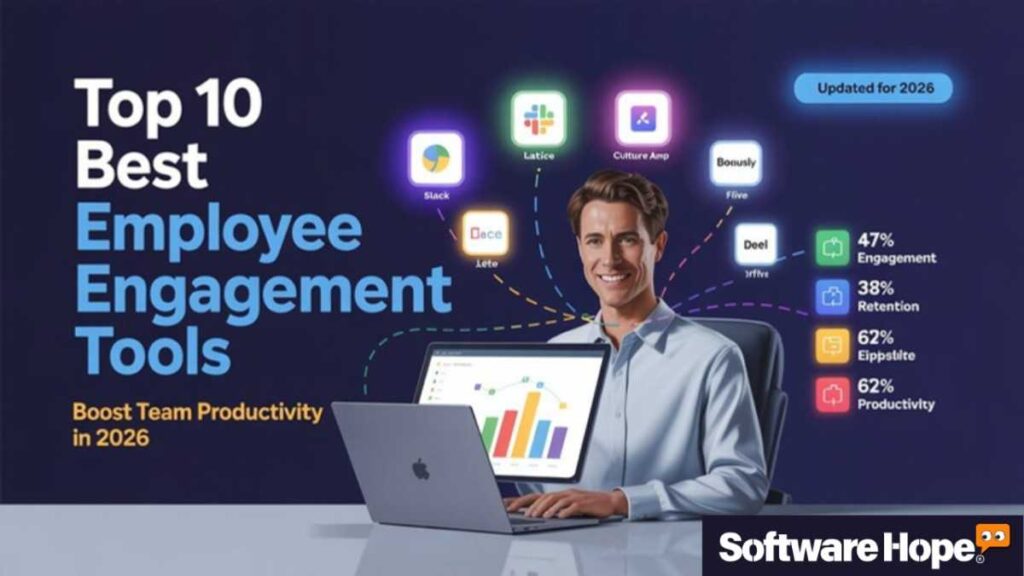
Let’s be honest keeping a team truly engaged is one of the toughest parts of running a business today. It doesn’t matter if your team works in an office, from home or across different time zones. Making people feel connected, motivated and valued takes way more than a pizza party or a quick Friday message on Slack. That’s why the Best Employee Engagement Tools matter so much now. The right employee engagement software can turn a team that’s just clocking in into one that’s actually excited to work and do well.
In this article, we are looking at 20 of the top employee engagement platforms and team engagement tools you can use in 2026. Some focus on communication. Others help with recognition, performance tracking or global HR tasks. There’s pretty much something here for every kind of business. We will go over what each tool does, what makes it stand out, who it works best for, and how much it costs. So whether you are a small startup trying your first workplace engagement tools or a growing company ready to improve your people strategy, you will find a solid option here.
Table of Contents
Comparison of 20 Best Employee Engagement Tools
| Serial | Image | Name | Rating | Compatibility | Features | Details Page |
|---|---|---|---|---|---|---|
| 1 |
|
★★★★★ 4.7 |
Windows,macOS,iOS,Android
|
|
Details | |
| 2 |
|
★★★★☆ 4.3 |
Windows,macOS,iOS,Android
|
|
Details | |
| 3 |
|
★★★★★ 4.6 |
Windows; Mac; Web-based; iOS; Android
|
|
Details | |
| 4 |
|
★★★★★ 4.5 |
Web,Windows,Mac,Android,iPhone
|
|
Details | |
| 5 |
|
★★★★★ 4.5 |
Web,Windows,Mac,Android,iPhone,iPad
|
|
Details | |
| 6 |
|
★★★★★ 4.5 |
Web,Windows,Mac,Android,iPhone
|
|
Details | |
| 7 |
|
★★★★★ 4.5 |
Web,Windows,Mac,Android,iPhone
|
|
Details | |
| 8 |
|
★★★★★ 4.5 |
Web,iOS,Android
|
|
Details | |
| 9 |
|
★★★★★ 4.8 |
Web,iOS,Android
|
|
Details | |
| 10 |
|
★★★★★ 4.5 |
Web,Windows,Mac,Android,iPhone,iPad
|
- | Details | |
| 11 |
|
★★★★★ 4.5 |
Web,Windows,Mac,Android,iPhone
|
- | Details | |
| 12 |
|
★★★★★ 4.5 |
Web,Windows,Mac,Android,iPhone,iPad
|
- | Details | |
| 13 |
|
★★★★★ 4.5 |
Web Browser
|
|
Details | |
| 14 |
|
★★★★★ 4.5 |
Web,Windows,Mac,Android,iPhone
|
- | Details | |
| 15 |
|
★★★★★ 4.8 |
Web,Windows,macOS,iOS,Android
|
|
Details | |
| 16 |
|
★★★★★ 4.8 |
Web, iOS, Android
|
|
Details | |
| 17 |
|
★★★★★ 4.5 |
Web,iOS,Android
|
|
Details | |
| 18 |
|
★★★★★ 4.5 |
Web,Windows,Mac
|
|
Details | |
| 19 |
|
★★★★☆ 4.2 |
Web, Windows, macOS, iOS, Android
|
|
Details | |
| 20 |
|
★★★★★ 4.5 |
Web,iOS,Android
|
|
Details |
1. Slack : Slack is one of the Best Employee Engagement Tools for quick team chats and easy updates.
Slack
Business messaging platform connecting teams, tools and workflows efficiently
If you have ever been on a team where emails keep piling up and everyone’s talking at the same time, Slack is pretty much the fix for that. It’s one of the Best Employee Engagement Tools for keeping teams connected without all the mess.
People use it for quick chats, sharing files, setting up channels for different topics and even jumping on fast calls. It works really well for remote teams, hybrid work or honestly any workplace that wants smoother communication. Good employee engagement software should feel easy and natural to use and Slack definitely does that.
What makes Slack stand out is how it kind of turns into the main hub for your whole team. You can connect it with tons of other apps like Google Drive, Zoom and Asana, so everything stays in one place. New team members can catch up fast because chats and files are easy to search.
And the free plan is actually useful, which isn’t always true with workplace engagement tools. The whole thing feels casual but still gets the job done. People don’t just use Slack because they have to they actually like using it, and that says a lot.
Key Features
- Organized channels for different teams, projects, and topics keep conversations clean and easy to follow
- Huddle feature lets you jump into a quick audio or video call with teammates in seconds — no scheduling needed
- Powerful search lets you find any message, file, or link shared in the past — really useful for fast-moving teams
- App integrations with 2,000+ tools including Google Workspace, Salesforce, and project management platforms
- Workflow Builder lets you automate routine tasks like onboarding messages or approval requests without any code
Pros & Cons
Pros & Cons
Pros
- It's genuinely fun to use — people actually open it without being told to, which boosts team engagement naturally
- The channel organization system makes it really easy to separate work topics without losing important info
- Free plan is functional enough for small teams — you get a lot without spending a cent
- Integration library is massive, so Slack works well alongside whatever tools your team already uses
- Mobile app is clean and reliable, making it a solid team engagement tool even when you're away from a desk
- Search functionality saves serious time — no more digging through emails to find that one file from three weeks ago
Cons
- Free plan limits message history to 90 days, which can be frustrating if you need to dig up old conversations
- Notifications can pile up fast — without good habits, it can feel overwhelming rather than helpful
- Paid plans can get a bit pricey for larger teams, especially when you start adding multiple paid seats
- It can be a distraction if your team treats it like a social feed rather than a work communication channel
Device Compatibility:
Slack runs smoothly on Windows, macOS, iOS, and Android. There’s also a web version so you can access it from any browser without downloading anything. It works great across all the big platforms.
Pricing:
Slack has a free plan that covers the basics well. Paid plans start at around $7.25 per user/month (Pro) and go up to $12.50 per user/month (Business+), billed annually. Enterprise Grid is available for larger organizations with custom pricing.
Customer Support:
Support is available through a help center, community forums, and email. Pro and higher plans get access to 24/7 support with live chat — response times are generally solid.
2. Microsoft Teams : Microsoft Teams helps teams meet, chat, and work better with Best Employee Engagement Tools.
Microsoft Teams
Unified collaboration platform for chat, meetings, calling and teamwork
Microsoft Teams is pretty much the go-to workplace app for companies that already use Microsoft 365. You can think of it as Slack’s bigger business-focused cousin. It brings together chat, video meetings, file sharing, and team collaboration in one place.
That’s a big reason why it’s often listed among the Best Employee Engagement Tools, especially for larger companies. If your team already works with Word, Excel and Outlook, getting started with Teams is pretty easy. It fits right into the tools people already use every day. And when you’re working with a big team, it handles things really well.
A lot of people don’t realize how much Teams has improved over the past few years. The video meetings run smoothly, meeting transcripts are usually very accurate, and sharing files through SharePoint and OneDrive feels simple and quick.
It’s also one of the more reliable Workplace engagement tools when it comes to security and company policies, which is a big deal for IT departments. And if your business is already paying for Microsoft 365, Teams feels like a bonus tool that adds a lot of value without any extra cost.
Key Features:
- Deep integration with Microsoft 365 apps means you can co-edit Word docs or Excel sheets live inside a Teams chat
- Meeting recording with automatic transcription and speaker identification makes follow-ups way easier
- Breakout rooms during calls let large meetings split into smaller groups and then rejoin — super useful for workshops
- Teams Channels organize conversations by project or department with threaded discussions keeping things neat
- Planner and To Do integration turns Teams into a lightweight project management and task tracking platform;
- Enterprise-grade security with multi-factor authentication, compliance tools, and admin controls built right in
Pros & Cons
Pros & Cons
Pros
- Comes bundled with Microsoft 365, so most businesses are already paying for it — great value in that sense
- Video meetings are reliable and feature-rich, with background blur, reactions, and live captions built in
- File storage and sharing through SharePoint integration is smoother than most team engagement tools
- Scales extremely well — whether you have 10 employees or 10,000, Teams handles it without much fuss
- Admin controls and compliance features make it a top pick for regulated industries like finance or healthcare
- Meeting transcripts and recordings save time and make it easier to keep people who missed meetings in the loop
Cons
- The interface can feel a bit cluttered and takes time to learn — new users sometimes get lost in the menus
- Outside the Microsoft ecosystem, integrating with non-Microsoft tools can feel clunky compared to competitors
- Can be resource-heavy on older computers — sometimes slows things down during large video calls
- Notifications aren't always intuitive, and missing messages is surprisingly easy if you're not careful
Device Compatibility:
Microsoft Teams runs on Windows, macOS, iOS, Android, and web browsers. It’s available across all major platforms, and the mobile version is genuinely usable — not an afterthought.
Pricing:
Microsoft Teams Essentials starts at around $4 per user/month. If you already have Microsoft 365 Business Basic ($6/user/month) or higher, Teams is included at no extra cost. A free version with limited features is also available.
Customer Support:
Microsoft offers 24/7 phone and web support for paid plans. There’s also an extensive help center, community forum, and dedicated admin support for enterprise customers. Response quality is generally reliable.
3. Workday : Workday makes HR and payroll simple with smart Best Employee Engagement Tools features.
Workday is one of the biggest names in the HR and finance space. It’s made for mid sized and large companies that want everything in one place. From hiring and onboarding to payroll, performance reviews, and workforce planning, it handles a lot.
That’s why many people see it as one of the Best Employee Engagement Tools for growing businesses. It’s more than basic employee engagement software — it’s a complete system that helps manage your whole workforce. If your company is growing fast and needs strong support, Workday is built for that.
What makes Workday stand out is how everything works together in one platform. You don’t have to jump between different employee engagement platforms or apps to find employee information. Pay details, performance goals, learning progress, and more are all in one place.
It’s a bit more complex than some lighter team engagement tools, but that’s because it offers a lot more features. Most companies that choose Workday stick with it for years because moving to another system can be a huge job. It grows with your business, which is a big reason why many large teams choose it over other workplace engagement tools.
Key Features:
- Unified HCM platform connects HR, payroll, finance, and talent management so all your data lives in one place
- Real-time workforce analytics and dashboards give leaders insights into headcount, attrition, and engagement trends
- Learning management system lets you build, assign, and track employee training and development paths
- Goal-setting and continuous performance management tools help align individual work to company-wide objectives
- Mobile app gives employees self-service access to pay stubs, time off requests, and HR info from anywhere
- Advanced recruiting and onboarding tools that integrate directly with HR workflows — no separate system needed
Pros & Cons
Pros & Cons
Pros
- All-in-one platform means your HR, payroll, and performance data are never siloed from each other
- Analytics and reporting are genuinely powerful — leaders can spot workforce trends before they become problems
- Highly customizable to fit complex organizational structures, which makes it a strong fit for large enterprises
- Regular product updates roll out automatically, so you're always working with the latest features and security patches
- Strong compliance and audit trail features make it a reliable choice for regulated industries
Cons
- Implementation takes serious time and resources — smaller companies might find it overkill for their needs
- Pricing isn't publicly listed and tends to be expensive — it's built for enterprise budgets, not small teams
- The interface, while improving, still has a learning curve that requires proper training for most users
- Customization sometimes requires professional services support, which adds to the total cost of ownership
Device Compatibility:
Workday works on web browsers across Windows and macOS, and has native iOS and Android mobile apps. The mobile experience covers most employee self-service tasks pretty well.
Pricing:
Workday doesn’t list pricing publicly — you’ll need to request a quote. Based on market data, expect costs in the range of $100–$150+ per user per year, though this varies widely based on modules selected and company size.
Customer Support:
Workday provides a customer support portal, Workday Community (their user forum), phone support, and dedicated customer success managers for enterprise accounts. Support is comprehensive, though response times can vary based on your contract tier.
4. Lattice : Lattice helps managers give feedback and grow teams using Best Employee Engagement Tools.
Lattice
People management platform connecting performance, engagement, and employee development
Lattice is one of those employee engagement tools that actually cares about people not just paperwork. It’s a people management platform that makes performance reviews less painful, goal-setting more useful and manager employee relationships way stronger.
Tech companies and fast-growing startups love it because it brings real structure to how they grow their teams. If you have ever had a review that felt totally random, Lattice kind of fixes that.
The 1:1 tools, feedback features and engagement surveys all connect together. So nothing feels scattered. Managers can track goals, collect feedback, and check team morale without chasing anyone down.
And honestly? It looks really good too. Using it doesn’t feel like a chore, which helps people actually stick with it. Teams that use it well tend to see better culture and keep employees around longer. That’s a pretty big win.
Key Features:
- Continuous performance management with structured 1:1 agendas, feedback, and goal tracking built into one flow
- OKR and goal management tools that connect individual objectives all the way up to company-wide priorities
- Engagement surveys with analytics help leadership understand what’s actually driving or hurting morale across teams
- Peer-to-peer feedback and recognition features make positive culture habits easier to build across the organization
- Career growth and development plans give employees visibility into where they’re headed inside the company
- Manager effectiveness tools including upward feedback help identify leadership gaps before they become bigger issues
Pros & Cons
Pros & Cons
Pros
- Performance management feels genuinely structured and fair — employees know what they're being reviewed on
- Engagement survey analytics are detailed enough to identify specific team-level issues, not just company-wide averages
- Clean, user-friendly interface makes adoption easier — people don't need a training session just to navigate it
- Career development features help with retention by showing employees there's a real path forward at the company
- Integrates with Slack, HRIS systems, and calendar tools so it fits into workflows teams already use
Cons
- Pricing can be on the higher end — smaller businesses may find it hard to justify the cost before they've scaled
- Getting full value from Lattice requires consistent manager engagement — if managers don't use it, the data suffers
- Some users report that the survey features, while solid, could use more flexibility in question design
- Initial setup and configuration takes some thought — you'll want to invest time up front to align it with your culture
Device Compatibility:
Lattice is web-based and works across modern browsers on Windows and macOS. There’s a mobile-friendly interface though not a dedicated native app for all features.
Pricing:
Lattice pricing starts around $11 per person/month for performance management, with engagement and growth modules available as add-ons. Full platform pricing is higher — exact costs are available through a demo request.
Customer Support:
Lattice offers a help center, email support, live chat, and dedicated customer success support for higher-tier plans. Most users report reasonably quick response times and helpful onboarding assistance.
5. 15Five : 15Five keeps employees happy with check-ins and goals in Best Employee Engagement Tools.
15Five
Continuous employee feedback and performance management platform for high-performing teams
15Five gets its name from a simple idea 15 minutes for an employee to fill out, 5 minutes for a manager to read. That’s kind of the whole point. Keep check-ins light enough that people actually do them.
It’s a solid pick for mid-sized companies that want real, steady communication between managers and their teams. But without all the heavy stuff that makes it feel like a chore.
The weekly check-in is the heart of it. Employees answer a few questions, share what they’re working on, flag any blockers, and give a quick vibe check on how they’re feeling. Managers get that snapshot without booking yet another meeting. Pretty simple, right?
And it doesn’t stop there. You’ve also got OKR tracking, performance reviews, and manager training tools built in. So it becomes a pretty complete employee engagement platform not just a fancy check in form.
It’s not trying to be Workday. And that’s exactly the point. It’s built to feel light but still give you meaningful insights. So if you want workplace engagement tools that your team will actually use and not dread 15Five is worth a serious look.
Key Features:
- Weekly check-in templates help employees share progress, wins, and blockers in a consistent 15-minute format
- High fives feature lets teammates publicly recognize each other’s contributions — small but genuinely morale-boosting
- OKR tracking connects individual weekly progress to broader company goals without requiring a separate tool
- Manager effectiveness tools including coaching resources help leaders actually get better at leading their teams
- Engagement surveys with benchmarking show how your team compares to industry norms — useful context for leadership
- Performance review builder makes review cycles less painful by pulling from check-in data collected all year
Pros & Cons
Pros & Cons
Pros
- The weekly check-in habit is lightweight enough that most employees actually stick with it — that's the real win
- Pulse surveys give leadership a real-time read on team morale instead of waiting for annual survey results
- Builds a data trail throughout the year that makes performance reviews feel fair and grounded in real evidence
- Manager training and coaching content is included — not a lot of tools invest in helping managers get better
- Clean interface and simple workflows make it one of the easier team engagement tools to roll out company-wide
Cons
- Some teams feel the weekly check-in can become routine and lose meaning over time if not managed thoughtfully
- The platform has a lot of features, and without intentional rollout, some companies end up using only a fraction of them
- Pricing has increased over the years — it's still reasonable but has moved upmarket from where it started
- Integration options, while decent, aren't as extensive as some of the larger platforms on this list
Device Compatibility:
15Five is web-based and works on all major browsers. There’s also an iOS and Android mobile app that covers the check-in and pulse survey features well.
Pricing:
15Five’s Engage plan starts at around $4 per user/month. The Perform plan with full performance management features runs around $10 per user/month. Pricing is available on their website with a free trial.
Customer Support:
15Five offers a help center, in-app chat support, email, and dedicated customer success managers for growth and enterprise accounts. Most users report responsive and friendly support interactions.
6. Culture Amp : Culture Amp helps companies hear employee feedback with Best Employee Engagement Tools.
Culture Amp
Employee experience platform using people science to improve engagement, performance, and retention
Culture Amp is built around a simple idea if you understand your people, you can build a better company. That’s why it’s often listed among the Best Employee Engagement Tools, especially for businesses that want to get real value from employee surveys.
HR and People teams like it because it does more than collect feedback. It helps you understand what the results actually mean and shows how your company compares with thousands of others. It’s very popular in tech, but it works well for all kinds of businesses.
Where Culture Amp stands out is its strong focus on people and workplace research. The platform was created with help from organizational psychologists. So the survey questions aren’t just thrown together. They are based on real research and proven methods. When you run a survey, you get clear insights, team level results and easy to follow trends over time.
It is an employee engagement software built for companies that want to improve culture and keep growing not just send out a survey once a year and forget about it.
Key Features:
- Science-backed employee engagement surveys with actionable analytics and benchmark comparisons across industries
- Continuous listening tools like pulse surveys and lifecycle feedback give a real-time picture of employee sentiment
- Performance management module includes goal-setting, 1:1s, and structured review cycles tied back to engagement data
- DEI data and reporting tools help companies identify equity gaps across different employee groups and locations
- Manager dashboards give team leaders direct visibility into their team’s engagement trends with specific action suggestions
- People analytics integrations allow HR teams to connect engagement data with turnover, promotion, and performance metrics
Pros & Cons
Pros & Cons
Pros
- Survey quality is genuinely top-tier — questions are thoughtfully designed and the analytics go way deeper than averages
- Benchmarking data is one of Culture Amp's biggest differentiators — knowing how you compare to peers is really useful
- DEI reporting features are more mature than most competitors — a real value-add for companies prioritizing inclusion
- The platform actively helps managers take action on survey results, not just read them and wonder what to do next
- Strong customer success team helps with implementation and getting the most out of the data
Cons
- The performance management module, while solid, isn't as feature-rich as dedicated tools like Lattice or 15Five
- For very small teams, the survey sample sizes can make the data less statistically reliable — it's built for scale
- Pricing isn't listed publicly and can be higher than lighter tools — budget conversations are needed up front
- Some users report wanting more customization options in survey templates beyond what's currently available
Device Compatibility:
Culture Amp is web-based and works across all major browsers on Windows and macOS. A mobile-friendly experience is available, though the full analytics experience is best on desktop.
Pricing:
Culture Amp pricing isn’t publicly listed — you’ll need to request a demo and a custom quote. Generally considered mid-to-upper range for employee engagement platforms, with pricing based on employee count and modules.
Customer Support:
Culture Amp provides a help center, email support, and dedicated customer success support. Enterprise clients get hands-on implementation support and ongoing strategic guidance from their team.
7. Leapsome : Leapsome makes reviews and learning easy with Best Employee Engagement Tools.
Leapsome
Integrated HR platform for performance management, employee learning, and engagement
Leapsome started in Europe and has grown into one of the Best Employee Engagement Tools used by companies around the world. It brings performance management, learning and employee surveys together in one platform. And the best part? All those features work well together.
This tool works really well for businesses that want to help their employees get better all year long. Not just once a year with a quick review, and then done. Lots of companies in Europe, the UK and more recently the US use it. For them, it’s one of their go to employee engagement platforms.
One thing you will notice pretty quickly with Leapsome is how connected everything feels. Learning paths link to skills, those skills connect to performance reviews and review data can even tie into compensation decisions. So HR teams get the full picture instead of looking at separate reports. It is one of those employee engagement software and workplace engagement tools that works best when you use all its features together.
Setting it up takes a bit of time, but once it’s running properly, many teams see better data, smoother processes and a stronger employee experience.
Key Features:
- Continuous performance reviews with structured templates, real-time feedback, and calibration tools for fair assessments
- Learning and development paths tied to skills frameworks help employees grow in targeted, measurable ways
- Engagement surveys with AI-powered analysis that surfaces key themes and action areas from open-text responses
- Compensation management module connects pay decisions to performance and market data for more defensible outcomes
- Goal and OKR management with company-wide cascading so every employee can see how their work connects upward
- Meetings module with agenda templates, talking points, and follow-up action tracking for 1:1s and team meetings
Pros & Cons
Pros & Cons
Pros
- The depth of integration between different modules is impressive — it's one of the most cohesive platforms in this space
- Learning and skills tracking features are more mature than most combined HR platforms — a real differentiator
- Compensation management tools make it easier to have defensible, data-backed pay conversations with employees
- GDPR compliance and data privacy features are strong — important for European companies in particular
- Customer support team is frequently praised for responsiveness and actual knowledge of the product
Cons
- Setup and configuration require real time investment — teams that rush it often don't get full value from the platform
- Pricing is in the mid-to-upper range and isn't publicly listed — you'll need to go through a sales conversation
- Some features like compensation management are more mature than others — the product is still evolving in places
- The UI is good but can feel busy when all modules are active — takes some time to navigate confidently
Device Compatibility:
Leapsome is web-based and accessible via all major browsers on Windows and macOS. Mobile access is available through a responsive web interface, though a dedicated native mobile app is limited in scope.
Pricing:
Leapsome pricing starts around $8 per user/month for core modules, with additional pricing for learning, compensation, and engagement add-ons. Custom enterprise pricing is available — request a demo for accurate quotes.
Customer Support:
Leapsome offers a robust help center, email support, live chat, and dedicated customer success managers. Implementation support is available, and the support team is consistently noted for being knowledgeable and responsive.
8. Achievers : Achievers rewards employees and boosts morale with Best Employee Engagement Tools.
Achievers
Employee recognition and engagement platform designed to improve workplace culture
Achievers is one of the bigger, more well-known names in employee recognition. It’s been around long enough to earn that spot.
The whole idea behind it is simple regular recognition beats annual awards every time. That’s what actually keeps people engaged and sticking around.
It’s built around peer-to-peer shoutouts, manager driven awards, and a points-based rewards system. Employees earn points and redeem them for real stuff. Think gift cards, experiences, merchandise, even charitable donations. The catalog is pretty broad. Big brands use it. And it’s built to scale, so it works even if you have got thousands of employees across different teams.
But here’s what makes Achievers stand out a bit the data. It tracks recognition activity across the whole company. So leaders can actually see which teams are building good recognition habits. And which ones aren’t. That’s useful. Instead of just hoping things improve, you have got real visibility into where the engagement gaps are.
So if you are looking for employee engagement software that goes deep on recognition culture, Achievers is one of the more complete options out there. It’s not just a nice to have. For companies serious about appreciation, it’s one of the best workplace engagement tools built specifically for that job.
Key Features:
- Points-based employee recognition system lets employees earn and redeem rewards from a global catalog of options
- Peer-to-peer recognition feeds create a visible culture of appreciation across the whole organization — publicly and privately
- Manager tools for structured recognition milestones like work anniversaries, promotions, and performance wins
- Listen module includes pulse surveys and check-ins that connect recognition data with engagement sentiment
- Analytics dashboards show recognition frequency by team, department, and manager — so gaps are visible and addressable
- Integrates with Slack, Microsoft Teams, Workday, and other tools so recognition can happen where work already happens
Pros & Cons
Pros & Cons
Pros
- Recognition-first approach is well-executed — the points system and rewards catalog are genuinely motivating for employees
- Data and analytics on recognition patterns give HR teams something concrete to work with, not just anecdotal feedback
- Broad rewards catalog with global options makes it workable for international and distributed teams
- Integration with communication tools like Slack and Teams means employees don't need to log into another system
- Works well at enterprise scale — the platform is built to handle large, complex organizational structures
Cons
- Heavier on recognition features than broader performance management — companies wanting both may need a second tool
- Pricing isn't public and can be high depending on the modules selected — better suited to mid-to-large organizations
- Some users report the rewards redemption process can be slow or that certain reward options aren't available in all regions
- The platform's richness means there's a learning curve for HR admins setting it up and managing it effectively
Device Compatibility:
Achievers is web-based and accessible on Windows and macOS browsers. Mobile access is available via iOS and Android apps, which support recognition and reward features on the go.
Pricing:
Achievers pricing isn’t publicly listed — it’s based on company size and module selection. It’s positioned toward mid-market and enterprise companies. Request a demo for an accurate quote.
Customer Support:
Achievers offers a help center, email and phone support, and dedicated customer success managers for enterprise clients. Implementation support is provided, and users generally report strong ongoing support relationships.
9. Connecteam : Connecteam helps deskless teams stay connected using Best Employee Engagement Tools.
Connecteam
Workforce management platform for deskless teams communication and operations
Connecteam was built for one specific kind of worker: the deskless employee. Think retail workers, field techs, restaurant staff, healthcare aides, or construction crews. These are people who don’t sit in front of a computer all day. And most employee engagement tools?
They are not really made for them. So Connecteam flips that. It’s a mobile-first platform. That means it puts HR tools, scheduling, team chat, training, and more into one simple app that works great on a phone.
For the people it’s trying to help, Connecteam does a really solid job. The app is easy to figure out even if someone has zero tech experience. You can schedule shifts, track time, share updates, run onboarding checklists, give shout-outs, and send out simple surveys.
All inside one app. It’s one of those team engagement tools where the simple design is the best part. Businesses with hourly or field workers the ones who’ve had a hard time getting everyone involved often find Connecteam feels like a breath of fresh air.
Key Features:
- Mobile-first design means the full platform works smoothly on a smartphone — essential for deskless workers in the field
- Shift scheduling and time tracking tools replace manual systems and integrate directly with payroll exports
- In-app chat and updates feed keeps team communication centralized without needing personal phone numbers or WhatsApp
- Onboarding checklists and training modules can be built and assigned directly inside the app — no LMS needed
- Task management features let managers assign, track, and follow up on tasks from anywhere in real time
- Employee recognition and digital rewards keep morale up even for workers who rarely see leadership in person
Pros & Cons
Pros & Cons
Pros
- Built specifically for deskless workers — fills a real gap that most employee engagement platforms leave open
- Mobile app quality is genuinely strong — intuitive enough for workers who aren't naturally tech-savvy
- All-in-one design means small businesses can replace several separate tools with just Connecteam
- Free plan available for small teams — genuinely useful and not heavily stripped down like some competitors' free tiers
- Scheduling, communication, and HR features all in one place reduces admin time significantly for managers
Cons
- For desk-based teams or knowledge workers, it may feel basic compared to more advanced engagement platforms
- Reporting and analytics aren't as deep as enterprise-grade tools — fine for small businesses, limited for large ones
- Some advanced features are locked behind higher pricing tiers, which can add up as team size grows
- Integrations with third-party tools aren't as extensive as larger platforms — the ecosystem is somewhat limited
Device Compatibility:
Connecteam is mobile-first with native iOS and Android apps. There’s also a web dashboard available for managers. It works across all major devices and operating systems without issue.
Pricing:
Connecteam has a free plan for up to 10 users. Paid plans start at $29/month for the first 30 users (flat rate), making it very affordable for small businesses. Enterprise pricing is available for larger teams.
Customer Support:
Connecteam offers live chat support, a help center, email support, and video tutorials. Their support team is frequently praised for being fast and helpful — a nice plus for smaller businesses without dedicated IT staff.
10. Workvivo : Workvivo brings teams together with social feeds in Best Employee Engagement Tools.
Workvivo
Employee experience platform combining internal communications, recognition, and community features
Workvivo is basically a company social network that a lot of businesses kind of wish they already had. It feels a bit like LinkedIn or Facebook, but it’s fully private and only for employees. The main idea is simple focus on culture, communication and keeping people connected.
That’s what makes it stand out from many of the Best Employee Engagement Tools. Instead of mostly tracking performance, it’s more about building a real sense of community and belonging. So if your team is remote or spread out, Workvivo can help bring everyone a bit closer together.
And one interesting thing is that Zoom actually bought Workvivo. That just shows how big employee experience has become for companies. The app has a live feed, kind of like social media. Employees can post updates, celebrate wins, and give shout-outs to each other.
There are also options to record audio and video messages, so leaders can easily share updates with everyone at once. On top of that, it has built-in stats too. HR teams can see what people are watching and engaging with, and what they’re just skipping.
As one of the more unique Workplace engagement tools, Workvivo really focuses on helping people feel more connected at work, both to the company and to each other. It fits well in the world of Employee engagement software, Employee engagement platforms, and modern Team engagement tools.
Key Features:
- Social activity feed functions like an internal company social network — employees can post, like, comment, and share
- CEO and leadership broadcast features including live video and podcasts make company-wide communication more personal
- Employee recognition tools with shoutouts and milestone celebrations tied to company values keep culture visible
- Spaces and communities allow groups — like employee resource groups or interest clubs — to have their own home on the platform
- Engagement analytics show HR which content formats and topics are resonating and which are getting ignored
- Integrates with Microsoft 365, Slack, Workday, and other core tools so Workvivo can sit alongside existing workflows
Pros & Cons
Pros & Cons
Pros
- Social-feed approach to employee engagement feels more human and less clinical than survey-heavy platforms
- Leadership broadcast features are genuinely impressive — video, podcast, and live streaming in one internal tool
- Employee resource group and community features help people find connection and belonging inside larger organizations
- Analytics give clear visibility into which communications are working and which ones employees are scrolling past
- Backed by Zoom, so continued investment and development in the platform is likely — good for long-term reliability
Cons
- Less suited for companies looking for performance management or structured HR workflows — it's not built for that
- Getting adoption takes intentional effort — if employees don't engage with the feed early, the platform loses value quickly
- Smaller companies might find the feature depth overkill for their needs — it's built for mid-market and up
- Pricing isn't publicly listed and is generally considered enterprise-tier — budget conversations are a prerequisite
Device Compatibility:
Workvivo is available via web browser on Windows and macOS, plus native iOS and Android mobile apps. The mobile experience is strong — important for a platform built around employee communication.
Pricing:
Workvivo pricing isn’t publicly listed. It’s positioned for mid-market and enterprise companies. Custom pricing is available through a demo — it’s on the higher end of the market based on reported user experiences.
Customer Support:
Workvivo offers a help center, dedicated customer success management, and implementation support. Enterprise clients receive hands-on onboarding support, and ongoing support is handled through account managers.
11. Bonusly : Bonusly lets coworkers reward each other with fun Best Employee Engagement Tools.
Bonusly
Peer-to-peer recognition platform that makes employee appreciation fun, visible, and frequent
Bonusly is one of those best employee engagement tools that actually feels fun — not like some boring HR task. It’s a peer recognition platform where you can give your coworkers points each month. These points are tied to your company’s values, so it’s not random. Employees get a monthly allowance to hand out, and those points add up over time.
Then you can trade them for real rewards — think gift cards, donations to charity, fun experiences, and more. So whether you’re a small team or a big company, Bonusly makes building a culture of recognition pretty simple. You don’t need a huge HR effort to get it going.
The real magic? It’s super easy to use. Everyone can see the recognition feed, so giving a shoutout to someone becomes a normal part of the day. You don’t have to wait for a big meeting to say “good job.” Managers can also add extra points if they want.
Plus, Bonusly works with Slack and Teams. That means giving recognition takes about ten seconds. And let’s be honest — some formal recognition programs feel forced or take forever. Bonusly is the opposite. It’s light, fast, and feels way more natural for employees.
Key Features:
- Monthly allowance model gives every employee points to distribute — recognition becomes a shared responsibility, not just manager-driven
- Visible recognition feed creates a running highlight reel of positive contributions across the whole team or company
- Rewards catalog includes hundreds of gift cards, charitable giving options, and experience-based rewards globally
- Slack and Microsoft Teams integration means recognition can happen inside the tools employees are already working in
- Analytics show which values are being recognized most, which employees are recognizing others, and participation trends
- Automated milestone recognition for birthdays and work anniversaries keeps appreciation consistent without manager reminders
Pros & Cons
Pros & Cons
Pros
- Incredibly easy to adopt — the learning curve is almost flat, and most employees start using it within the first week
- Public recognition feed creates a positive feedback loop where people feel good about both giving and receiving appreciation
- Rewards catalog quality is solid — employees can actually find things they want, which makes the points feel valuable
- Integrations with Slack and Teams make it friction-free to use right where work is already happening
- Affordable pricing makes it accessible for smaller businesses that want recognition tools without enterprise-level costs
Cons
- It's a recognition platform, not a full performance management or engagement suite — some companies will need both
- Monthly point allowances can feel small if the budget isn't set generously — the motivation can fade if rewards feel unattainable
- Analytics, while useful, aren't as deep as dedicated engagement analytics platforms like Culture Amp
- Some international users report that the rewards catalog options are more limited outside of North America and Europe
Device Compatibility:
Bonusly is web-based and works on all major browsers. There’s no dedicated standalone mobile app, but the integration with Slack and Microsoft Teams makes mobile recognition possible through those apps.
Pricing:
Bonusly’s Core plan starts at $3 per user/month. The Pro plan with advanced analytics and integrations runs around $5 per user/month. Reward budget is separate from the platform fee. Free trials are available.
Customer Support:
Bonusly provides a help center, email support, and live chat for higher-tier plans. Customer support is generally rated as friendly and responsive — a good fit for smaller teams that need quick answers.
12. Motivosity : Motivosity helps teams feel valued through Best Employee Engagement Tools rewards.
Motivosity
Recognition and community platform that helps employees feel seen, connected, and valued at work
Motivosity is a recognition and engagement platform. It’s got this warm, people-first vibe that makes it feel really different from most HR tools out there. The whole idea is to help employees feel seen, connected and appreciated. It does that through peer recognition, manager tools, community features and even a mentorship matching thing.
It gets that engagement isn’t just about surveys. It’s about whether people actually feel like they belong and like their work matters. If your company is trying to build a real culture on purpose, this is a pretty solid employee engagement software pick.
One thing you will notice right away is how nice Motivosity looks compared to most employee engagement platforms. It doesn’t feel like some boring compliance tool. It feels like something people actually want to open.
Peer recognition is right up front, which is great. But there’s also a community board, interest groups and something called a ThanksMatters card. Basically a virtual thank you card that actually means something. So for teams that want their workplace engagement tools to feel good to use and not just like another thing HR is making you do this one really delivers.
Key Features:
- Peer recognition with monetary rewards lets employees send real appreciation backed by a budget that leadership controls
- Community features including interest groups and a social feed help employees connect beyond their immediate team
- Mentorship matching connects employees across departments for professional development and cross-team relationship building
- Manager tools include structured 1:1 templates and feedback tools to strengthen the direct manager relationship
- Pulse surveys and engagement listening tools give leadership regular sentiment data without survey fatigue setting in
- Rewards marketplace with gift cards, physical goods, and experiences makes recognition feel genuinely rewarding
Pros & Cons
Pros & Cons
Pros
- Platform design is noticeably more inviting than most HR software — employees actually like logging in, which matters for adoption
- Mentorship matching is a differentiator most recognition platforms skip — it adds real professional value for employees
- Community and interest group features help remote and distributed teams build relationships that feel genuine
- Manager 1:1 tools are simple and effective — help managers build stronger relationships without adding complexity
- Pricing is competitive and transparent, which is refreshing in a market where most platforms hide their rates
Cons
- Performance management features are lighter than dedicated platforms — works better alongside than as a replacement
- Some users report wanting deeper analytics on engagement trends beyond recognition and survey participation
- May feel smaller in scale compared to enterprise-grade tools — it's a great fit for SMBs and mid-market, but less so for massive organizations
- Integration library, while growing, isn't as extensive as larger platforms — check compatibility with your existing stack
Device Compatibility:
Motivosity is web-based with full browser support on Windows and macOS. There are also iOS and Android mobile apps that cover recognition, surveys, and community features on the go.
Pricing:
Motivosity pricing starts around $5 per user/month for core recognition features, with additional modules for manager development, community, and listening available as add-ons. Transparent pricing is listed on their website.
Customer Support:
Motivosity provides live chat support, email, a help center, and dedicated customer success managers. The support team is frequently noted for being responsive and personable — a common theme with smaller-scale engagement platforms.
13. Nectar : Nectar makes employee recognition simple with Best Employee Engagement Tools.
Nectar
Simple employee recognition and rewards platform that builds an appreciation-first culture
Nectar is a simple but actually useful employee recognition and engagement platform. It’s gotten pretty popular with small and mid sized companies that want something easy no six month setup nightmare. It’s built around peer recognition, company challenges and a rewards catalog.
And the interface is clean enough that HR teams can get it running without needing any tech help. If you want your team to feel appreciated without spending a ton of money or time, Nectar is honestly one of the more practical best employee engagement tools out there.
The Challenges feature is what really stands out. Companies can run their own custom challenges tied to real goals think wellness programs, learning tracks or sales contests. Employees earn points when they complete them. Mix that with the peer recognition feed and a rewards catalog, and you have got a few different ways for engagement to actually happen on its own.
It doesn’t feel forced or like another survey people have to fill out. That’s kind of the whole point of good employee engagement software it should feel natural, not like a chore.
And with Nectar, the simplicity isn’t a downside. It’s actually one of the best things about it. A lot of employee engagement platforms get so loaded with features that nobody ends up using them. But Nectar keeps it focused. You will see pretty quickly why it works well for teams that just want something that does the job without all the extra noise.
Key Features:
- Peer recognition with shoutouts tied to company values builds a visible, values-aligned culture of appreciation
- Company challenges let HR teams run custom engagement programs around wellness, learning, or performance goals
- Points-based rewards system with a catalog covering gift cards, experiences, Amazon purchases, and charitable donations
- Automated milestone recognition for work anniversaries and birthdays keeps appreciation consistent without manual work
- Manager top-up feature allows leaders to add extra points to recognize exceptional contributions above the peer baseline
- Amazon integration is a standout — employees can redeem points directly for Amazon products, which employees love
Pros & Cons
Pros & Cons
Pros
- Extremely easy to set up — most HR teams can have it running in a day or two, which is not always the case with competitors
- Amazon integration for reward redemption is a genuine crowd-pleaser — employees can find almost anything they want
- Company challenges feature adds variety to engagement beyond just peer recognition — keeps things from feeling repetitive
- Pricing is very accessible for small and mid-sized businesses — no enterprise budget required to get real value
- Clean and simple interface ensures adoption is high — employees don't need convincing to use something this easy
Cons
- Analytics and reporting are functional but not deep — enterprise teams will likely need supplementary tools for richer insights
- No performance management features — Nectar is purely a recognition and engagement tool, not an all-in-one HR platform
- Engagement survey capabilities are lighter than dedicated survey platforms — better for pulse checks than in-depth listening
- Some users mention wanting more customization in the recognition feed and challenge design workflows
Device Compatibility:
Nectar is web-based and accessible on all major browsers. It integrates with Slack and Microsoft Teams for in-platform recognition. A mobile-friendly web experience is available though the native mobile app is limited.
Pricing:
Nectar’s Standard plan starts at $5 per user/month. The Plus plan with additional features runs around $6 per user/month. Reward budgets are separate from the platform fee. A free demo is available on the website.
Customer Support:
Nectar offers live chat support, email support, and a help center. For larger plans, dedicated support is available. Users generally report fast and helpful support responses — setup assistance is included in onboarding.
14. WorkTango : WorkTango tracks feedback and engagement using Best Employee Engagement Tools.
WorkTango
Integrated employee recognition and engagement listening platform connecting appreciation with insight
WorkTango brings employee recognition and engagement surveys together in one place and honestly, it feels more connected than you had expect. A lot of companies run two totally separate tools for this stuff. WorkTango tries to fix that. It’s built to help companies figure out how employees are feeling, celebrate the good stuff, and actually do something about the bad stuff.
The recognition side is pretty solid. You have got peer shoutouts, manager awards, work anniversary celebrations and a rewards marketplace. And the survey side covers engagement surveys, quick pulse checks, and lifecycle surveys. But here’s what makes it click — both sides feed into the same analytics.
So HR teams can see things like, “Hey, are the teams getting the most recognition also scoring better on surveys?” Or, “Which teams have the kind of engagement patterns that usually lead to people quitting?” That’s kind of a big deal.
It’s one of the more thoughtfully put together employee engagement platforms out there for mid-size and larger companies. If you’re tired of running your recognition program and your survey program as two separate things with no real connection, WorkTango is worth a look. It’s not just two tools slapped together it actually feels like one.
Key Features:
- Peer recognition and rewards with a marketplace of gift cards, experiences, and charitable giving options for employees
- Engagement surveys and pulse tools with analytics that surface themes and compare results across teams and timeframes
- Lifecycle surveys at onboarding, 90 days, and offboarding give HR a full picture of the employee journey
- Manager dashboards that pull together recognition activity and survey results so leaders have context in one view
- Goal and values alignment features tie recognition activity back to the specific behaviors and values companies want to reinforce
- Data and analytics connecting recognition patterns with engagement and retention signals for more proactive HR decisions
Pros & Cons
Pros & Cons
Pros
- Combining recognition and listening in one platform reduces the fragmentation that comes from using multiple separate tools
- Lifecycle survey capability covers the full employee journey — from day one through exit — which most recognition tools skip
- Analytics that connect recognition to engagement survey outcomes is a genuinely useful feature for HR decision-making
- Values-based recognition helps make company culture visible and tangible rather than something that only lives in the handbook
- Customer success support is strong — implementation and ongoing strategy help is commonly noted as a positive
Cons
- Pricing isn't publicly listed and requires a sales conversation — less transparent than some newer players in this space
- Some users report the UI could feel more modern and intuitive — it's functional but not always the most elegant experience
- For companies that only need one half (either recognition OR surveys), paying for both modules may feel like more than they need
- Analytics, while strong in concept, can take time to yield meaningful insights — it rewards consistent long-term use
Device Compatibility:
WorkTango is web-based and accessible on all major browsers. It integrates with Slack, Microsoft Teams, and major HRIS platforms. Mobile access is available through a responsive web interface.
Pricing:
WorkTango pricing isn’t publicly listed — it’s customized based on company size and which modules are selected. Contact their team for a quote. Mid-market positioning suggests moderate-to-upper pricing compared to lightweight tools.
Customer Support:
WorkTango offers dedicated customer success managers, implementation support, a help center, and email support. The support team is consistently noted as engaged and knowledgeable about the platform.
15. Rippling : Rippling manages HR and apps smoothly with Best Employee Engagement Tools.
Rippling
Unified workforce platform combining HR, payroll, IT, and finance operations.
Rippling is what happens when someone says, “Hey, let’s put HR, IT, and payroll all in one spot,” and then actually makes it work great. It’s a complete workforce platform that does pretty much everything. It handles onboarding, hands out laptops, gives access to apps, and runs payroll and benefits.
It even does training and reviews. If your company is tired of using five different employee engagement software tools that don’t talk to each other, Rippling is a really cool choice. It’s one of those best employee engagement tools that works best if you just go all in.
The automation part is where Rippling really shows off. When you hire someone new, Rippling can do a ton of work at once. It sends out onboarding tasks, adds the new hire to the right apps, and sets up their computer. Plus, it enrolls them in benefits and gets their payroll ready. All of that happens in just one go.
Most employee engagement platforms can’t do anything close to that. The team engagement tools sit right on top of this system and make things way easier. Since all the worker info lives in one place, your reports look super clean and you don’t mess up typing in data. It’s a workplace engagement tool that just gets the job done right.
Key Features:
- Unified HR, payroll, and IT platform means employee data flows across systems automatically without manual syncing
- Automated onboarding workflows trigger app provisioning, device setup, and training assignments the moment someone is hired
- Global payroll capabilities support employees and contractors in multiple countries from a single platform
- Learning management system with assigned training tracks for onboarding, compliance, and ongoing development
- Performance management module with goals, reviews, and feedback tied directly to the employee data already in the system
- Powerful app management — enable or disable employee access to hundreds of SaaS tools directly from Rippling with one click
Pros & Cons
Pros & Cons
Pros
- The automation capabilities are genuinely best-in-class — manual HR tasks that used to take hours happen in seconds
- Single employee record means data stays consistent across HR, payroll, IT, and benefits — fewer errors, less admin work
- Global payroll support makes it a standout for companies with international teams or remote workers in multiple countries
- Fast-growing feature set means the platform keeps getting better — Rippling invests heavily in product development
- Strong reporting capabilities across all HR functions from one data source — leadership gets cleaner insights
Cons
- Can feel overwhelming at first — the breadth of features means there's a real learning curve for new admins
- Pricing adds up as you enable more modules — it's modular, which is flexible but can get expensive if you want everything
- Engagement and culture-specific features (recognition, pulse surveys) aren't as deep as dedicated engagement platforms
- Customer support quality can vary — some users report needing to escalate to get timely resolutions for complex issues
Device Compatibility:
Rippling is web-based and works on Windows and macOS browsers. There’s a mobile app for iOS and Android that covers payroll, time and attendance, and basic HR self-service functions well.
Pricing:
Rippling starts at around $8 per user/month for the core platform, with additional costs per module (payroll, learning, IT, etc.). Total pricing depends on which products you enable. A demo is required for exact pricing.
Customer Support:
Rippling offers a help center, in-app chat, email support, and phone support for certain plan tiers. Support quality is generally solid though response times can vary. Enterprise clients get dedicated account management.
16. Gusto : Gusto makes payroll and employee care easy with Best Employee Engagement Tools.
Gusto
Modern cloud-based payroll benefits and human resources platform for growing businesses.
Gusto is the HR and payroll tool that small businesses actually like using. And that’s kind of rare. It’s built for the small business owner someone who’s juggling everything at once and doesn’t have a whole HR team behind them.
No steep learning curve and no pricey consultants, it just works. As an employee engagement software pick for small teams, Gusto covers a lot of ground. Payroll, benefits, hiring, onboarding and some basic HR tools all wrapped up in one clean, easy to use package. It’s pretty much the most well-loved small-business payroll and HR tool out there right now.
So what makes it stand out? It handles the stuff that usually drives business owners crazy. Things like filing payroll taxes automatically, managing benefits like health insurance and 401(k)s, and making sure employees get their documents without you having to track any of it by hand. For someone running a small business with twenty other things going on, that kind of automation feels like a lifesaver.
The employee engagement side isn’t as deep as some tools built only for that. But Gusto still gives employees a solid experience. They can check pay stubs, handle their own info, and get through onboarding without a headache. It’s a strong starting point for any company that’s still in that small-business stage and hasn’t needed to level up yet.
Key Features:
- Automated payroll with tax filing handles federal, state, and local payroll taxes automatically every pay period
- Benefits administration for health insurance, 401(k), HSAs, and commuter benefits manageable from one dashboard
- New hire onboarding with digital offer letters, I-9 verification, and document signing — all before day one
- Employee self-service portal for pay stubs, tax forms, PTO requests, and personal information updates
- Time tracking integration syncs hours worked directly into payroll — no manual calculations or data entry needed
- Contractor payments support for international and domestic contractors alongside W-2 employees in the same platform
Pros & Cons
Pros & Cons
Pros
- Incredibly user-friendly — small business owners with no HR background can manage the whole platform confidently
- Automatic tax filing removes one of the most stressful parts of running payroll — seriously saves hours of work
- Benefits administration through Gusto is genuinely comprehensive for small businesses — health, retirement, and more in one place
- Pricing is transparent and affordable — small teams know exactly what they're paying before they commit
- Employee self-service features give staff easy access to their own information without bothering HR (or the owner)
Cons
- As companies grow past ~100 employees, Gusto starts to feel limited compared to enterprise-grade HRIS platforms
- Engagement features beyond basic onboarding and self-service are limited — it's primarily an operations tool, not a culture tool
- Customer support, while generally helpful, can experience longer wait times during tax season and payroll deadlines
- Some HR reporting capabilities are more basic than what growing HR teams eventually need — data export limitations exist
Device Compatibility:
Gusto is web-based and accessible on any major browser on Windows and macOS. There’s an employee-facing mobile app on iOS and Android for self-service features like pay stubs and PTO.
Pricing:
Gusto’s Simple plan starts at $40/month base + $6 per person/month. The Plus plan runs $80/month base + $12 per person/month. Premium pricing is available for larger teams. No hidden fees — pricing is clearly listed on their website.
Customer Support:
Gusto offers phone support, email, in-app chat, and a help center. Support availability varies by plan — higher tiers get priority access. During busy periods like tax season, wait times can be longer than usual.
17. Paylocity : Paylocity helps teams connect and manage work with Best Employee Engagement Tools.
Paylocity
Modern HR and payroll platform connecting employees, operations, and workforce data.
Paylocity is a cloud based HR and payroll tool built for mid sized companies the ones that have outgrown something like Gusto but aren’t ready to jump into a big enterprise platform like Workday. It handles payroll, benefits, time, attendance and talent management. Even has an employee engagement feature called Community. Think of Community as a private social feed just for your company. And honestly, Paylocity works best when you use the whole suite together, not just the payroll part.
The Community feature is worth talking about. It gives your team a space to post updates, shout each other out, and stay in the loop which is really useful if your people are spread across different locations or working remotely. It’s kind of like having an internal social network just for your company.
But it doesn’t stop there. Paylocity also includes surveys, recognition tools and resources to help managers coach their teams. So it’s covering the “people and culture” side of HR, not just the admin stuff. That’s more than you’d get from most payroll first platforms.
So if you are a mid sized company looking for one platform to handle both the paperwork and the culture side of things, Paylocity’s a pretty solid pick. You don’t need two separate tools it’s all in one place.
Key Features:
- Community social feed creates an internal employee network for updates, recognition, and connection across the whole company
- Payroll and tax management with compliance tools that handle multi-state payroll and automatic regulatory updates
- Performance management with goals, continuous feedback, and review templates tied directly to employee records in the system
- Learning management system for building and tracking training courses, certifications, and onboarding content
- Employee surveys and engagement tools built into the platform — no separate survey tool needed for pulse checks
- Time and attendance tracking with scheduling, geofencing, and biometric clock-in options for hourly and field workers
Pros & Cons
Pros & Cons
Pros
- Community social feed is a differentiator for a payroll-heavy platform — adds real culture-building functionality
- Strong mid-market fit — powerful enough for complex organizations but not as overwhelming as enterprise-tier systems
- All-in-one platform reduces the vendor count and the integration headaches that come with using multiple separate tools
- Payroll and tax compliance tools are reliable and handle complex multi-state scenarios well
- Regular feature updates and a product roadmap that seems genuinely responsive to customer feedback over time
Cons
- Implementation can take longer than expected — proper configuration requires dedicated time from HR and sometimes a consultant
- The mobile app, while functional, gets mixed reviews — some users find it less polished than the web version
- Customer support quality can vary significantly by region and account tier — some users report long resolution times
- Reporting and analytics, while improving, still lag behind what dedicated analytics platforms provide
Device Compatibility:
Paylocity is accessible via web browser on Windows and macOS. There are native iOS and Android mobile apps covering self-service, time tracking, and community features. Performance on mobile has improved but varies by device.
Pricing:
Paylocity pricing isn’t publicly listed — it’s customized based on company size and the modules selected. Mid-market pricing is typical, and you’ll need to request a demo for a specific quote. Generally considered mid-range for the HR platform market.
Customer Support:
Paylocity offers phone support, email, online chat, and a customer community. Dedicated account managers are available for larger accounts. Support quality tends to get better reviews from enterprise clients than from smaller accounts.
18. Greenhouse : Greenhouse improves hiring and teamwork with Best Employee Engagement Tools.
Greenhouse
Structured hiring and onboarding platform that reduces bias and improves recruitment outcomes
Greenhouse is one of the most respected applicant tracking systems out there in the recruiting world. And yeah, it might not be the first thing you think of when someone says employee engagement tools. But it actually plays a huge role in the employee experience, starting at day zero.
Getting hiring and onboarding right is the very first engagement moment a company has with someone new. Greenhouse is built to make that whole process more structured, fair and positive. Companies that use it tend to have way more consistent hiring practices and a better experience for candidates overall.
So what makes Greenhouse stand out? It’s all about structured hiring. That basically means setting up the same interview questions, scorecards and evaluation criteria for every candidate. Everyone gets judged on the same things. That cuts down on bias a lot and it makes hiring managers feel a lot more confident about their decisions.
For HR leaders who care about DEI diversity, equity and inclusion Greenhouse is kind of a big deal. Its DEI focused hiring features are some of the most mature you will find in the market. It’s the type of employee engagement platform that actually starts investing in engagement before someone even walks through the door.
Key Features:
- Structured interview kits with standardized questions and scorecards ensure consistent, bias-reduced candidate evaluation
- Candidate pipeline management with visual stages makes it easy to see where every applicant is in the hiring process
- DEI sourcing and reporting tools help companies track and improve diversity across recruiting pipelines and hiring outcomes
- Offer management with electronic signatures and approval workflows simplifies the offer and acceptance process
- Onboarding tools with task lists and document management help new hires get up to speed from their first day
- Integration with 300+ HR tools including Workday, BambooHR, Slack, and background check providers for seamless workflow
Pros & Cons
Pros & Cons
Pros
- Structured hiring approach leads to more consistent, defensible hiring decisions — and typically better quality hires
- DEI reporting and sourcing features are among the most mature in the ATS market — a real differentiator for inclusive hiring
- Candidate experience is notably better with Greenhouse — communication templates and timely updates reduce ghosting
- Massive integration library means Greenhouse connects smoothly with the rest of your HR tech stack
- Reporting on hiring metrics — time to hire, source quality, offer acceptance rates — gives recruiting teams real visibility
Cons
- Primarily a recruiting and onboarding tool — it's not a full engagement or performance management platform on its own
- Pricing is on the higher end compared to simpler ATS tools, which can feel steep for smaller companies with low hiring volume
- The platform has a significant number of features, and some smaller teams end up using only a fraction of what they're paying for
- Some users report the UI can feel dated in certain areas — configuration and admin workflows aren't always intuitive
Device Compatibility:
Greenhouse is web-based and works on all major browsers on Windows and macOS. There’s a mobile-responsive site but no dedicated native app — most users primarily work from a desktop.
Pricing:
Greenhouse pricing isn’t publicly listed. Pricing is based on company size (employee count) and typically runs from a few thousand dollars per year for small companies up to six figures for enterprise. Request a demo for specifics.
Customer Support:
Greenhouse offers a help center, email support, and phone support. Dedicated customer success managers are provided for most plan levels. The support team is generally well-regarded, especially for implementation and setup.
19. Deel : Deel helps global teams handle payroll using Best Employee Engagement Tools.
Deel
Global workforce platform for hiring payroll compliance and HR management
Deel is built for how work actually happens now people spread out across the world, some full-time, some contractors, some freelancers, all in different countries. It’s a global payroll and compliance platform.
That means you can hire, pay, and manage workers in 150+ countries without setting up local offices or learning each country’s laws. It’s one of the more specialized employee engagement platforms out there. And it earns that spot by removing the friction that makes international employees feel like second class citizens on the team.
But Deel isn’t just payroll. It’s grown to include HR tools too things like an HRIS, equity management, and a Slack integration for HR tasks. The compliance part is where it really pulls its weight, though.
Laws change all the time and Deel’s legal team handles that complexity for you. So if you are a remote first company or a startup that wants to hire globally right away. Deel takes one of the hardest parts of building an international team off your hands. And when employees in 10 different countries all get paid right and on time that’s employee engagement in the most basic sense.
Key Features:
- Global payroll for employees in 100+ countries with local tax compliance, deductions, and pay schedules handled automatically
- Employer of Record (EOR) service lets companies hire full-time employees in countries where they have no legal entity
- Contractor management with compliant contracts, invoicing, and payments in 150+ currencies from a single dashboard
- HRIS features for storing employee data, org charts, time off tracking, and documents across global teams
- Equity management tools help companies grant and manage stock options for employees across different jurisdictions
- Compliance monitoring with automatic updates when employment laws change in countries where your employees are located
Pros & Cons
Pros & Cons
Pros
- Unmatched global coverage — hiring and paying in 150+ countries from one platform is a genuine operational game-changer
- EOR service removes the need to set up legal entities in every country, saving months of setup time and significant legal costs
- Compliance management is taken seriously — Deel's legal teams monitor local law changes so your team doesn't have to
- Contractor-to-employee conversion is seamless within the platform — no starting over with a new vendor
- Fast-growing product with regular feature additions — the HRIS and equity features have matured significantly
Cons
- Primarily an operational payroll and compliance tool — engagement and culture features are more limited compared to dedicated platforms
- Can feel expensive for companies with only a few international hires — EOR pricing per employee adds up
- Some users report customer support can be slow to resolve complex payroll or compliance issues in certain countries
- HRIS features, while improving, aren't as deep as dedicated HR platforms — works better alongside than as a replacement
Device Compatibility:
Deel is fully web-based and works on all major browsers. There’s a mobile app for iOS and Android covering payroll status, documents, and basic HR self-service functions.
Pricing:
Deel charges per employee/contractor: EOR services start around $599/month per employee. Contractor management starts at $49/month per contractor. HRIS is available at $20/month per employee for companies just needing HR tools without payroll.
Customer Support:
Deel offers 24/7 live chat support, email, a help center, and dedicated account managers for larger accounts. Support responsiveness is generally strong, though complex compliance cases can take longer to fully resolve.
20. HiBob : HiBob keeps HR tasks simple and fun with Best Employee Engagement Tools.
HiBob
People management platform built for modern distributed and growing organizations.
HiBob or just Bob, as most people call it is a modern HR platform built for mid-sized companies. It sits right in the sweet spot between a basic tool and a big, heavy enterprise system. And honestly? It’s one of the better-looking HR platforms out there. The interface is clean and simple, so employees don’t dread using it.
Bob covers all the core HR stuff onboarding, time and attendance, payroll integrations, performance management. But it does all of it with a personality that makes everything feel a bit more human.
So what makes Bob different from other HR platforms? It’s how much it cares about the employee experience not just the backend operations. There’s a Shoutouts feature where people can give each other a public pat on the back. There are Clubs, which are basically little communities inside the company built around shared interests. And there’s a company newsfeed that actually keeps people in the loop.
The onboarding side is where Bob really shines, though. New hires get a personal intro to the team and the company before they even walk in on day one. That’s kind of a big deal.
Bottom line: if you want your HR software to feel like part of your company culture not just some clunky system running in the background Bob’s a pretty solid pick. It gets the balance right between the practical stuff and the people stuff.
Key Features:
- People analytics and workforce insights dashboard gives HR teams real-time visibility into headcount, turnover, and engagement trends
- Shoutouts and peer recognition features embedded directly in the platform make appreciation a natural part of daily work
- Clubs feature enables employee-run interest groups and communities that help build connection across the organization
- Customizable onboarding journeys with tasks, introductions, and culture content give new hires a warm, structured welcome
- Performance management with goal-setting, continuous feedback, and structured review cycles all housed in one system
- Compensation management tools help HR teams run salary review cycles and maintain equity with data to back decisions
Pros & Cons
Pros & Cons
Pros
- • Design and user experience are noticeably above average — employees and HR admins both tend to actually enjoy using it
- • Onboarding experience is a genuine standout — new hires feel welcomed rather than just processed through forms
- • Clubs and community features help distributed and remote teams build culture without forcing it
- • Strong people analytics capabilities give HR teams the data to make informed decisions about workforce strategy
- • Scales well in the mid-market range — good for companies between 50 and a few thousand employees
Cons
- • Pricing isn't publicly listed and requires a demo — initial conversations suggest it's positioned above entry-level HR tools
- • Some advanced features like compensation management may feel less mature than dedicated point solutions in those areas
- • Integration depth varies — connections with some third-party tools are stronger than others, so check your specific stack
- • A few users report that reporting customization has some limits — pre-built reports are good, but ad-hoc analysis can be tricky
Device Compatibility:
HiBob is web-based and works across major browsers on Windows and macOS. There are native iOS and Android mobile apps that cover most self-service and HR tasks — the mobile experience is rated well by most users.
Pricing:
HiBob pricing is not publicly listed. Based on market feedback, pricing is generally mid-market and based on employee count and modules. Request a demo for an accurate quote — the sales process is reportedly straightforward.
Customer Support:
HiBob offers a help center, live chat, email support, and dedicated customer success managers. Users frequently note that the support team is knowledgeable and friendly — implementation support is included for new customers.
Latest Post
10 Best Enterprise Project Management Software in 2026
Vijay Datt is a website developer, software expert, and SEO specialist. He writes about the latest software, graphic design tools, and SEO strategies. With expertise in web development and image creation, he helps businesses grow online. His articles provide valuable insights to enhance digital success.