Best CRM Software 2026 β€” Top 24 Tools Ranked by User Ratings

Best CRM Software 2026 β€” Top 24 Tools Ranked by User Ratings

5/5 - (4 votes)

A sales team using a shared spreadsheet often runs into the same problems. Someone forgets a follow-up, two people email the same prospect, and no one knows how many deals are really moving forward. A CRM solves this by bringing contacts, conversations and deals all to one place.

Choosing the best CRM software isn’t just about picking the tool with the most features. It also depends on your team size, budget, and how much setup you’re willing to handle. A freelancer needs something different from a 200-person sales team. Some tools work well as a CRM for small businesses, while others offer free CRM software plans or are made for larger companies.

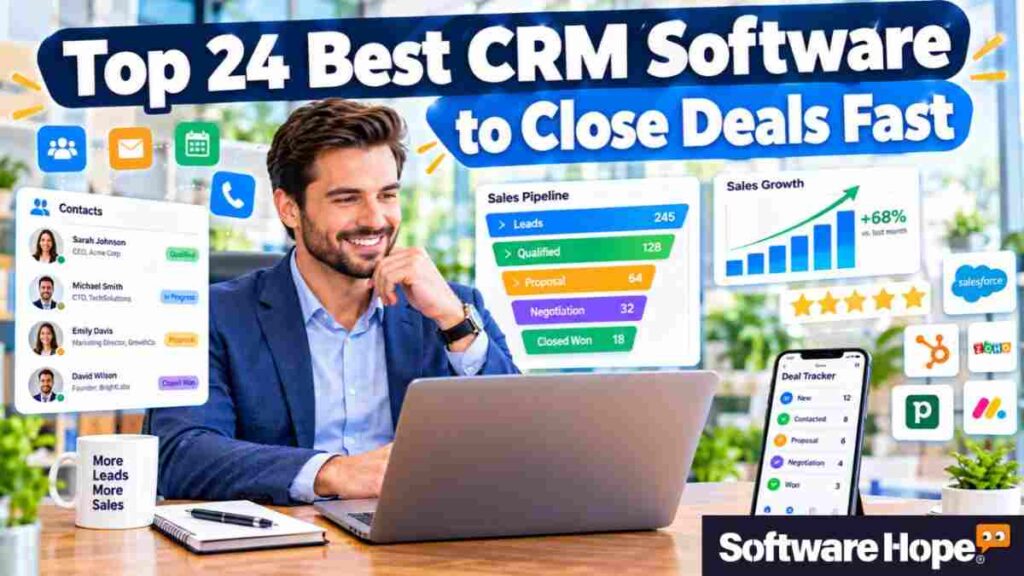
This CRM software comparison covers 24 tools, listed by user ratings. For each one, you’ll see what it does, its main features, pros and cons, supported platforms, pricing, and support options.

Table of Contents

1. Salesforce Sales Cloud: Salesforce Sales Cloud helps teams manage leads, deals, and customer data with best crm software.

Salesforce Sales Cloud

Enterprise CRM for managing leads, opportunities, forecasts, accounts, and sales workflows

β˜…β˜…β˜…β˜…β˜†4.3(1 reviews)
πŸ’° Subscription

Salesforce Sales Cloud, now marketed as Agentforce Sales, is a CRM that many other tools are compared with. It helps teams track leads, manage deals, forecast sales, and store account details. Companies can also add extra tools, custom fields, and apps from its large marketplace. It’s a common choice for mid-sized and large teams with complex sales needs.
Salesforce stands out because it offers a lot of control. Admins can build custom workflows, approval steps, and reports. It also uses AI agents to help write emails and update records. That flexibility makes it a good fit for large sales teams, but you’ll often need a dedicated admin or an implementation partner to set it up.

Key Features

  • Lead, contact and opportunity management with customizable sales stages
  • Forecasting tools that roll up pipeline numbers by rep, team or region
  • Workflow automation and approval processes configured without code
  • A large app marketplace for connecting accounting, marketing and support tools
Pros & Cons

Pros & Cons

Pros

  • Customization options cover almost any sales process, from simple to complex
  • Reporting and dashboards handle large data volumes and multi-team forecasting
  • Integrations with other business software are broad and well documented
  • Higher tiers include AI agents that help with data entry and email drafts

Cons

  • Total cost climbs quickly once add-ons, admin time and onboarding are included
  • Setup and ongoing configuration are more demanding than in lighter CRMs

Device Compatibility:

  • Runs in web browsers on Windows, macOS and Linux. Mobile apps are available for iPhone/iPad and Android.

Pricing:

  • Salesforce lists per-user, per-month prices: Starter Suite from $25, Enterprise at $175, Unlimited at $350 and Agentforce 1 Sales at $550, with Pro Suite between Starter and Enterprise. A free trial is available. Add-ons such as Sales Engagement cost extra, so the final bill often exceeds the headline price.

Customer Support:

  • Salesforce provides a help center, Trailhead training modules and the Trailblazer Community forum. Case-based support comes through paid support plans.

2. HubSpot Sales Hub: HubSpot Sales Hub helps teams track leads, emails, and deals with best crm software.

HubSpot

Unified customer platform for marketing sales service and CRM growth

β˜…β˜…β˜…β˜…β˜†4.1(190 reviews)
πŸ’° Subscription

HubSpot Sales Hub sits on top of HubSpot’s free CRM, which stores contacts, companies, and deals at no charge. Sales Hub adds email sequences, meeting scheduling, call tracking, and forecasting. It suits small and mid-sized teams that want sales and marketing data in one system, and it is often the first name in any list of the best CRM software for small businesses.

What sets it apart is the way the free CRM connects to HubSpot’s marketing, service, and content tools. A lead who fills in a form, opens an email, and books a meeting shows up on one record. The interface is clean enough that most teams are productive within days.

Key Features:

  • Free CRM with contact, company and deal records and a visual pipeline
  • Email tracking and templates that show when a prospect opens a message
  • Sequences that automate follow-up emails and tasks (Professional and above)
  • Meeting links that sync with your calendar and remove back-and-forth scheduling
Pros & Cons

Pros & Cons

Pros

  • The free CRM has no time limit, so small teams can start without paying
  • A tidy interface keeps training time short for new sales reps
  • Marketing, sales and service tools share the same customer records
  • A large library of free courses and templates helps new users get started

Cons

  • The jump from Starter to Professional is steep, and sequences require Professional
  • Mandatory one-time onboarding fees apply to Professional and Enterprise plans

Device Compatibility:

  • Web-based, so it works in any modern browser on Windows, macOS and Linux. Mobile apps cover iPhone/iPad and Android, and there are browser and email extensions.

Pricing:

  • The CRM itself is free. Sales Hub Starter runs about $15 to $20 per seat per month depending on billing, Professional about $90 to $100 per seat, and Enterprise $150 per seat. Professional carries a $1,500 onboarding fee and Enterprise $3,500, according to published pricing guides. Starter and Professional pricing has varied between sources, so confirm on HubSpot’s pricing page.

Customer Support:

  • HubSpot offers a knowledge base, community forums, HubSpot Academy courses and in-app help. Direct support channels depend on the plan.

3. ActiveCampaign: ActiveCampaign helps teams manage sales and leads with simple best crm software tools.

ActiveCampaign

Customer automation platform combining CRM, email marketing, and sales automation

β˜…β˜…β˜…β˜…β˜…4.5(5 reviews)
πŸ’° Subscription

ActiveCampaign started as an email marketing tool and later added a sales CRM. You can still see that today. Its biggest strength is marketing automation, with simple visual workflows. It can send emails, add tags and create tasks based on what a contact does. It’s a good fit for small businesses that get leads through email campaigns, webinars, or online courses.

When you compare CRM software, ActiveCampaign makes sense if follow-up is more important to you than having a deep sales pipeline. Deals are shown on a simple board, while the automation builder handles lead scoring, audience groups and multi step follow up campaigns. And that’s something you don’t always get with more sales-focused CRM tools.

Key Features:

  • Visual automation builder with triggers, conditions and multi-step branches
  • Lead scoring that ranks contacts by email clicks, page visits and other actions
  • Deal pipelines with tasks and reminders attached to each opportunity
  • Email, SMS and site messaging managed from the same account
Pros & Cons

Pros & Cons

Pros

  • Automation depth is greater than most CRMs in this price range
  • Marketing and sales activity appear in one contact timeline
  • Segmentation options let you tailor messages to small, specific audiences
  • Prebuilt automation recipes shorten setup for common workflows

Cons

  • Pricing scales with contact count, so growing lists raise the monthly bill
  • The sales CRM is included only on certain plans, and its pipeline tools are lighter than Pipedrive's

Device Compatibility:

  • Browser-based on Windows, macOS and Linux, with iPhone/iPad and Android apps.

Pricing:

  • ActiveCampaign sells tiered subscriptions priced by contact count, starting at around $15 per month on the entry plan. CRM features sit in higher tiers, and Enterprise pricing is quoted individually. A free trial has been offered, so check the current terms on the pricing page.

Customer Support:

  • Support includes a help center, guides, community resources and email or chat help, with access varying by plan.

4. ClickUp: ClickUp helps teams manage tasks, leads, and sales work with best crm software.

ClickUp

Flexible work platform with CRM templates, tasks, automation, and custom workflows

β˜…β˜…β˜…β˜…β˜…4.6(219 reviews)
πŸ’° Freemium

ClickUp is a project management platform that also offers a CRM template. It uses simple tasks and database features to help teams manage leads and deals. If your team already uses ClickUp for projects, you can set up a sales pipeline with custom fields, statuses, and different views. You can also link deals to the project work that starts after a sale.

This makes ClickUp a good choice for agencies and service businesses where a new deal turns into a project. But it doesn’t have some sales tools you’ll find in a dedicated CRM, like built-in dialers or advanced sales forecasts. Still, it’s a pretty affordable option for basic pipeline tracking.

Key Features:

  • Custom fields and statuses that model lead stages and deal values
  • Board, list and calendar views for looking at the same pipeline in different ways
  • Automations that assign owners and update statuses when a deal moves
  • Docs, tasks and chat that link a sale to the project work that follows
Pros & Cons

Pros & Cons

Pros

  • One workspace covers sales tracking and the delivery work after the deal
  • A free plan allows small teams to test the setup before paying
  • Low per-user pricing on paid plans keeps costs modest
  • Dashboards let managers combine sales and project metrics in one view

Cons

  • It is a project tool adapted for CRM, so sales-specific features are limited
  • The long list of options can overwhelm teams that only need a contact database

Device Compatibility:

  • Web app plus desktop apps for Windows, macOS and Linux, and mobile apps for iPhone/iPad and Android.

Pricing:

  • ClickUp has a Free Forever plan, with paid Unlimited and Business plans priced per user per month (lower when billed annually) and custom Enterprise pricing. AI features are sold as an add-on. Check ClickUp’s pricing page for current rates.

Customer Support:

  • ClickUp provides a help center, in-app guidance, video training and a community. Live support depends on the plan.

5. Close: Close helps sales teams manage calls, emails, leads, and deals with best crm software.

Close

Sales CRM built for calling, emailing, texting, pipelines, and outbound sales

β˜…β˜…β˜…β˜…β˜…4.6(5 reviews)
πŸ’° Subscription

Close is a CRM made for inside sales teams that spend most of their day on calls and emails. You can call, text, and email right inside the app. Every conversation is saved automatically, so reps don’t have to go back and add notes to records later.

Teams that do a lot of outbound sales, like startups and agencies, can get a lot from it. Close keeps things focused on sales and communication, with tools like sequences, call recording, and power dialing. But it doesn’t have all the heavy customization that can slow down smaller sales teams.

Key Features:Β 

  • Built-in calling with call recording and a power dialer for fast outreach
  • Email and SMS sequences that stop automatically when a lead replies
  • Automatic logging of calls, emails and texts to the lead record
  • Customizable pipelines and reports tracking activity per rep
Pros & Cons

Pros & Cons

Pros

  • Calling and messaging inside the CRM saves switching between apps
  • Automatic activity logging cuts manual data entry for reps
  • Workflow automation is available at lower tiers than on HubSpot
  • The interface is simple and quick to learn

Cons

  • It is aimed at sales teams, so marketing and support features are minimal
  • Per-user pricing at the upper tiers is higher than at several competitors

Device Compatibility:

  • Web app for Windows, macOS and Linux browsers, with iPhone/iPad and Android apps for mobile calling and logging.

Pricing:

  • Close lists several per-user plans, from a low-cost Solo option through Growth to a Scale tier of roughly $139 per user per month on annual billing, with higher-priced add-ons for calling and data. A free trial has been available, so verify the current offer.

Customer Support:

  • Close offers a help center, product documentation and email support, with live help varying by plan.

6. Pipedrive: Pipedrive helps sales teams track leads and deals with easy best crm software tools.

Pipedrive

Visual sales CRM for managing leads, deals, activities, and sales pipelines

β˜…β˜…β˜…β˜…β˜†4.4(5 reviews)
πŸ’° Subscription

Pipedrive is built around a simple visual pipeline. Deals show up as cards that move from left to right as they move through each stage. It’s easy to see what’s going on and which deals need your attention. That’s why it’s often recommended when people look for the best CRM software for small businesses.

What makes Pipedrive stand out is how it keeps things simple while still giving you useful tools. You get email sync, workflow automation, activity reminders, and lots of integrations. That’s pretty much enough for most small teams. The higher plans also add tools for contact data and extra security controls.

Key Features:

  • Drag-and-drop pipeline with deal values, owners and next-step reminders
  • Email sync and templates that attach messages to the right deal
  • Workflow automation for tasks, reminders and field updates (Growth and above)
  • Reports and goal tracking per person or team
Pros & Cons

Pros & Cons

Pros

  • The pipeline view makes status clear at a glance for new users
  • Pricing starts low and plans are published openly
  • A marketplace of integrations connects with most common business tools
  • Mobile apps let reps update deals after meetings

Cons

  • Lower plans cap reports, custom fields or automations
  • Some add-ons, such as LeadBooster and Campaigns, cost extra on lower tiers

Device Compatibility:

  • Browser-based on Windows, macOS and Linux, with iPhone/iPad and Android apps.

Pricing:

  • With annual billing, Pipedrive’s plans are Lite at $14 per user per month, Growth at $39, Premium in the middle-to-upper range and Ultimate at $79. Monthly billing costs more. Pricing is per user, and add-ons are charged separately on some plans. A free trial is offered.

Customer Support:

  • Pipedrive provides a knowledge base, community, webinars and email or chat support, with options varying by plan.

7. Zoho CRM: Zoho CRM helps businesses manage leads, sales, and customer data with best crm software.

Zoho

Zoho is a comprehensive suite of business software including CRM, email, accounting, and more, for various industries

β˜…β˜…β˜…β˜…β˜†4.2(151 reviews)
πŸ’° Subscription

Zoho CRM is part of the bigger Zoho suite, which includes tools for accounting, email, projects, and customer support. Its CRM has lead and deal management, workflow automation, analytics, and an AI assistant called Zia. There’s also a free plan for small teams and low-cost paid plans, making it one of the more affordable choices for growing businesses.

Zoho is a good fit for companies that want several business tools from one provider. It gives you lots of ways to customize things. But there are also a lot of settings, so it can feel a bit much if you’re using a CRM for the first time.

Key Features:

  • Lead, contact and deal modules with custom fields and layouts
  • Workflow rules and automation for assignments, emails and field updates
  • Zia AI assistant for sales predictions and data suggestions
  • Reports and dashboards for pipeline and team performance
Pros & Cons

Pros & Cons

Pros

  • A free edition for up to three users suits small teams testing a CRM
  • Paid plans are inexpensive compared with many rivals
  • Integration with other Zoho apps removes the need for separate subscriptions
  • Customization options scale from small teams to larger organizations

Cons

  • The interface has many menus and takes time to learn
  • Advanced features such as AI and analytics sit in higher-priced editions

Device Compatibility:

  • Web access on Windows, macOS and Linux, plus iPhone/iPad and Android apps.

Pricing:

  • Zoho offers a free edition for up to three users and paid Standard, Professional, Enterprise and Ultimate editions priced per user per month, with discounts for annual billing. Standard has been priced in the mid-teens in dollars per user. A free trial is available.

Customer Support:

  • Support includes a help center, community forums, email and chat, with phone and premium support options on certain plans.

8. Bitrix24: Bitrix24 combines CRM, tasks, chats, and teamwork with best crm software tools.

Bitrix24

All-in-one workspace combining CRM, collaboration, projects, communication, and automation

β˜…β˜…β˜…β˜…β˜†4.4(62 reviews)
πŸ’° Freemium

Bitrix24 brings a CRM together with project management, chat, video calls, document storage, and HR tools in one workspace. Most CRM tools focus mainly on sales. Bitrix24 goes a step further by bringing several tools into one place. That can be useful for small companies looking for free CRM software with extra features.

The free plan supports unlimited users, which is pretty rare in this space. However, storage and some features are limited. Paid plans are priced per company instead of per user. So, for bigger teams, this can sometimes work out cheaper.

Key Features:

  • CRM with leads, deals, contacts, invoices and sales automation
  • Built-in team chat, video calls and shared calendars
  • Task and project boards linked to CRM records
  • Website and online store tools, plus call center options
Pros & Cons

Pros & Cons

Pros

  • A free plan for unlimited users helps teams with tight budgets
  • Collaboration and sales tools live in one place
  • Organization-based pricing can lower costs for bigger teams
  • Cloud and self-hosted deployment options are available

Cons

  • The wide feature set can feel crowded to users who only need a CRM
  • Free and entry plans have storage and feature limits

Device Compatibility:

  • Web app, desktop apps for Windows, macOS and Linux, and mobile apps for iPhone/iPad and Android.

Pricing:

  • Bitrix24 has a free plan, and paid plans are priced per organization with user limits that rise by tier, starting at roughly $50 a month for a small team. A free trial of paid features has been available. Prices have changed in recent years, so check the official page.

Customer Support:

  • Bitrix24 provides a help center, a community, and email and chat help, with phone support on some plans.

9. Capsule CRM: Capsule CRM keeps customer details, tasks, and sales deals organized with best crm software.

Capsule CRM

Simple CRM for contacts, sales pipelines, tasks, projects, and small teams

β˜…β˜…β˜…β˜…β˜…4.6(5 reviews)
πŸ’° Freemium

Capsule CRM is built for contact management and simple sales tracking. It’s a good fit for small businesses and teams that don’t need a big, complex CRM. You can manage contacts, deals, tasks, and notes from a clean and easy-to-use interface. It also works with popular tools like Google Workspace, Microsoft 365, Mailchimp, and Xero.

It’s a good choice for professional service firms, consultants, and small agencies. There’s also a free plan for up to two users, so you can try it without spending money. The interface is simple too, and most people won’t need much training to get started.

Key Features:

  • Contact and organization records with notes, tasks and history
  • Sales pipelines with customizable milestones and deal tracking
  • Integrations with Google Workspace, Microsoft 365, Xero and Mailchimp
  • Custom fields and tags for organizing contacts
Pros & Cons

Pros & Cons

Pros

  • A free plan for two users covers very small teams
  • The interface is clean and quick to learn
  • Integration with accounting and email tools reduces double entry
  • Pricing tiers are straightforward and easy to compare

Cons

  • Automation and reporting are basic compared with larger CRMs
  • Advanced features such as workflow tools appear only on higher plans

Device Compatibility:

  • Browser-based on Windows, macOS and Linux, with iPhone/iPad and Android apps.

Pricing:

  • Capsule has a free plan with limits on users and contacts, plus paid Starter, Growth, Advanced and Ultimate plans priced per user per month, starting at about $18 on monthly billing. A free trial of paid plans is offered.

Customer Support:

  • Capsule offers a help center and email support, with additional options depending on plan.

10. Microsoft Dynamics 365 Sales: Microsoft Dynamics 365 Sales helps teams manage customers, leads, and deals with best crm software.

Dynamics 365 Sales is Microsoft’s CRM for companies that already use Microsoft 365. It works with Outlook, Teams, Excel, and Power BI, so sales work stays connected to the tools your team already knows. Larger companies with clear sales processes often choose it.

Copilot AI can sum up emails, write reply drafts, and suggest what to do next. Setup usually needs help from a Microsoft partner. And if your company already uses a lot of Microsoft tools, you’ll get more value from it.

Key Features:

  • Outlook and Teams integration that logs emails and meetings to records
  • Copilot AI for email drafting, meeting summaries and deal insights
  • Forecasting and pipeline management with Power BI reporting
  • Sales sequences guiding reps through repeatable outreach steps
Pros & Cons

Pros & Cons

Pros

  • Deep integration with Microsoft 365 reduces app switching for existing users
  • Power Platform tools allow custom apps and automation
  • Enterprise-grade security and compliance options are available
  • Scales from a Professional edition up to Premium for large teams

Cons

  • Implementation and licensing can be complicated for small businesses
  • Costs rise with add-ons and partner services

Device Compatibility:

  • Works in web browsers on Windows, macOS and Linux, and has apps for iPhone/iPad and Android, plus Outlook and Teams integration.

Pricing:

  • Microsoft lists per-user, per-month pricing: Sales Professional at about $65, with Enterprise and Premium editions priced higher. A free trial has been offered. Enterprise buyers often negotiate volume pricing through Microsoft partners.

Customer Support:

  • Microsoft provides documentation, learning paths, a community and paid support plans, and many customers use implementation partners.

11. Copper: Copper helps teams manage leads and customers inside Google Workspace with best crm software.

Copper

Google Workspace CRM for managing relationships, pipelines, projects, and sales activity

β˜…β˜…β˜…β˜…β˜…4.5(5 reviews)
πŸ’° Subscription

Copper is a CRM built to work inside Google Workspace. It works right next to Gmail through a Chrome extension. It pulls contact details from emails and keeps records updated with very little manual work. It’s mainly made for small businesses and agencies that already use Google tools.

The main benefit is speed. Reps can work right from their inbox, while Copper automatically tracks emails, calendar events, and attachments. But there’s a trade-off. Copper is closely tied to Google, so it may not be the best fit for teams that use other email providers.

Key Features:

  • Gmail sidebar showing contact and deal details beside each email
  • Automatic capture of contacts, emails and meetings from Google Workspace
  • Pipelines with task reminders and activity tracking
  • Workflow automation and email sequences on higher plans
Pros & Cons

Pros & Cons

Pros

  • Data entry shrinks because email and calendar activity sync on its own
  • Setup is quick for teams already using Google Workspace
  • The interface looks familiar to Gmail and Google Calendar users
  • Entry pricing is lower than most dedicated sales CRMs

Cons

  • Google-centric design makes it a weaker fit for Microsoft 365 teams
  • Automation and reporting limits apply on lower-priced plans

Device Compatibility:

  • Works in the Chrome browser with Gmail and Google Workspace on Windows, macOS and Linux, plus iPhone/iPad and Android apps.

Pricing:

  • Copper offers per-user plans that start in the single-digit dollars per month on annual billing and rise to around $99 on the top tier. A free trial is available. Check current rates before buying.

Customer Support:

  • Copper provides a help center and email support, with additional options on higher plans.

12. Freshsales: Freshsales helps teams find leads, manage deals, and track customers with best crm software.

Freshsales

Sales CRM with lead management, built-in communication, automation, and AI tools

β˜…β˜…β˜…β˜…β˜…4.5(5 reviews)
πŸ’° Subscription

Freshsales is Freshworks’ sales CRM. It comes with built-in phone, email, chat, and AI tools for lead scoring. There’s a free plan for small teams, while paid plans add features like automation, sales forecasting, and territory management. It’s made for small and mid-sized businesses that want a polished, all-in-one CRM without spending too much.

Its calling feature is one of the things that makes it stand out. Sales reps can make calls right from their browser, and the calls are logged automatically. Freddy AI also helps with lead scoring and gives useful insights into deals.

Key Features:

  • Built-in phone, email and chat tools that log activity automatically
  • AI lead scoring that ranks leads by likelihood to convert
  • Visual deal pipelines and sales sequences for follow-up
  • Custom reports and sales forecasting on higher plans
Pros & Cons

Pros & Cons

Pros

  • A free plan lets small teams start without a subscription
  • Calling and email work inside the app, with no extra tools
  • AI scoring helps reps pick which leads to contact first
  • Entry-level paid plans cost less than several competitors

Cons

  • Some advanced automation and forecasting features need higher tiers
  • Additional costs may apply for phone credits and add-ons

Device Compatibility:

  • Web app for Windows, macOS and Linux browsers, with iPhone/iPad and Android apps.

Pricing:

  • Freshsales has a free plan, and paid Growth, Pro and Enterprise plans are priced per user per month, with discounts on annual billing. Entry plans start around the low teens in dollars. A free trial is available.

Customer Support:

  • Freshworks offers a help center, community forum, and email or chat support, with options varying by plan.

13. Insightly: Insightly helps businesses manage customers, projects, and sales deals with best crm software.

Insightly

Insightly is a CRM and project management software for small businesses

β˜…β˜…β˜…β˜…β˜…4.5(4 reviews)
πŸ’° Subscription

Insightly combines CRM with project management, so when you win a deal, you can turn it into a project right away. You can then add tasks and milestones to keep the work on track. This makes it a good fit for consultancies, agencies, and service businesses that need to deliver work after a sale.

Its relationship-linking feature helps you see how contacts, companies, and projects are connected. You can also add custom fields and set up workflow automation for most small business needs.

Key Features:

  • Lead and opportunity tracking with customizable pipelines
  • Conversion of closed deals into projects with task lists
  • Relationship linking that connects contacts, companies and projects
  • Workflow automation and email templates on higher plans
Pros & Cons

Pros & Cons

Pros

  • Project management features suit businesses that deliver after the sale
  • Linked records make it easy to see how contacts relate to each other
  • Integrations with Google Workspace and Microsoft 365 are available
  • Paid plans start at moderate prices

Cons

  • No permanent free plan is currently offered, only a trial
  • The interface looks dated beside newer competitors

Device Compatibility:

  • Browser-based on Windows, macOS and Linux, with iPhone/iPad and Android apps.

Pricing:

  • Insightly’s plans are priced per user per month, with Plus at about $29, Professional around $49 and Enterprise around $99 on annual billing. A free trial has been offered. Confirm current prices on the official page.

Customer Support:

  • Insightly provides a help center, documentation and email support, with extra support options on higher plans.

14. monday CRM: monday CRM helps teams track leads, deals, and sales tasks with best crm software.

Monday CRM

Flexible CRM for customizable pipelines, contacts, automation, and sales workflows

β˜…β˜…β˜…β˜…β˜…4.7(1 reviews)
πŸ’° Subscription

Monday CRM brings the colorful boards and easy automations from monday.com into sales. Leads, contacts, and deals all stay in custom boards. You can also set up automations for things like assigning tasks, sending reminders, and changing deal status. And if your team already uses monday for projects, you won’t have to learn a whole new system.

The platform is easy to change and set up, even if you don’t know how to code. It’s a good fit for teams that want to build their own sales process. But there’s one thing to keep in mind: paid plans require at least three seats.

Key Features:

  • Customizable boards for leads, contacts, deals and accounts
  • Automations that assign owners, send reminders and update statuses
  • Email sync and templates with activity tracking
  • Dashboards showing pipeline value, win rates and rep activity
Pros & Cons

Pros & Cons

Pros

  • Visual boards are easy to adjust without developer help
  • No-code automation reduces repetitive admin tasks
  • Integrations with Gmail, Outlook and Slack are included
  • Teams on monday work management can share data across both products

Cons

  • Paid plans require a minimum seat count of three
  • Some sales-specific features, such as advanced forecasting, need higher tiers

Device Compatibility:

  • Web app, plus desktop apps for Windows and macOS and mobile apps for iPhone/iPad and Android.

Pricing:

  • monday CRM’s paid plans (Basic, Standard, Pro, Enterprise) are priced per seat per month with annual discounts, and Basic starts at about $12 per seat. A free trial is available. The free plan on monday.com applies to its work-management product, not the CRM.

Customer Support:

  • monday provides a help center, community, tutorials and in-app support, with priority options on higher plans.

15. Less Annoying CRM: Less Annoying CRM keeps sales and customer details simple with best crm software.

Less Annoying CRM

Simple small-business CRM with contacts, pipelines, tasks, calendars, and support

β˜…β˜…β˜…β˜…β˜…4.7(5 reviews)
πŸ’° Subscription

Less Annoying CRM is built for very small businesses that find larger systems overwhelming. It keeps contacts, calendar events, tasks, notes and a simple pipeline in one interface, with a single plan and a flat per-user price. There are no tiers to compare.

Its appeal is clarity. Setup is quick, and the company is known for responsive support. It lacks advanced automation and deep reporting, so teams that outgrow it usually move to a bigger platform.

Key Features:

  • Contact records with notes, history and custom fields
  • Calendar and task management with follow-up reminders
  • Simple pipeline for tracking leads through stages
  • Email integration and a mobile-friendly interface
Pros & Cons

Pros & Cons

Pros

  • One plan at one price removes the guesswork of picking a tier
  • The interface is simple enough for non-technical users
  • Setup help and support are included in the price
  • Imports from spreadsheets make switching from Excel easy

Cons

  • Automation and reporting are limited for growing sales teams
  • There is no free plan, only a trial period

Device Compatibility:

  • Browser-based on Windows, macOS and Linux, with a mobile-friendly interface for phones and tablets.

Pricing:

  • Less Annoying CRM charges a flat rate of about $15 per user per month, with a 30-day free trial. Confirm current pricing on its website.

Customer Support:

  • Support by phone and email has been a selling point of the company, alongside a help center and guides.

16. Nimble CRM: Nimble helps teams manage contacts, leads, and follow-ups with best crm software.

Nimble

Relationship-focused CRM that builds contact records from email and social interactions

β˜…β˜…β˜…β˜…β˜…4.5(5 reviews)
πŸ’° Subscription

Nimble CRM pulls contacts from your email, calendar, and social networks into one place. Instead of adding contacts by hand, it builds profiles from the places where you already talk to people. That makes it a popular choice for small teams, consultants, and sales reps who rely on networking and building relationships.

There’s also a browser extension called Nimble Prospector. It finds details from websites and social profiles while you browse. With just a click, you can add those people to your contact list.

Key Features:

  • Automatic contact profiles from email, calendar and social accounts
  • Prospector extension that adds contact details from web pages
  • Pipeline tracking with deals, tasks and reminders
  • Group email tools and templates with open tracking
Pros & Cons

Pros & Cons

Pros

  • Contact data builds automatically, reducing manual entry
  • One plan with all features keeps pricing straightforward
  • The Prospector extension speeds up list building
  • Works with Google Workspace and Microsoft 365

Cons

  • Reporting and forecasting are lighter than enterprise CRMs
  • The single-plan structure leaves no cheaper tier for very small budgets

Device Compatibility:

  • Web app for Windows, macOS and Linux, a browser extension, and iPhone/iPad and Android apps.

Pricing:

  • Nimble offers a single paid plan priced at around $25 per user per month on annual billing, with higher monthly billing rates. A free trial has been available. Verify current rates on its pricing page.

Customer Support:

  • Nimble provides a help center, guides and email support.

17. Agile CRM: Agile CRM combines sales, marketing, and support tools with best crm software.

Agile CRM

Affordable CRM combining sales, marketing automation, service, and appointment tools

β˜…β˜…β˜…β˜…β˜†4.2(5 reviews)
πŸ’° Freemium

Agile CRM puts sales tracking, marketing tools, helpdesk tickets, and web tools all in one place. It’s mainly made for small businesses. It has offered a free plan for small teams in the past, along with low-cost paid plans. So, it often shows up when people search for free CRM software.

It includes contact management, deal tracking, email campaigns, appointment scheduling, and ticketing. That gives you a lot of tools in one product. But some parts can feel less polished than newer CRM tools. So, before you choose it, check its current plans and pricing.

Key Features:

  • Contact and deal management with a visual pipeline
  • Email campaigns and marketing automation workflows
  • Appointment scheduling and a built-in helpdesk
  • Lead scoring and web tracking tools
Pros & Cons

Pros & Cons

Pros

  • Sales, marketing and support tools share a single database
  • A free tier has been offered for small teams
  • Paid plan prices have been lower than many competitors
  • Built-in telephony and scheduling reduce reliance on other apps

Cons

  • The interface and features have been updated less often than newer rivals
  • Plan details and limits have changed over time, so check before buying

Device Compatibility:

  • Web app for Windows, macOS and Linux browsers, plus iPhone/iPad and Android apps.

Pricing:

  • Agile CRM has listed a free plan for small teams and paid tiers priced per user per month, with entry plans under $10 at one point. Current plan details are best confirmed on its pricing page, since they have changed over the years.

Customer Support:

  • Support has included a help center, documentation, email and ticket-based help, with options varying by plan.

18. Odoo CRM: Odoo CRM helps businesses track leads, deals, and sales with best crm software.

Odoo CRM

Open-source business suite CRM for leads, opportunities, activities, and sales teams

β˜…β˜…β˜…β˜…β˜†4.3(1 reviews)
πŸ’° Subscription

Odoo CRM is one part of the Odoo business suite. The suite also has tools for accounting, inventory, e-commerce, and HR. You can start with just the CRM and add more apps as your business grows. All the apps use the same database, so everything stays connected. The free plan includes one app with unlimited users. There’s also an open-source Community edition that you can host yourself.

This modular setup is a good fit for businesses that want their CRM to work with things like invoices and stock. You can customize it a lot, too. But if you need a more complex setup, you may need help from an Odoo partner or developer.

Key Features:

  • Pipeline with drag-and-drop stages, activities and lead scoring
  • Quotation and sales order links to Odoo’s sales and invoicing apps
  • Email and VoIP integration for logging communication
  • Automated actions and custom fields without leaving the platform
Pros & Cons

Pros & Cons

Pros

  • A free single-app plan allows unlimited users at no charge
  • Modules for accounting, inventory and e-commerce connect to the CRM
  • The open-source Community edition can be self-hosted
  • Pricing is per user across the entire suite

Cons

  • Self-hosting and advanced customization require technical knowledge
  • Costs rise as extra apps and users are added

Device Compatibility:

  • Web app in browsers on Windows, macOS and Linux, with iPhone/iPad and Android apps. The Community edition can be installed on Linux servers.

Pricing:

  • Odoo offers a free One App plan, plus Standard and Custom plans priced per user per month, with Standard around the mid-teens in dollars on annual billing. A free trial is available. Confirm current figures on Odoo’s pricing page.

Customer Support:

  • Odoo provides documentation, a community forum and email or ticket support, with additional help from certified partners.

19. Keap: Keap helps small businesses manage leads, customers, sales, and follow-ups with best crm software.

Keap

Small-business CRM combining automation, marketing, appointments, payments, and sales

β˜…β˜…β˜…β˜…β˜†4.3(5 reviews)
πŸ’° Subscription

Keap combines CRM, email marketing, invoicing, and appointment booking for small service businesses like coaches, consultants, and contractors. A lead can book a call, get follow-up emails, receive a quote, and pay an invoice without leaving the system.
Its automation tools help manage sales funnels and customer follow-ups in detail. The tradeoff is the price, as Keap costs more than many CRMs on this list. It also takes more time to learn than simpler tools.

Key Features:

  • Sales and marketing automation with visual campaign builders
  • Quotes, invoices and online payment collection
  • Appointment booking that syncs with your calendar
  • Lead capture forms and landing pages
Pros & Cons

Pros & Cons

Pros

  • Billing and payments are part of the same system as the CRM
  • Automation templates give small businesses a head start
  • Appointment scheduling cuts back-and-forth emails with leads
  • A single tool handles contacts, marketing and payments

Cons

  • Pricing starts higher than most small-business CRMs, and rises with contacts
  • Setup takes longer than with simpler contact-management tools

Device Compatibility:

  • Web app for Windows, macOS and Linux browsers, plus iPhone/iPad and Android apps.

Pricing:

  • Keap prices its plans by contact count and user numbers, with entry plans in the low hundreds of dollars per month. A free trial has been offered. Check Keap’s site for current plan details.

Customer Support:

  • Keap offers a help center, training resources and email or chat support, with coaching services available at extra cost.

20. Nutshell CRM: Nutshell CRM helps sales teams manage contacts, leads, and deals with best crm software.

Nutshell

Simple sales CRM with pipelines, email marketing, automation, reporting, and support

β˜…β˜…β˜…β˜…β˜†4.3(5 reviews)
πŸ’° Subscription

Nutshell is a sales CRM and email marketing tool made for small and mid-sized teams. It’s easy to use and keeps things simple. Contacts, deals, tasks, and the sales pipeline all sit in one place. The company is also known for being user-friendly and affordable.

You’ll get sales automation, email sequences, and reports as part of the product. You can also change the pipeline to fit the way your team works. For teams that want quick setup, easy onboarding, and helpful support, Nutshell is often worth a look.

Key Features:

  • Visual pipeline with customizable stages and deal tracking
  • Email sequences and templates with open and click tracking
  • Sales automation that assigns tasks and updates records
  • Reports on pipeline, activity and team performance
Pros & Cons

Pros & Cons

Pros

  • The interface is easy for non-technical staff to learn
  • Email marketing tools come built in on higher plans
  • Customization allows the pipeline to match your sales process
  • Pricing is moderate for small and mid-sized teams

Cons

  • Fewer third-party integrations than larger platforms such as Salesforce
  • No permanent free plan, only a trial

Device Compatibility:

  • Browser-based on Windows, macOS and Linux, with iPhone/iPad and Android apps.

Pricing:

  • Nutshell sells tiered plans priced per user per month, with entry pricing in the high teens in dollars on annual billing. A free trial is available. Confirm current prices on Nutshell’s website.

Customer Support:

  • Nutshell advertises human support through email, chat and phone, along with a help center and training resources.

21. Streak CRM: Streak CRM puts customer and sales tracking inside Gmail with best crm software.

Streak

Gmail-based CRM for managing sales pipelines, relationships, and workflows

β˜…β˜…β˜…β˜…β˜…4.5(5 reviews)
πŸ’° Freemium

Streak runs entirely inside Gmail. Pipelines appear as a tab in your inbox, and each deal is an email thread with extra fields, notes, and stages. For teams that live in Gmail, there is almost nothing to learn.

That design makes Streak a natural fit for small businesses, recruiters, and partnership teams on Google Workspace. It does not work for companies on Outlook, and heavy sales operations may outgrow its simple structure.

Key Features:

  • Pipelines inside Gmail with stages, custom fields and notes
  • Mail merge and email tracking showing when messages are opened
  • Shared inboxes and team views for collaborating on deals
  • Snippets and templates for faster replies
Pros & Cons

Pros & Cons

Pros

  • Deals live in the inbox, so there is almost no new interface to learn
  • A free plan exists for individuals or very small teams
  • Mail merge and tracking are available without a separate tool
  • Pricing is modest for small teams

Cons

  • It works with Gmail and Google Workspace only
  • Reporting and automation are limited compared with standalone CRMs

Device Compatibility:

  • Chrome and Chromium-based browsers with Gmail, on Windows, macOS and Linux, plus iPhone/iPad and Android apps.

Pricing:

  • Streak offers a free plan and paid plans priced per user per month, starting at about $15 to $19, with discounts on annual billing. Higher tiers add mail merge limits, automation and permissions. Check current rates on its pricing page.

Customer Support:

  • Streak provides a help center and documentation, with email support and options varying by plan.

22. EngageBay: EngageBay combines CRM, marketing, and sales tools with best crm software.

EngageBay

Affordable all-in-one CRM combining sales, marketing, chat, and helpdesk tools

β˜…β˜…β˜…β˜…β˜…4.6(5 reviews)
πŸ’° Freemium

EngageBay is an all-in-one platform that brings CRM, email marketing, live chat, landing pages, and a helpdesk into one place. It’s made for startups and small businesses that want several tools without paying for each one separately. And because there’s a free plan, it often shows up in searches for free CRM software.

Its pricing is lower than most all-in-one tools, and getting started is pretty easy. But its reports and automation aren’t as advanced as the top platforms. So, as your team grows, you may eventually outgrow it.

Key Features:

  • Contact management with deal pipelines and task tracking
  • Email marketing and automation sequences
  • Live chat, landing pages and web forms
  • Helpdesk ticketing alongside the sales tools
Pros & Cons

Pros & Cons

Pros

  • A free plan with a generous contact allowance suits small teams
  • Sales, marketing and service tools sit in one subscription
  • Paid plans cost less than comparable all-in-one platforms
  • Setup and import tools help teams move over from spreadsheets

Cons

  • Advanced automation and reporting trail those of established competitors
  • The interface can feel crowded because of the number of modules

Device Compatibility:

  • Web app for Windows, macOS and Linux browsers, plus iPhone/iPad and Android apps.

Pricing:

  • EngageBay has a free plan and paid CRM plans priced per user per month, starting at about $15 on monthly billing, with discounts for annual payment. Bundles combine CRM with marketing and service tools. Verify current pricing on its website.

Customer Support:

  • EngageBay offers a help center, email and chat support, with phone or priority help depending on plan.

23. Vtiger: Vtiger helps businesses manage sales, support, and customer data with best crm software.

Vtiger CRM

All-in-one CRM connecting sales, marketing, support, inventory, and automation

β˜…β˜…β˜…β˜…β˜…4.5(1 reviews)
πŸ’° Subscription

Vtiger started as an open-source CRM and now offers cloud plans under the Vtiger One brand. It brings sales, marketing, support, and inventory tools into one place. You also get workflow automation and ways to customize the system for small and mid-sized businesses.

Teams looking for a wide range of features at a lower price may want to check it out. It also offers an on-premise option, which can be useful for some businesses. The interface isn’t as modern as some other CRM tools. But if you care more about features than looks, Vtiger is worth a look.

Key Features:

  • Sales pipeline with leads, contacts, deals and quotes
  • Workflow automation and custom modules for unusual processes
  • Marketing campaigns and email tools within the same database
  • Helpdesk ticketing and inventory module
Pros & Cons

Pros & Cons

Pros

  • Sales, marketing and support are available under one subscription
  • Custom modules and fields allow tailoring to specific industries
  • Entry-level pricing is low compared with many CRM suites
  • On-premise or open-source options exist for teams with those needs

Cons

  • The interface looks dated beside newer tools
  • Learning the customization options takes time

Device Compatibility:

  • Web app in browsers on Windows, macOS and Linux, plus iPhone/iPad and Android apps. On-premise installs are possible on supported servers.

Pricing:

  • Vtiger One is sold per user per month in several tiers, with entry pricing around $12 on annual billing. A free trial has been available. Check Vtiger’s pricing page for current plans.

Customer Support:

  • Vtiger provides a help center, community resources and email or ticket support, with premium support on higher plans.

24. Apptivo: Apptivo gives businesses CRM, sales, and business tools in one place with best crm software.

Apptivo

Modular business platform combining CRM, invoicing, projects, purchasing, and helpdesk

β˜…β˜…β˜…β˜…β˜†4.4(5 reviews)
πŸ’° Subscription

Apptivo is a modular business platform with a CRM, plus apps for invoicing, projects, purchase orders, and help desk tasks. You can pick the apps you need and add more later. So, your costs can grow as your business needs grow.

The CRM handles contacts, leads, opportunities, and cases. It also gives you tools for custom changes and workflow automation. It’s a good fit for small businesses that want to build a simple back office. But the interface feels a bit less modern than some newer CRM tools.

Key Features:

  • Leads, contacts and opportunities with customizable fields
  • Case management and a support module for customer requests
  • Invoicing, estimates and project tracking
  • Workflow automation and email integration
Pros & Cons

Pros & Cons

Pros

  • A modular design lets you add only the apps you need
  • Price per user is low compared with many suites
  • Invoicing and projects connect directly to CRM records
  • Customization options suit niche business processes

Cons

  • The interface and user experience feel older than newer rivals
  • Fewer integrations and AI features than market leaders

Device Compatibility:

  • Web app for Windows, macOS and Linux browsers, plus iPhone/iPad and Android apps.

Pricing:

  • Apptivo has used per-user plans with entry pricing under $10 per month and a free tier for very small teams at some points. Because tiers have been revised over time, confirm the current plans on Apptivo’s pricing page.

Customer Support:

  • Apptivo offers a help center, documentation and email support, with other options depending on plan.

Scroll to Top