Table of Contents
Comparison of 20 Talent Management Software Tools for 2026
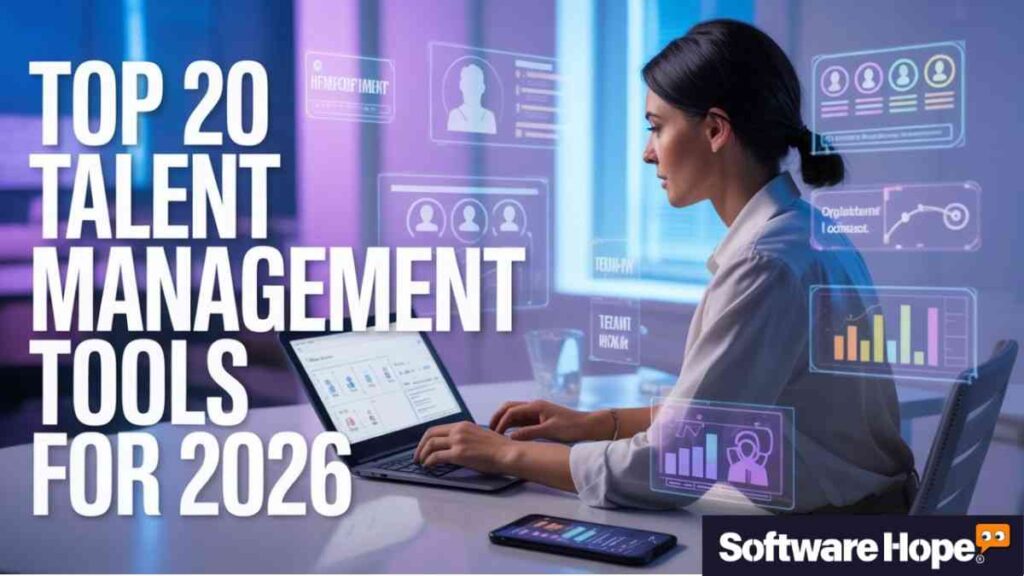
Top 20 Talent Management Software Tools for 2026
| Sr | Image | Name | Rating | Pricing | Compatibility | Categories | Features | Website | Details Page |
|---|---|---|---|---|---|---|---|---|---|
| 1 |
|
★★★★★ 4.5 |
Paid
|
-
|
-
|
|
Visit Site | Details | |
| 2 |
|
★★★★☆ 4.2 |
Subscription
|
Web, Windows, macOS, iOS, Android
|
-
|
|
Visit Site | Details | |
| 3 |
|
★★★★★ 4.5 |
Free
|
Web,Windows,Mac
|
-
|
|
Visit Site | Details | |
| 4 |
|
★★★★★ 4.5 |
Paid
|
-
|
-
|
|
Visit Site | Details | |
| 5 |
|
★★★★★ 4.5 |
Paid
|
-
|
-
|
|
Visit Site | Details | |
| 6 |
|
★★★★★ 4.5 |
Tiered Pricing
|
Web,Windows,Mac,Android,iPhone
|
-
|
|
Visit Site | Details | |
| 7 |
|
★★★★★ 4.5 |
Paid
|
-
|
-
|
|
Visit Site | Details | |
| 8 |
|
★★★★★ 4.5 |
Paid
|
-
|
-
|
|
Visit Site | Details | |
| 9 |
|
★★★★★ 4.5 |
Paid
|
-
|
-
|
|
Visit Site | Details | |
| 10 |
|
★★★★★ 4.5 |
Paid
|
-
|
-
|
|
Visit Site | Details | |
| 11 |
|
★★★★★ 4.5 |
Free
|
-
|
-
|
|
Visit Site | Details | |
| 12 |
|
★★★★★ 4.5 |
Paid
|
-
|
-
|
|
Visit Site | Details | |
| 13 |
|
★★★★★ 4.5 |
Paid
|
-
|
-
|
|
Visit Site | Details | |
| 14 |
|
★★★★★ 4.5 |
Paid
|
Windows; Mac; Web-based; iOS; Android
|
-
|
|
Visit Site | Details | |
| 15 |
|
★★★★★ 4.5 |
Paid
|
-
|
-
|
|
Visit Site | Details | |
| 16 |
|
★★★★★ 4.5 |
Paid
|
-
|
-
|
|
Visit Site | Details | |
| 17 |
|
★★★★★ 4.5 |
Paid
|
-
|
-
|
|
Visit Site | Details | |
| 18 |
|
★★★★★ 4.5 |
Paid
|
-
|
-
|
|
Visit Site | Details | |
| 19 |
|
★★★★★ 4.5 |
Paid
|
-
|
-
|
|
Visit Site | Details | |
| 20 |
|
★★★★★ 4.5 |
Freemium
|
Web / Cloud
|
-
|
|
Visit Site | Details |
1. Performance Pro: Performance Pro is Talent Management Software that helps track goals and reviews so teams can grow faster.
Performance Pro
Performance Pro is a talent management software that helps organizations align employee goals with business objectives
Performance Pro is a talent management system that keeps things simple and clear. It’s made for companies that want to see how their employees are doing without dealing with confusing tools. If you want performance reviews to really matter — not just forms people fill out once a year and forget — you’ll probably like this.
So, what makes it different? It understands that every employee is not the same. Instead of putting everyone into the same review format, Performance Pro lets you change skills and goals based on each person’s job. Honestly, that feels pretty nice, especially when many software tools try to do everything for everyone and end up not doing anything well. When you create your first custom review cycle, you’ll notice it’s easy to use and simple to understand.
Key Features
- Competency-based evaluations that let you measure skills that actually matter for each specific role
- Automated review workflows so you’re not chasing down managers to fill out forms
- Learning and development tracking that connects performance gaps to training opportunities
- Succession planning tools to help you identify who’s ready to move up
- Compliance management that keeps you out of legal trouble during evaluations
Pros & Cons
Pros & Cons
Pros
- The customization options for review forms are really flexible — you can make them as simple or detailed as you want
- It connects performance data with learning resources, which actually helps people improve instead of just criticizing them
- The reporting dashboards give you insights that make sense without needing a data science degree
- Implementation is smoother than you’d expect for software this comprehensive
- It’s particularly strong for regulated industries that need audit trails
Cons
- The interface feels a bit dated compared to some newer tools on the market
- Pricing can get steep if you want all the modules, especially for smaller teams
- Some users mention that the mobile experience isn’t as polished as the desktop version
Device Compatibility:
- Yeah, it runs well on all the big platforms. You’ve got full support for Windows and Mac through any modern web browser. There’s also mobile access via responsive web design, though honestly, most admins prefer doing the heavy setup work on desktop.
Pricing:
- From what I found, Performance Pro typically runs between $8-12 per user per month, though they do custom quotes based on your specific needs. There’s no free plan, but they do offer free demos so you can kick the tires before committing.
Customer Support:
Support’s decent — you get email and phone support, plus a knowledge base with training resources. They also assign dedicated account managers for implementation, which helps a lot during those first few months when you’re still figuring things out.
2. Deel: Deel is Talent Management Software that makes hiring and paying global teams simple and stress-free.
Deel
Global workforce platform for hiring payroll compliance and HR management
Key Features:
- Global payroll in 120+ currencies with automated tax calculations and compliance
- Employer of Record (EOR) services covering 150+ countries so you can hire without local entities
- Contractor management with automated invoicing and payment processing
- Immigration and visa support for relocating team members
- Integrated HRIS with time off tracking, org charts, and document management
Pros & Cons
Pros & Cons
Pros
- The global coverage is honestly unmatched — 150 countries is no joke
- The interface is clean and modern, which makes navigating complex international stuff way less stressful
- 24/7 customer support actually delivers with knowledgeable agents who understand local regulations
- The compliance automation saves you from expensive legal mistakes
- It integrates with pretty much every major tool you’re already using
Cons
- It’s definitely on the pricier side compared to domestic-only solutions
- The feature set can feel overwhelming if you’re just looking for simple payroll
- Some users mention that benefits quality varies pretty significantly by country
Device Compatibility:
- Deel runs entirely in the cloud, so you’re good on Windows, Mac, Linux, whatever. They’ve got mobile apps for both iOS and Android that are actually useful — not just afterthoughts. You can approve time off or check payroll status from your phone without wanting to throw it across the room.
Pricing:
- Okay, so Deel isn’t cheap, but you’re paying for peace of mind. EOR services start at $599 per employee per month, while their contractor management starts at $49 per month. They also have a US payroll option starting at $19 per employee per month if you’re only hiring domestically. No free plan, but the value for global teams is pretty solid.
Customer Support:
This is where Deel really shines. They offer 24/7 support via live chat, email, and phone. Users consistently praise the support team for being responsive and actually knowledgeable about local employment laws. You also get a dedicated account manager for larger setups, which helps when you’re dealing with complex international issues.
3. Greenhouse: Greenhouse is Talent Management Software that helps you hire the right people with easy tools and tracking.
Greenhouse
Structured hiring and onboarding platform that reduces bias and improves recruitment outcomes
Greenhouse is basically the gold standard when it comes to talent management software for recruiting. If you are serious about structured hiring and I mean actually structured. Not just saying you are this is the tool that’ll get you there. It’s built around the idea that every hiring decision should be based on data and consistent evaluation, not gut feelings.
What’s cool about Greenhouse is how it forces you to be better at hiring. You can’t just wing it; you have to define what you’re looking for, create structured interview plans, and actually score candidates against those criteria. Some people find that rigid, but honestly? That rigidity is what prevents bad hires. You will see what I mean when you start using their scorecards suddenly everyone on the interview panel is actually evaluating the same things instead of just chatting randomly.
Key Features:
- Structured hiring workflows with customizable scorecards and interview kits
- Robust reporting and analytics that show you where your hiring process is broken
- 400+ integrations with everything from Slack to background check providers
- Candidate relationship management to keep talent warm for future roles
- Diversity and inclusion tools to help reduce bias in your hiring process
Pros & Cons
Pros & Cons
Pros
- The interview scheduling automation saves recruiters hours every week
- The data insights actually help you improve your hiring process over time
- It’s incredibly customizable — you can make it fit your exact workflow
- The candidate experience is smooth, which matters for your employer brand
- It scales really well from startup to enterprise
Cons
- The learning curve is real — it takes time to set up properly
- Pricing can get steep as you add more features and users
- Some smaller teams find it’s more horsepower than they actually need
Device Compatibility:
- Greenhouse is web-based and works great on any modern browser. They’ve got mobile apps too, though most heavy users stick to desktop for the full experience. It plays nice with Windows, Mac, and mobile devices without any weird compatibility issues.
Pricing:
- Greenhouse doesn’t publish exact pricing (annoying, I know), but based on my research, small teams under 15 employees start around $6,500 per year, with costs scaling up based on headcount. Mid-market companies typically pay $15,000-$40,000 annually. There’s no free plan, but you can request a demo to see if it fits your budget.
Customer Support:
Support includes email, phone, and a comprehensive knowledge base. Higher-tier plans get dedicated customer success managers. Implementation support is available but can cost extra depending on your package. Response times are generally solid, though some users mention you really want that dedicated CSM for complex setups.
4. RemoFirst: RemoFirst is Talent Management Software that lets you hire and manage remote workers in many countries.
RemoFirst
Remofirst is an EOR platform that helps companies hire and manage remote employees in over 150 countries
RemoFirst is the new kid on the block in the EOR space, but they are making waves by being way more affordable than the competition. If Deel’s pricing made you do a spit-take, RemoFirst might be your answer. They are all about democratizing global hiring making it possible for smaller companies to access international talent without breaking the bank.
You’ll appreciate how straightforward they keep things. While other platforms try to bundle in every feature under the sun. RemoFirst focuses on doing the core EOR stuff really well at a price point that’s actually accessible. Not gonna lie, when I saw their starting price compared to competitors, I had to double-check it wasn’t a typo. It’s legit, though they have just built their operations to be leaner and pass those savings on to customers.
Key Features:
- EOR services in 180+ countries starting at a fraction of competitor prices
- Same-day employee onboarding in most locations
- RemoHealth benefits included in the base price (medical, dental, vision)
- Contractor management with free basic tier and premium payment processing
- Visa and work permit support in 85+ countries
Pros & Cons
Pros & Cons
Pros
- The pricing is radically transparent — no hidden fees or surprises
- Onboarding is incredibly fast, often same-day in supported countries
- The included health benefits are a huge value add, especially for startups
- The platform is simple and intuitive — you won’t need a PhD to figure it out
- 24/5 support is responsive and helpful for global time zones
Cons
- The integration ecosystem isn’t as extensive as more established competitors
- Being newer, they don’t have the same track record as Deel or Remote
- Some users mention the dashboard design could use a refresh
Device Compatibility:
- RemoFirst is fully cloud-based with a clean web interface that works on any device. They’ve got two-factor authentication for security, and the mobile-responsive design means you can manage your global team from your phone if needed.
Pricing:
- Here’s the kicker — RemoFirst starts at just $199 per employee per month for EOR services, which is less than half what some competitors charge. Contractor management starts at $25 per contractor per month, and they even have a free tier for basic contractor management. That’s pretty hard to beat if you’re cost-conscious.
Customer Support:
They offer 24/5 customer support via live chat, email, and dedicated account managers. Users consistently praise the support team for being quick to respond and actually solving problems instead of just sending you to a help article. You also get access to help articles and an online chat for faster issues.
5. PerformYard: PerformYard is Talent Management Software that makes employee reviews and feedback clear and simple.
PerformYard
PerformYard is a performance management software for continuous feedback
PerformYard is built for companies that want a flexible way to check how employees are doing while keeping everything tidy. It stands out as one of the best talent management systems. It doesn’t force you to follow a single set of rules. It gives you the right tools to create a review process that actually matches how your team works. If you are looking for talent management software that lets you do things your own way, this is a great choice.
One of the best things about these talent management systems is how they stop people from stressing out during review season. PerformYard uses automatic reminders so everyone stays on track without a struggle. You can easily set up goal tracking and give quick feedback without being a computer genius. These HR talent management tools even let you design your own forms, making it simple to focus on what matters most to your business.
Key Features:
- Highly customizable review forms and cycles that match your company’s culture
- 360-degree feedback collection with automated routing and reminders
- Goal management with cascading objectives so everyone’s aligned
- Continuous feedback tools for real-time recognition and coaching
- Performance improvement plan (PIP) templates to help struggling employees
Pros & Cons
Pros & Cons
Pros
- The flexibility is honestly impressive — you can build almost any review process you want
- Automated reminders mean you’re not constantly nagging people to complete reviews
- The reporting gives you real insights into performance trends across the organization
- It’s more affordable than some of the bigger names in the space
- Implementation and training are included in the price, which is rare
Cons
- The interface isn’t as modern or flashy as some competitors
- Completed goals disappear from the main view, which annoys some users
- Notification settings can be a bit finicky to get right
Device Compatibility:
- PerformYard runs in any modern web browser, so you’re covered on Windows, Mac, and Linux. There’s no dedicated mobile app, but the web interface is mobile-responsive for checking things on the go.
Pricing:
- PerformYard is pretty reasonable compared to the competition. Plans start around $5-10 per user per month, with add-ons for engagement surveys ($1-3/user/month) and meetings ($2-4/user/month). They bill annually, and there’s no free plan, but they do offer free trials so you can test it out.
Customer Support:
Every customer gets a dedicated customer support manager included in the price no extra fees. You also get email support, phone support and a knowledge base. Users really appreciate that the support team helps with onboarding and training, not just technical issues.
6. Lattice: Lattice is Talent Management Software that helps teams set goals, share feedback, and grow together.
Lattice
People management platform connecting performance, engagement, and employee development
Lattice is one of the most popular tools for talent management today, and there’s a good reason for that. It has helped shape how modern tech companies handle performance at work. If you want one tool that does almost everything like performance reviews, goal tracking, employee surveys, and career growth Lattice is the big player everyone talks about.
You’ll like Lattice if you want people to share feedback all year long, not just once a year. It makes it easy to have regular one-on-one meetings, give quick shout-outs, and set goals that match the company’s main plans. Even though it has many features, it’s still easy to use. I have spoken to HR people who say it’s the first performance tool their employees don’t complain about, which really says a lot.
Key Features:
- Performance reviews with 360-degree feedback and calibration tools
- OKRs and goal management that cascade from company to individual level
- Employee engagement surveys with AI-powered insights and benchmarking
- Career development tracks with competencies and growth plans
- Compensation management integrated with performance data
Pros & Cons
Pros & Cons
Pros
- The user interface is genuinely beautiful and intuitive
- It integrates seamlessly with Slack, Teams, and all the tools you already use
- The engagement survey analytics are incredibly insightful
- It scales from small teams to massive enterprises without breaking a sweat
- The career development features help with retention by showing clear growth paths
Cons
- It’s definitely on the expensive side, especially once you add multiple modules
- The minimum annual contract ($4,000) puts it out of reach for tiny startups
- Some users find the review cycles have too many steps and can feel complex
- HRIS functionality is limited to US companies for now
Device Compatibility:
- Lattice works great on any modern browser and has excellent mobile apps for iOS and Android. The Slack and Teams integrations mean you can do a lot without even opening the Lattice app, which is pretty convenient.
Pricing:
- Lattice is modular, so you pay for what you need. Performance Management starts at $11 per user per month, with add-ons like Engagement ($4/user/month), Grow ($4/user/month), and Compensation ($6/user/month). The minimum annual spend is $4,000, so it’s not the cheapest option out there.
Customer Support:
All contracts include dedicated human support from their customer success team. You get help with onboarding, troubleshooting, and maximizing the platform value. They also offer Lattice University and rollout toolkits to help with change management. Support is generally responsive, though some users mention response times can vary during peak periods.
7. Sloneek: Sloneek is Talent Management Software that helps manage remote teams, track time, and store HR files.
Sloneek
Sloneek is an HR system for small and medium-sized businesses to manage their people; time; and documents
Sloneek is an AI-based HR platform that wants to change how companies manage their people. Instead of just turning old HR work into digital forms, Sloneek uses smart AI tools. It takes care of boring tasks and shows you useful insights you might not notice on your own.
You might like it if you’re tired of HR tools that feel like simple online filing cabinets. Sloneek helps you make better choices by giving smart tips and future predictions. It can find patterns in your HR data, like guessing who might leave the company or spotting skill gaps before they turn into big problems. The design looks modern and fresh, so it doesn’t feel like you’re using old software from 2005.
Key Features:
- AI-powered HR assistant that automates routine tasks and answers employee questions
- Attendance and absence tracking with smart scheduling recommendations
- Performance reviews and goal setting with AI-generated insights
- Document management with e-signatures for paperless HR processes
- Skills tracking and project management to match people with the right work
Pros & Cons
Pros & Cons
Pros
- The AI features actually save time instead of just being marketing fluff
- The user interface is clean, modern, and easy to navigate
- It’s very affordable compared to competitors with similar feature sets
- The document signing and management features are surprisingly robust
- Implementation is quick — you can be up and running in days, not months
Cons
- Being newer to the market, the integration ecosystem isn’t as extensive
- Some advanced features are only available on higher-tier plans
- The AI recommendations take some time to calibrate to your company’s patterns
Device Compatibility:
- Sloneek is fully cloud-based with a responsive web interface that works on any device. They’ve got mobile apps for iOS and Android that let employees check schedules, request time off, and access documents on the go.
Pricing:
- Sloneek is pretty budget-friendly. The Essential plan starts at $4-6 per user per month, while the Professional plan is around $8.70 per user per month. Enterprise pricing is custom. They offer a 14-day free trial with no credit card required, which is nice for testing it out.
Customer Support:
Support is available via email, live chat, and phone. Higher-tier plans get priority support and dedicated account managers. Users generally report good experiences with the support team, though being a smaller company, they don’t have the 24/7 coverage of bigger players.
8. Workleap: Workleap is Talent Management Software that boosts team engagement with feedback and easy surveys.
Workleap
Workleap (formerly Gsoft) provides tools for employee engagement; onboarding; and performance management
Workleap (earlier called Didacte) is a learning tool that has grown into a full talent management system. If you want to link employee learning with job performance, this is a good choice that doesn’t cost too much.
You’ll like Workleap if you think learning and doing well at work should go together. It’s not just about checking boxes for training. It’s about helping people get better at their jobs and grow in their careers. The platform lets you create custom learning paths and tie them to work goals. Even though it does both learning management and performance tracking, it’s easy to use and simple to understand.
Key Features:
- Custom learning path creation with multimedia content support
- Performance management integration that ties learning to development goals
- Skills tracking and gap analysis to identify training needs
- Automated training assignments based on role or performance data
- Reporting and analytics on both learning completion and performance impact
Pros & Cons
Pros & Cons
Pros
- The learning management features are robust and easy to use
- It’s very affordable, especially for smaller organizations
- The connection between learning and performance actually works in practice
- Content creation tools are user-friendly — you don’t need to be a instructional designer
- Customer support is responsive and helpful
Cons
- The performance management features aren’t as deep as dedicated tools like Lattice
- Some users find the interface a bit cluttered with features
- Advanced reporting requires some learning to get right
Device Compatibility:
- Workleap runs in the cloud and works on any modern browser. They’ve got mobile apps for iOS and Android so employees can complete training on their phones. It integrates with most major HRIS platforms.
Pricing:
- Workleap is on the affordable end of the spectrum. Pricing starts around $4-5 per user per month, with custom enterprise pricing available. They offer a free trial so you can test the platform before committing.
Customer Support:
Support includes email, live chat, and phone support during business hours. They also offer implementation assistance and training resources. Users generally find the support team knowledgeable, though it’s not 24/7.
9. GoCo: GoCo is Talent Management Software that handles onboarding, benefits, and HR tasks in one place.
GoCo
GoCo is a modern HR; benefits; and payroll platform designed for small and medium-sized businesses
GoCo is an HR tool that was bought by Intuit in 2024. You can tell it follows Intuit’s style — it tries to make HR easy for small and medium businesses. If you want HR talent management tools that are simple and don’t need a full HR team to run them, GoCo is a good choice to check out.
One great thing about GoCo is that it puts important HR tasks in one place and makes them easier with smart tools. You can take care of new hire paperwork, employee benefits, time off, and even some performance reviews all in the same system. It’s especially good at handling benefits. If you’ve ever felt super stressed during open enrollment, GoCo could really make things a lot easier for you.
Key Features:
- Digital onboarding with customizable workflows and e-signatures
- Benefits administration that makes open enrollment actually manageable
- Time tracking and PTO management with automated accruals
- Workflow builder for automating HR processes without coding
- Compliance management to keep you out of legal trouble
Pros & Cons
Pros & Cons
Pros
- The user experience is really modern and intuitive
- Benefits administration is genuinely best-in-class for SMBs
- The workflow automation saves tons of time on repetitive tasks
- Implementation is fast — usually 4-8 weeks
- Every customer gets a dedicated support rep, which is rare
Cons
- It doesn’t have full performance management or recruiting features (yet)
- The payroll offering is essentially a third-party integration
- As a newer platform, you might encounter occasional bugs
Device Compatibility:
- GoCo is cloud-based with full mobile support. The interface works great on any device, and employees can access their info, request time off, and complete onboarding tasks from their phones.
Pricing:
- GoCo is pretty reasonable for what you get. Pricing starts at $5-8 per employee per month, with costs varying based on which modules you need. There’s typically a one-time implementation fee of 5-10% of your annual subscription. Given that it includes dedicated support, that’s not bad.
Customer Support:
This is where GoCo really shines. Every customer gets a dedicated customer success representative, and they’ve consistently won awards for support quality. You also get email, live chat, and phone support. The HR Support Center offers unlimited expert advice on HR and compliance questions with one-day turnaround.
10. Cegid: Cegid is Talent Management Software that helps businesses manage payroll, HR data, and employee growth.
Cegid
Cegid is a global provider of cloud business management solutions for finance; HR; and retail
Cegid is a major player in the European talent management software market, though they are less well-known in the US. If you are operating in Europe or need strong GDPR compliance, Cegid should definitely be on your radar.
You’ll find Cegid comprehensive maybe even a bit overwhelming at first. It handles everything from core HR to talent management to learning and development. The platform is particularly strong on compliance and regulatory requirements. Which is crucial if you’re dealing with European labor laws. It is not the flashiest tool out there, but it gets the job done for complex, multinational organizations.
Key Features:
- Comprehensive talent management including recruiting, onboarding, and development
- Global payroll and compliance with strong European regulatory support
- Learning management system integrated with career development paths
- Workforce analytics and planning for strategic HR decisions
- Employee experience management with engagement surveys and feedback tools
Pros & Cons
Pros & Cons
Pros
- The compliance features are rock-solid, especially for European regulations
- It’s a true all-in-one platform — you might not need any other HR tools
- The analytics and reporting are sophisticated for workforce planning
- It scales well for large, complex organizations
- Strong support for multiple languages and currencies
Cons
- The interface feels a bit dated compared to newer competitors
- Implementation can be complex and time-consuming
- It’s definitely enterprise-focused — probably overkill for small companies
- Pricing is opaque and tends to be on the higher side
Device Compatibility:
- Cegid offers both cloud and on-premise deployment options. The cloud version works on any modern browser, and they have mobile apps for employee self-service. It integrates well with other enterprise systems.
Pricing:
- Cegid doesn’t publish pricing publicly, but based on industry data, expect to pay around $75+ per user per month for the full suite. They typically require annual contracts with minimum user counts, making this an enterprise-focused solution.
Customer Support:
Support includes phone, email, and a customer portal. Given the complexity of the platform, most implementations involve working with Cegid consultants or certified partners. Support quality is generally good but can vary by region.
11. Recruitee: Recruitee is Talent Management Software that makes hiring simple with team tools and clear tracking.
Recruitee
Recruitee is a collaborative hiring software that helps teams build better hiring processes
Recruitee is a collaborative hiring platform that’s all about making recruiting a team sport. If you are tired of hiring decisions happening in silos, this talent management system might be exactly what you need.
What sets Recruitee apart is how it involves the whole team in hiring without creating chaos. You can set up structured evaluation templates. It keep all communication in one place, and actually collaborate on decisions. It’s particularly good for companies that want to move fast but still be thoughtful about who they hire. The interface is clean and modern — you won’t dread logging in to review candidates.
Key Features:
- Collaborative hiring workflows with customizable evaluation templates
- Career site builder with employer branding customization
- Automated job posting to 250+ job boards with one click
- Candidate relationship management to build talent pools
- Advanced analytics on your hiring pipeline and team performance
Pros & Cons
Pros & Cons
Pros
- The collaboration features actually make hiring faster, not slower
- It’s easy to use — hiring managers don’t need training to participate
- The career site builder helps with employer branding
- Automation features save recruiters tons of time on repetitive tasks
- It scales well from small teams to larger organizations
Cons
- The per-user pricing can get expensive as your hiring team grows
- Some advanced features are locked behind higher-tier plans
- It’s focused on recruiting — you’ll need other tools for full talent management
Device Compatibility:
- Recruitee is fully cloud-based with a responsive web interface. They’ve got mobile apps for iOS and Android so you can review candidates on the go. It integrates with most major HRIS and assessment tools.
Pricing:
- Recruitee uses per-user pricing, which can add up. Plans start at $79 per user per month for the Start plan, $149 for Grow, and $279 for Optimize (all per user). They offer an 18-day free trial, though you’ll need a credit card. For a 5-person hiring team, you’re looking at $395-$1,395 per month.
Customer Support:
Support includes email, live chat, and phone support. Higher-tier plans get priority support and dedicated account managers. They also offer implementation support and training resources. Users generally find the support team helpful, though response times can vary.
12. FoxHire: FoxHire is Talent Management Software that helps companies hire contractors and manage payroll safely.
FoxHire
FoxHire is an EOR and staffing platform that helps agencies and companies hire contractors globally
FoxHire is a bit different from the other tools on this list, they are specifically focused on contract staffing and recruitment back-office support. If you are a staffing agency or hire a lot of contractors, this might be your secret weapon.
You will appreciate FoxHire if you have ever struggled with the administrative nightmare of contract placements. They handle payroll, compliance, benefits and legal issues for contract workers. So you can focus on the actual recruiting. It is a niche tool, but for the right use case, it’s invaluable. The platform has been around for a while and really understands the staffing industry’s unique needs.
Key Features:
- Contract staffing support with payroll and compliance management
- Back-office administration for recruitment agencies
- Benefits administration for contract workers
- Tax compliance and filing handled by their team
- Legal and HR support for contract placements
Pros & Cons
Pros & Cons
Pros
- They truly understand the staffing business — this isn’t generic HR software
- The compliance support saves agencies from expensive legal mistakes
- Payroll processing is reliable and handles complex contractor situations
- You get access to HR expertise without hiring a full team
- It lets you focus on recruiting instead of administrative headaches
Cons
- It’s very niche — not useful if you’re not doing contract staffing
- The technology platform isn’t as modern as some competitors
- Pricing can be complex since it’s based on markup rather than subscription
- Not really suitable for direct permanent hires
Device Compatibility:
- FoxHire offers a web-based platform that works on standard browsers. They also provide mobile access for basic functions. The focus is more on functionality than cutting-edge design.
Pricing:
- FoxHire doesn’t charge a traditional subscription fee. Instead, their pricing is based on a markup of the contractor’s pay rate (typically around 1.5x to 1.8x multiplier). This means costs scale with your contractor volume. For specific numbers, you’ll need to contact them for a quote based on your expected placements.
Customer Support:
Support is available via live chat, email, and phone. They also provide dedicated account managers for ongoing relationships. Given the complexity of contract staffing compliance, having access to their HR expertise is a major value add.
13. Mitratech TalentReef: Mitratech TalentReef is Talent Management Software that helps hourly hiring and onboarding run smoothly.
Mitratech TalentReef
Mitratech TalentReef is a talent management platform designed for high-volume; hourly hiring
Mitratech TalentReef is made especially for hiring lots of hourly workers. If you work in retail, hotels, hospitals, or any job where you need to hire many people quickly, this tool is built to help with those challenges.
TalentReef focuses on the real needs of hourly hiring. It offers simple and fast applications, lets people apply by text, and automatically checks applications. It knows that hiring a cashier is not the same as hiring a software engineer, so the steps are made to fit hourly jobs.
The platform takes care of everything, from the job application to getting the new worker started. This is very helpful when you are hiring dozens or even hundreds of hourly workers on a regular basis.
Key Features:
- High-volume hiring workflows optimized for hourly and shift workers
- Text-to-apply and mobile-first applications to meet candidates where they are
- Automated screening and scheduling to handle large applicant volumes
- Paperless onboarding with electronic forms and document management
- Compliance management for industries with strict regulatory requirements
Pros & Cons
Pros & Cons
Pros
- The mobile-first approach actually works for hourly worker demographics
- Automation features handle the volume without sacrificing candidate experience
- The onboarding process is streamlined and paperless
- Strong compliance features for regulated industries
- It integrates well with payroll and scheduling systems
Cons
- It’s very specialized — not suitable for salaried professional hiring
- The interface can feel a bit utilitarian compared to flashier tools
- Pricing isn’t transparent and requires negotiation
- Implementation can be complex for large multi-location organizations
Device Compatibility:
- TalentReef is cloud-based with strong mobile capabilities. The candidate-facing side is optimized for mobile phones, while the admin interface works on any modern browser. It integrates with major HRIS, payroll, and scheduling platforms.
Pricing:
- Mitratech doesn’t publish TalentReef pricing publicly — you’ll need to contact them for a custom quote. Based on industry norms for high-volume hiring tools, expect pricing to be based on the number of locations and hiring volume rather than per-user fees.
Customer Support:
Support includes phone, email, and a customer portal. They offer implementation support and ongoing customer success management. Given the complexity of high-volume hiring, having dedicated support is crucial, and TalentReef generally delivers here.
14. SAP SuccessFactors: SAP SuccessFactors is Talent Management Software that supports hiring, learning, and performance tracking.
SAP SuccessFactors
Global HR excellence powered by intelligent enterprise technology
SAP SuccessFactors is the granddaddy of human capital management software. It is been around forever and is used by some of the biggest companies in the world. If you’re an enterprise with complex, global HR needs, this is probably already on your shortlist.
You will appreciate SuccessFactors if you need everything in one place and have the resources to implement it properly. It handles core HR, talent management, learning, analytics and employee experience. The depth of functionality is honestly impressive. There is almost nothing HR-related that SuccessFactors can’t do. But fair warning: this is enterprise software in every sense. It’s powerful, complex, and requires serious commitment to implement well.
Key Features:
- Comprehensive talent management from recruiting to succession planning
- Global payroll and compliance supporting 100+ countries
- Advanced analytics and workforce planning with predictive capabilities
- Learning management system with extensive content libraries
- Employee experience management with sophisticated engagement tools
Pros & Cons
Pros & Cons
Pros
- The breadth of features is unmatched — it’s truly a full-suite solution
- Global capabilities are rock-solid for multinational corporations
- The analytics and reporting are incredibly sophisticated
- It integrates seamlessly with other SAP products and most major enterprise systems
- It scales to handle hundreds of thousands of employees
Cons
- The implementation process is long, complex, and expensive
- The user interface feels dated compared to modern competitors
- It requires significant ongoing administration and expertise
- Total cost of ownership is high — this is not budget software
- Small and mid-sized companies will likely find it overwhelming
Device Compatibility:
- SuccessFactors is cloud-based and accessible via web browsers. SAP offers mobile apps for iOS and Android, though the mobile experience varies by module. It integrates deeply with the broader SAP ecosystem.
Pricing:
- SuccessFactors is enterprise-grade pricing. Base plans start around $18 per user per month, but with add-ons and modules, most companies pay $28-38 per user per month. There’s typically a minimum contract size (often 1,000+ employees) and significant implementation costs (often 100-125% of annual software fees).
Customer Support:
SAP offers tiered support with basic support included and premium support available for additional cost. Given the complexity, most enterprises work with SAP consultants or certified implementation partners. Support quality is generally good but can feel impersonal given the scale.
15. Oleeo: Oleeo is Talent Management Software that helps attract diverse talent with smart recruiting tools.
Oleeo
Oleeo is an intelligent talent acquisition platform for high-volume and enterprise recruiting
Oleeo (earlier called WCN) is a hiring platform that works really well when you need to hire a lot of people at once. It is especially helpful for campus hiring or big hiring drives. If you are bringing in hundreds of graduates or running a huge recruitment campaign, Oleeo has tools made just for that.
Oleeo is a bit different from regular ATS tools. It is built to handle large numbers of applicants and support fair hiring. It helps you manage career fair events, automatically screen applications to reduce bias and move thousands of candidates through the process smoothly. It may not be the most famous tool out there, but for big hiring needs, it’s very strong and reliable.
Key Features:
- High-volume recruiting workflows with automated screening and routing
- Campus and event recruiting management for career fairs and assessment centers
- Diversity and inclusion tools to reduce bias in hiring
- Candidate relationship management with sophisticated nurturing campaigns
- Advanced analytics on recruitment marketing and candidate pipelines
Pros & Cons
Pros & Cons
Pros
- The event management features are best-in-class for campus recruiting
- Automation handles massive volume without losing the personal touch
- The diversity tools actually help improve representation, not just check boxes
- It’s highly configurable to match complex organizational processes
- Strong analytics help optimize your recruitment marketing spend
Cons
- The interface is functional but not particularly modern or intuitive
- It’s expensive — definitely aimed at large organizations with big budgets
- Implementation requires significant time and expertise
- It’s overkill if you’re not doing high-volume or campus recruiting
Device Compatibility:
- Oleeo is cloud-based with web access for admins and mobile-optimized applications for candidates. It integrates with major HRIS, assessment providers, and background check services.
Pricing:
- Oleeo is premium pricing for a premium product. Plans start around $16,000 per year and scale up significantly based on volume and features. This is definitely enterprise software pricing — not for the faint of heart or light of wallet.
Customer Support:
Support includes dedicated account management, phone and email support, and implementation services. Given the complexity and cost, you should expect (and demand) high-touch support, and Oleeo generally delivers here.
16. MightyRecruiter: MightyRecruiter is Talent Management Software that posts jobs fast and finds good candidates easily.
MightyRecruiter
MightyRecruiter is an end-to-end recruiting solution for finding; screening; and hiring talent
MightyRecruiter is a recruiting solution aimed at small to mid-sized businesses that want to get serious about hiring without spending a fortune. It’s got a database of over 20 million resumes and uses AI matching to help you find candidates faster.
You’ll like MightyRecruiter if you’re currently posting jobs and hoping for the best. The platform actively matches your job postings to candidates in its database. It can save a ton of sourcing time. It’s not as sophisticated as some enterprise tools, but for the price, it offers solid value. The auto-posting to job boards and social media is a nice touch that keeps your jobs visible without constant manual work.
Key Features:
- Resume database with 20+ million profiles and AI-powered matching
- Auto-posting to job boards and social media platforms
- Candidate management with customizable pipelines and status tracking
- Built-in prescreening with customizable questions
- Email templates and communication tools for candidate outreach
Pros & Cons
Pros & Cons
Pros
- The resume database access is valuable for proactive sourcing
- It’s affordable compared to many competitors
- The setup is quick and doesn’t require technical expertise
- Auto-posting saves time on job distribution
- The interface is straightforward and easy to learn
Cons
- The AI matching isn’t perfect — you’ll still need to review candidates carefully
- Some users report inconsistent candidate quality in the database
- Advanced features are limited compared to pricier competitors
- The interface can feel a bit clunky at times
- Customer support response times can be slow
Device Compatibility:
- MightyRecruiter is web-based and works on any modern browser. There’s no dedicated mobile app, but the web interface is accessible on mobile devices for basic functions.
Pricing:
- MightyRecruiter offers several tiers: Basic at $189/month, Plus at $299/month, Pro at $459/month, and Power Play at $999/month. These are flat rates (not per-user), which makes it affordable for teams. They also offer a free trial to test it out.
Customer Support:
Support is available via phone, email, chat, and a knowledge base/forum. Users have mixed experiences — some find support responsive, others mention slow response times. It’s not 24/7, so you’re limited to business hours for help.
17. Bullseye Engagement: Bullseye Engagement is Talent Management Software that improves reviews, goals, and employee growth.
Bullseye Engagement
Bullseye Engagement is a talent management platform for performance and employee engagement
Bullseye Engagement is a tool that helps companies manage employee performance and talent. As the name suggests, it focuses a lot on keeping employees engaged. It doesn’t just help you review workers it also helps you keep them motivated and growing with your company.
You’ll like Bullseye if you’re worried about employees leaving (and let’s be honest, most companies are). It mixes regular performance reviews with engagement surveys, recognition tools, and plans for employee growth. It also looks clean and easy to use. The dashboards and progress charts are simple to understand. So performance data doesn’t feel confusing or overwhelming.
Key Features:
- Performance management with customizable review cycles and 360-degree feedback
- Employee engagement surveys with pulse checks and sentiment analysis
- Goal setting and tracking with alignment to company objectives
- Recognition and rewards tools to celebrate wins
- Succession planning to identify and develop future leaders
Pros & Cons
Pros & Cons
Pros
- The engagement focus actually helps improve retention rates
- The visual dashboards make performance data easy to understand
- It’s affordable for smaller organizations
- The recognition features help build a positive culture
- Implementation is relatively quick and painless
Cons
- The feature set isn’t as deep as enterprise solutions like SuccessFactors
- Some users find the reporting capabilities limited
- The mobile experience could use improvement
- It’s not as well-known, so there are fewer third-party resources
Device Compatibility:
- Bullseye Engagement is cloud-based with web access. It works on standard browsers across Windows, Mac, and mobile devices. The interface is responsive but optimized for desktop use.
Pricing:
- Bullseye is pretty accessible price-wise. Plans start around $4 per user per month, making it one of the more affordable options on this list. They offer a free trial and even have a free version with limited features for very small teams.
Customer Support:
Support includes email, phone, and online resources. Users generally report positive experiences with the support team, though it’s not as extensive as larger vendors. The lower price point means you’re not getting 24/7 dedicated support, but for most small to mid-sized businesses, it’s sufficient.
18. Ascender PeopleStreme: Ascender PeopleStreme is Talent Management Software that manages payroll, hiring, and performance in one system.
Ascender PeopleStreme
Ascender PeopleStreme is an HCM and talent management platform for employee lifecycle management
Ascender PeopleStreme is an Australian HR software that helps businesses look after their people at work. It’s now part of a bigger company called Ascender. If your business runs in Asia or anywhere around the Pacific, this tool is honestly worth a good look.
What’s nice about PeopleStreme is that it covers a lot of ground without making your head spin. You can track how your team is performing, run training programs, hire new staff, and check important data all from the same place. No jumping between different apps or systems. Since it was built keeping countries like Australia, Singapore and Malaysia in mind. it actually follows the work rules in those places properly. Bigger worldwide tools often skip over those local details, which can land businesses in hot water.
Key Features:
- Integrated talent management covering performance, learning, and recruitment
- Localized compliance for Asia-Pacific labor laws and regulations
- Payroll integration with Ascender’s payroll services
- Workforce analytics with predictive capabilities
- Employee self-service portal for HR tasks
Pros & Cons
Pros & Cons
Pros
- Strong localization for Asia-Pacific markets
- The integration between talent management and payroll is seamless
- It’s more affordable than global enterprise solutions
- The compliance features are robust for regional requirements
- Customer support understands local business contexts
Cons
- Global reach is limited compared to competitors like SAP or Workday
- The interface is functional but not particularly modern
- Implementation can take time for complex organizations
- Less suitable for companies with significant operations outside APAC
Device Compatibility:
- PeopleStreme is cloud-based with web access and mobile apps for iOS and Android. It integrates well with Ascender’s payroll systems and major business applications.
Pricing:
- PeopleStreme pricing is customized based on organization size and modules required. Expect to pay around $50+ per user per month for the full suite, with discounts available for Ascender payroll customers.
Customer Support:
Support is regionally based with phone, email, and online support options. The APAC focus means support hours align well with local business hours. Implementation support is included, and account management is generally responsive.
19. ClearCompany: ClearCompany is Talent Management Software that helps with hiring, onboarding, and team performance.
ClearCompany
ClearCompany is a talent management platform for hiring and performance
ClearCompany is a Talent Management Software that really does what its name says. It helps make hiring and managing employees clear and easy to understand. Many small and mid-sized businesses like it because it gives them everything they need in one place, without making things too complicated.
One great thing about ClearCompany is that it keeps everything connected. Hiring, welcoming new employees, and tracking their performance all work together in one system. You don’t need three different tools that don’t talk to each other. This one platform follows an employee from the day they apply for a job until the day they leave.
It also gives helpful reports. You can clearly see how the people you hire are doing later at work. This makes it easier to know if you are making smart hiring decisions, which is very useful for any business.
Key Features:
- Integrated talent platform with ATS, onboarding, and performance management
- Goal alignment tools that connect individual goals to company objectives
- Performance reviews with 360-degree feedback and calibration
- Succession planning to identify future leaders
- Robust analytics connecting hiring data to performance outcomes
Pros & Cons
Pros & Cons
Pros
- The integration between modules actually works — data flows seamlessly
- It’s user-friendly without sacrificing functionality
- The reporting and analytics help you make data-driven decisions
- Implementation is faster than enterprise solutions
- Good value for the feature set
Cons
- Some users find the interface a bit dated
- Advanced customization requires technical expertise
- Customer support can be inconsistent according to some reviews
- The mobile app isn’t as robust as the desktop version
Device Compatibility:
- ClearCompany is cloud-based with full web access. They offer mobile apps for iOS and Android, though some admin functions are desktop-only. It integrates with major HRIS, payroll, and background check providers.
Pricing:
- ClearCompany uses custom pricing based on your needs and headcount. Small businesses typically see pricing in the $6-12 per user per month range, though you’ll need to contact them for an exact quote. They don’t offer a free plan but do provide demos.
Customer Support:
Support includes phone, email, and online resources. They offer implementation support and ongoing customer success management. User reviews are mixed on support quality — some love their reps, others mention slow response times.
20. Peoplebox.ai: Peoplebox.ai is Talent Management Software that tracks OKRs and performance to keep teams focused.
Peoplebox.ai
Peoplebox.ai is an OKR and employee engagement platform that helps teams align and execute their goals
Peoplebox.ai is a fresh new talent management software that uses AI in some pretty cool ways. The people who built it worked at big companies like Razorpay and Freshworks, so they really know what modern tech companies need.
What’s great about Peoplebox is that it cares about real results, not just going through the motions. The AI doesn’t just do tasks on its own — it actually helps you think ahead. For example, it can tell you which employees might be thinking about leaving, or what skills your team will need in the next few months. That’s like having a really smart helper who can see problems before they happen.
It also has a great tool for setting and tracking goals, called OKRs. If your team likes working with clear goals and measuring progress, you’ll love this part.
The best part? It won’t break the bank. This talent management software is priced in a way that even smaller companies and startups can afford it — and you still get a lot of value for your money.
Key Features:
- AI-powered performance management with predictive analytics
- OKR platform with automated progress tracking and alignment
- Employee engagement surveys with AI-driven sentiment analysis
- 1:1 meeting tools with suggested talking points and action items
- Career growth paths with skills gap analysis
Pros & Cons
Pros & Cons
Pros
- The AI features actually provide actionable insights, not just buzzwords
- It’s very affordable compared to competitors with similar features
- The interface is modern and intuitive — employees actually use it
- Implementation is quick, often just a few days
- The OKR functionality rivals dedicated OKR tools
Cons
- Being newer, the integration ecosystem isn’t as extensive
- Some advanced features require the higher-tier plans
- The AI insights take a few months to calibrate to your organization
- Not as well-known, so harder to find peer reviews and comparisons
Device Compatibility:
- Peoplebox is fully cloud-based with excellent mobile apps for iOS and Android. It integrates with Slack, Teams, Jira, Asana, and most major HRIS platforms. The mobile experience is actually good — you can run 1:1s and check OKRs from your phone without frustration.
Pricing:
- Peoplebox is very competitively priced. Talent Management starts at $7 per user per month, OKR Platform at $8, and the Full Suite Professional at $12. The Premium plan is $15 per user per month with dedicated support. All prices are based on annual billing, and there’s no free trial, but you can request a demo.
Customer Support:
Support quality varies by plan Premium and Enterprise customers get dedicated success managers and onboarding support. All plans get email and chat support. Users generally praise the support team for being responsive and knowledgeable, especially during implementation.
Latest Post
Best SEO Software 2026 — Top 24 Tools Ranked by User Ratings (softwarehope)
Vijay Datt is a website developer, software expert, and SEO specialist. He writes about the latest software, graphic design tools, and SEO strategies. With expertise in web development and image creation, he helps businesses grow online. His articles provide valuable insights to enhance digital success.