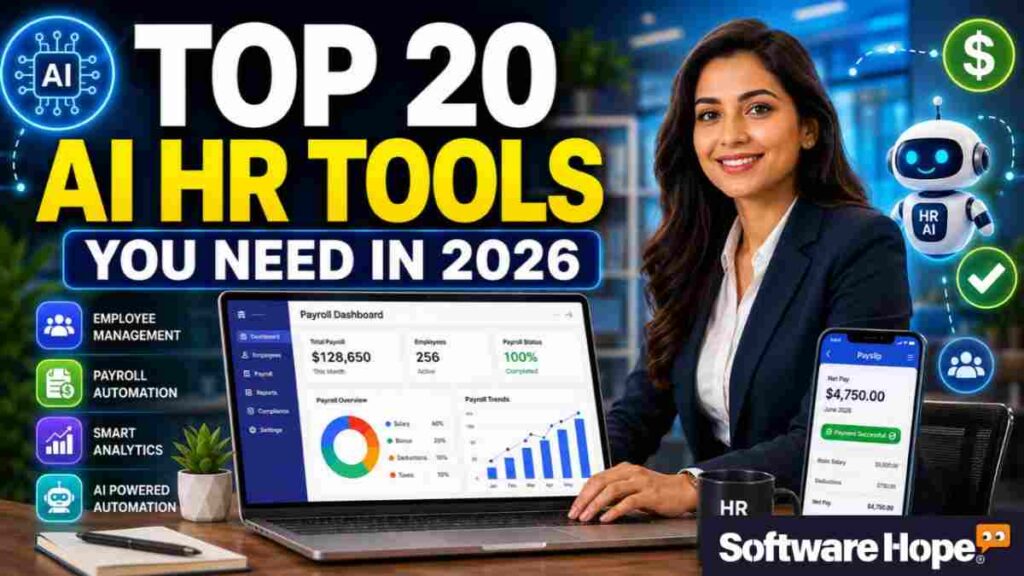
Top 20 AI HR Software Platforms for Payroll Automation

Ultimate Guide: Top 20 AI HR Software Platforms for Payroll Automation in 2026

5/5 - (4 votes)

Running a business without the right tools is like trying to bake a cake with a fork. Sure, you can do it, but why make life harder? That is where AI HR software comes in to save the day. It takes care of the boring chores you probably hate—like tax forms, time-off requests, new hire paperwork, and automated payroll processing. It just gets the job done quietly in the background so you can actually focus on work.

We are taking a close look at five top tools in 2026: Gusto, Deel, Workday, Paycom, and Keka HR. We will break down what each one does best, where it kind of falls flat, and what it really costs. (Not just the cheap starting price they stick on their homepages, either.)

So, whether you need simple AI payroll automation, big AI native HRMS platforms, or smooth global payroll automation for a team spread across the world, there is something here for you. Let’s dive right in.

Table of Contents

Comparison of Top 20 AI HR Software Platforms for Payroll Automation

Serial Image Name Rating Pricing Compatibility Details Page
1 Gusto logo
4.8
Subscription
Web, iOS, Android
Details
2 Deel logo
4.2
Subscription
Web, Windows, macOS, iOS, Android
Details
3 Workday HCM logo
4.6
Paid
Windows; Mac; Web-based; iOS; Android
Details
4 Paycom logo
4.8
Subscription
Web,iOS,Android
Details
5 Keka HR logo
4.8
Free
Windows; Mac; Web-based; iOS; Android
Details
6 Rippling logo
4.8
Subscription
Web,Windows,macOS,iOS,Android
Details
7 Darwinbox logo
4.7
Subscription
iOS,Android
Details
8 factoHR logo
4.8
Freemium
Web Browser
Details
9 BambooHR logo
4.2
Subscription
Web,iOS,Android
Details
10 HiBob logo
4.5
Subscription
Web,iOS,Android
Details
11 ADP Workforce Now logo
4.8
Subscription
Web, Windows, macOS, iOS, Android
Details
12 UKG Pro logo
4.8
Subscription
Web iOS Android
Details
13 Justworks logo
4.5
Free
Web-based, iOS, Android
Details
14 Paycor logo
4.4
One-time Purchase
Web-based
Details
15 Lucca logo
4.8
Free
Web Browser
Details
16 Multiplier logo
4.2
Free
Web Browser
Details
17 Papaya Global logo
4.5
Free
Windows, Mac, iOS, Android
Details
18 Remote logo
4.5
Free
Windows, Mac, iOS, Android
Details
19 QkrPayroll logo
4.8
Free
Web Browser
Details
20 SalaryBox logo
4.8
Freemium
Web Browser
Details

1. Gusto: Gusto makes hiring, payroll, and benefits easier with simple AI HR software.

Gusto

Modern cloud-based payroll benefits and human resources platform for growing businesses.

4.8(130 reviews)
💰 Subscription

Gusto is pretty much the friendly go to pay tool for small and mid sized businesses in the US. It uses smart AI HR software to take care of paying people, sorting benefits and doing simple staff chores. And nope, you don’t need to be a math whiz to use it. You will love it if you run a small team and just want paydays to run on autopilot. It files your taxes and makes your forms without you having to lift a finger. It also leans hard into automated payroll processing, so once you turn it on, payday happens with almost zero work from you.

What makes Gusto so cool is just how simple it feels. Even if you’ve never used pay tools in your life, you can figure this out in an afternoon. Honestly, it kind of blew me away with how much you get on the cheapest plan. You get automatic tax filing and digital sign ups for new hires right out of the box. You will see what I mean the first time a new hire types in their own tax and bank info online, without you ever having to email a boring PDF back and forth.

Key Features

  • Full-service payroll with automatic federal, state, and local tax filing included
  • Employee self-service portal so people can check pay stubs and PTO themselves
  • Health insurance and benefits administration built right into the platform
  • Contractor-only plan for businesses that don’t have W-2 employees yet
  • Time tracking add-on for hourly teams that need to log hours precisely
Pros & Cons

Pros & Cons

Pros

  • The best part is you can run unlimited payroll cycles without extra charges
  • Honestly, I liked how simple the interface feels compared to older payroll tools
  • Great for small businesses who want basic HR tools bundled with payroll
  • Support for benefits, 401(k), and workers' comp all under one login

Cons

  • Hmm... the Plus and Premium tiers get pricey once you add extra modules
  • No same-day direct deposit, which might bug some cash-flow-sensitive teams
  • Global hiring through their EOR option costs quite a bit more than domestic plans

Device Compatibility:

  • Yeah, it runs well on all the big platforms — web browser on desktop, plus a mobile app for both iPhone and Android. Employees can check pay stubs from their phone easily.

Pricing:

  • Gusto’s Simple plan starts around $49/month plus $6 per employee. Plus plan runs about $80/month plus $12 per employee, and Premium climbs to roughly $180/month plus $22 per employee. There’s a Contractor Only plan too, starting near $35/month plus $6 per contractor — sometimes discounted for new sign-ups. Not too pricey for small teams, honestly, but add-ons can push the bill up.

Customer Support:

  • Support’s decent — you get email and chat support on paid plans, with priority phone support unlocked on the higher tiers. Not sure how fast they reply during tax season, but it’s there when you need it.

2. Deel: Deel helps businesses manage global hiring, payroll, and teams with flexible AI HR software.

Deel

Global workforce platform for hiring payroll compliance and HR management

4.2(1 reviews)
💰 Subscription

Deel is pretty much the go-to name when people talk about global payroll automation. If you’re hiring people in different countries and don’t want to deal with local labor laws, Deel can help through its Employer of Record (EOR) service. It’s a pretty simple way to hire someone in another country without setting up a legal company there yourself.

What makes Deel stand out is its wide country coverage. It supports payroll in over 100 countries and EOR hiring in more than 150. That’s super helpful if you’re a startup looking for talent around the world without needing a legal team on call. And the contractor management tools are pretty easy to use too. Deel has also become one of the most talked-about AI-native HRMS platforms for remote-first companies.

Key Features:

  • Employer of Record service that lets you hire full-time staff in 150+ countries
  • Global Payroll option for companies that already have their own local entities
  • Contractor payments and compliance docs generated automatically for freelancers
  • Immigration and visa support for relocating employees internationally
  • Built-in compliance checks so contracts match each country’s labor rules
Pros & Cons

Pros & Cons

Pros

  • The best part is you don't need a local entity to hire someone abroad
  • Honestly, I liked how transparent their pricing page is compared to competitors
  • Handles currency conversion and local benefits without extra manual work
  • Strong reputation for compliance depth across a huge number of countries

Cons

  • The EOR plan gets expensive fast once you add several employees
  • A refundable salary deposit is required upfront, which ties up cash flow
  • Currency conversion carries a small markup that isn't always obvious upfront

Device Compatibility:

  • It works fine on Windows, Mac, and through any modern web browser. There’s also a mobile app for iPhone and Android so employees can check payslips on the go.

Pricing:

  • Deel’s Global Payroll option starts around $29 per employee per month once you have your own entity. EOR service is pricier, listed around $599 per employee per month, though negotiated rates can drop closer to $400 for bigger headcounts. There’s a free contractor management tier too, which is great if you’re just starting out.

Customer Support:

  • Support’s decent — live chat is there, which is nice, plus email support and an extensive help center. Enterprise plans get a dedicated account manager, though smaller accounts may wait a bit longer for replies.

3. Workday: Workday helps large companies manage people, payroll, and talent with powerful AI HR software.

Workday HCM

Enterprise-grade HCM with real-time workforce intelligence

4.6(2 reviews)
💰 Paid

Workday is a big name in this space. It’s the kind of AI HR software that large companies choose when they need payroll, talent management, and workforce planning all in one place. It’s not really a “quick setup” tool. It’s built to handle large companies, which makes sense since many Fortune 500 companies use it.

And honestly, the analytics side is pretty impressive. It’s not just about payroll. Workday brings workforce planning, financials, and HR data together, so company leaders can spot trends across the whole business. You’ll see what I mean if you ever get a demo. The dashboards are really useful, even if they take a little time to learn.

Key Features:

  • Unified HCM platform combining core HR, payroll, and talent management
  • Workday Adaptive Planning for workforce and financial forecasting together
  • Strong analytics and reporting tools built for large, multi-region organizations
  • Mobile-friendly employee self-service for time off, pay, and benefits
  • Deep integration options for companies running other enterprise software
Pros & Cons

Pros & Cons

Pros

  • The best part is how well it scales for huge, complex organizations
  • Honestly, the reporting and analytics tools are some of the best around
  • Combines HR, finance, and planning so leadership isn't juggling five tools
  • Strong security and compliance track record for regulated industries

Cons

  • Pricing isn't public, so you'll need a custom quote every time
  • Implementation can take months and often needs outside consultants
  • It's honestly overkill (and pricey) for small or mid-sized businesses

Device Compatibility:

  • Yeah, it runs on all major platforms — Windows, Mac, and browser-based access, plus dedicated mobile apps for iPhone and Android for on-the-go approvals.

Pricing:

  • Workday doesn’t publish set prices; it’s all custom quotes based on employee count and modules chosen. Third-party estimates put costs anywhere from $100 to over $500 per employee annually, and implementation fees can add a lot more in year one. Definitely check with Workday directly for an accurate number.

Customer Support:

  • Support’s decent for enterprise customers — dedicated support teams and account managers are standard, plus an extensive online help center. Smaller teams might find support less personal since Workday leans enterprise-first.

4. Paycom: Paycom helps businesses handle payroll, HR tasks, and employee data using smart AI HR software.

Paycom

Single-database HR and payroll software empowering employee self-service automation.

4.8(2 reviews)
💰 Subscription

Paycom is a solid choice if you want AI HR software that gives employees more control. Its main idea is employee-driven payroll. This lets workers check and fix their own pay details before payroll runs. That can help cut down on mistakes. It’s a nice bit of AI payroll automation that helps HR save time instead of creating more work.

Another thing that stands out is its single database setup. All the main tools, like HR, payroll, talent and time tracking, use the same data in real time. And honestly, that’s pretty useful. Many other HR tools still use separate databases, which can lead to data not matching up. With Paycom, changes can show up across the platform much faster.

Key Features:

  • Employee self-service tool where workers verify their own paycheck details
  • Single unified database connecting HR, payroll, and talent management modules
  • Automated tax filing and compliance updates as regulations shift
  • Performance management and learning tools bundled into the platform
  • Time and attendance tracking that syncs directly with payroll runs
Pros & Cons

Pros & Cons

Pros

  • The best part is employees catching their own payroll errors before payday
  • Honestly, the single-database setup keeps everything remarkably in sync
  • No per-payroll-run fees, so budgeting is a bit more predictable
  • Solid compliance tools for companies managing multi-state payroll

Cons

  • Pricing isn't published, so you're stuck getting a custom quote
  • Implementation fees can be a real chunk of your first-year budget
  • Some users say the interface takes a little getting used to at first

Device Compatibility:

  • It works well on Windows and Mac browsers, and there’s a dedicated mobile app for both Android and iPhone so employees can manage their own info anywhere.

Pricing:

  • Paycom typically runs between $25 and $36 per employee per month for the full HCM platform, depending on company size and modules picked. There’s usually a one-time implementation fee too, often 15-35% of your annual subscription. No free trial is offered, just personalized demos.

Customer Support:

  • Support’s decent — Paycom assigns dedicated specialists to accounts rather than a generic call center, which is nice. Response times vary by account size, so it’s worth asking about SLAs before signing up.

5. Keka HR: Keka HR makes payroll, leave, attendance, and employee tasks easier with AI HR software.

Keka HR

India's most loved HR and payroll software for growing teams

4.8(2 reviews)
💰 Free

Keka HR is one of the most popular AI-native HRMS platforms in India right now, and it’s easy to see why. The interface is clean, modern, and doesn’t feel old or hard to use. It handles payroll, attendance, leave, and performance management, making it a good all-in-one option for Indian SMEs. It also helps with AI payroll automation and automated payroll processing, which can save HR teams time.

What really stood out to me is how much Keka focuses on employees too. A lot of HR software is made mostly for HR teams. But Keka makes things simple for regular employees as well. Applying for leave or checking payslips is pretty easy. And when you use the mobile app, you’ll see what I mean. It feels simple and easy to use, even if you’re not great with tech.

Key Features:

  • Full Indian statutory compliance including PF, ESI, TDS, and Professional Tax
  • Performance management tools with goal tracking and review cycles
  • Attendance and leave management synced directly with payroll runs
  • Employee self-service portal with a genuinely polished mobile experience
  • Flexible Benefit Plan (FBP) support for Indian CTC tax optimization
Pros & Cons

Pros & Cons

Pros

  • The best part is how modern and easy-to-navigate the interface feels
  • Honestly, the mobile app makes leave and payslip access really painless
  • Covers full Indian compliance so you're not stitching together extra tools
  • Good fit for growing SMEs between roughly 25 and 250 employees

Cons

  • Pricing above 100 employees can get a little unpredictable
  • Implementation and setup fees aren't always obvious upfront
  • Support response times can slow down during peak payroll periods

Device Compatibility:

  • Yeah, it runs well on Windows and Mac browsers, plus Android and iPhone apps for employees who want to handle everything from their phone.

Pricing:

  • Keka’s Foundation plan starts around $80–$115 per month for up to 100 employees, Strength runs closer to $115–$150, and Growth sits around $160–$185. Above 100 employees, per-employee fees kick in, and there’s usually a one-time onboarding fee too. There’s a free demo but no permanent free plan.

Customer Support:

  • Support’s available through email and a help center, with phone support depending on your plan tier. It’s decent, though some reviewers mention slower turnaround during busy payroll cycles.

6. Rippling: Rippling brings payroll, HR, IT, and employee management together with AI HR software.

Rippling

Unified workforce platform combining HR, payroll, IT, and finance operations.

4.8(127 reviews)
💰 Subscription

Rippling takes a “build your own stack” approach to AI HR software. You start with its main Unity platform and then add payroll, benefits, IT device tools, or finance features as you need them. It’s a bit different because it brings HR and IT together in one system. And once you see how it works, it makes a lot of sense.

Honestly, I was surprised by how much Rippling can automate. When you hire someone, it can set up their laptop, Slack account, payroll, and benefits with one action. So, instead of taking days to get everything ready, the whole new-hire setup can happen almost right away.

Key Features:

  • Modular pricing where you only pay for the modules you actually use
  • IT device and app management combined directly with HR onboarding
  • Global payroll and EOR options for hiring across different countries
  • Automated workflows that cascade actions across HR, IT, and payroll
  • Custom reporting tools that pull data from every connected module
Pros & Cons

Pros & Cons

Pros

  • The best part is how automated the onboarding process genuinely feels
  • Honestly, combining IT and HR in one place saves a lot of admin time
  • Modular setup means smaller teams aren't paying for features they skip
  • Strong fit for fast-growing companies managing distributed teams

Cons

  • The base pricing looks cheap but modules add up fast
  • Every module needs its own quote, so budgeting takes some digging
  • Implementation fees can range pretty widely depending on your setup

Device Compatibility:

  • It runs on Windows, Mac, and browser access generally, with mobile apps for both Android and iPhone for approvals and self-service tasks.

Pricing:

  • Rippling’s core Unity platform starts around $8 per employee per month plus a flat base fee. Payroll, benefits, and IT modules each add their own per-employee charge, and most companies end up paying somewhere between $25 and $50 per employee per month once modules are combined.

Customer Support:

  • Support’s there via chat and email, and it’s generally responsive for onboarding help. Bigger accounts often get a dedicated rep, though smaller teams rely more on the help center and ticketing system.

7. Darwinbox: Darwinbox helps businesses manage hiring, payroll, and employees with modern AI HR software.

Darwinbox

AI-powered HCM platform automating HR processes across the employee lifecycle globally

4.7(2 reviews)
💰 Subscription

Darwinbox is a big name across Asia, especially in India and the Middle East, when it comes to enterprise-grade AI HR software. It brings core HR, payroll, talent management, learning, and employee engagement tools into one platform. It’s made to grow with large companies that have thousands of employees.

What’s pretty interesting is its focus on “Darwin AI”. It adds AI-powered insights and even a voicebot to the usual HR tools. Honestly, that caught me a bit off guard. Most HR software at this level doesn’t go this far with AI-powered employee tools yet. You’ll see what I mean when you check out its analytics dashboards. They offer a lot of detail for an Asia-first platform.

Key Features:

  • Modular bundles covering Core HR, Payroll, Talent, LMS, and Engagement
  • Darwin AI voicebot and analytics layered across HR workflows
  • Multi-country payroll support for enterprises operating across regions
  • Performance management with goal-setting and continuous feedback tools
  • Mobile-first design built for large, distributed workforces
Pros & Cons

Pros & Cons

Pros

  • The best part is how deep the AI-powered analytics tools actually go
  • Honestly, it scales really well for big enterprises with complex needs
  • Modular bundling means you can pick just the pieces you actually need
  • Strong presence and support specifically built around Indian compliance

Cons

  • Pricing is entirely quote-based, so there's no public rate card
  • Some users mention the mobile app UI feels a bit dated at times
  • Support responsiveness has been flagged as inconsistent by some reviewers

Device Compatibility:

  • Yeah, it works across Windows and Mac browsers, with Android and iPhone apps available for employee self-service on the move.

Pricing:

  • Darwinbox doesn’t publish pricing — it’s all custom quotes based on headcount, region, and module bundle. Market estimates suggest per-employee-per-month rates roughly between $2.30 and $6.90 depending on which modules you pick, dropping at higher headcounts.

Customer Support:

  • Support includes email and a dedicated account manager for enterprise clients, though a few reviews mention slower response times during busy periods. Definitely confirm SLA terms before signing a contract.

8. factoHR: factoHR helps simplify payroll, attendance, and employee management with easy AI HR software.

factoHR

factoHR is a powerful tool offering advanced features.

4.8(2 reviews)
💰 Freemium

FactoHR is another strong Indian AI HR software option. It’s a good fit for small and mid-sized companies that need reliable payroll rules without paying enterprise-level prices. It covers attendance, leave, payroll, and expense management. And it comes with Indian payroll rules built in.

What really stands out is its focus on payroll compliance. PF, ESI, TDS, and professional tax are calculated automatically. That can save HR teams a lot of time, especially when they manage staff across several states. You’ll see the benefit when payroll runs without having to check every statutory number by hand.

Key Features:

  • Automated statutory compliance covering PF, ESI, TDS, and Professional Tax
  • Attendance tracking with biometric and geo-fencing options for field teams
  • Expense management module integrated directly with payroll processing
  • Employee self-service app for payslips, leave requests, and reimbursements
  • Multi-location and multi-entity payroll support for growing businesses
Pros & Cons

Pros & Cons

Pros

  • The best part is how thorough the Indian compliance automation is
  • Honestly, it's a solid pick for mid-market companies with tight budgets
  • Attendance and payroll sync closely, cutting down on manual reconciling
  • Decent support for field or distributed workforce attendance tracking

Cons

  • The interface feels a bit less polished than some newer rivals
  • Pricing details aren't always upfront, so you'll need to request a quote
  • Some smaller businesses may find certain modules more than they need

Device Compatibility:

  • It works on Windows and Mac through browser access, with mobile apps available for both Android and iPhone for on-site attendance and approvals.

Pricing:

  • factoHR offers structured base-plus tiers for up to 50 users, starting at $125/month for Core, $175/month for Premium (with Payroll), and $225/month for Ultimate (with Performance Management). For organizations exceeding 50 employees, additional users cost $2.00 to $4.00 per employee per month, billed annually. Custom quotes apply for large enterprise setups or add-ons like AI recruitment and face-recognition attendance.

Customer Support:

  • Support’s available via email and phone, with a help center for self-service troubleshooting. It’s decent for day-to-day questions, though enterprise-level support depends on your contract.

9. BambooHR: BambooHR helps growing teams manage employees, hiring, and HR work with AI HR software.

BambooHR

Comprehensive HR platform simplifying employee management, payroll, hiring, and performance workflows.

4.2(1 reviews)
💰 Subscription

BambooHR has been a favorite for small and mid-sized businesses for years, and it’s still one of the easiest AI HR software platforms to use. It focuses on the main HR tasks, like employee records, onboarding, time off, and basic applicant tracking. Instead of trying to do everything, it keeps things simple and doesn’t feel overloaded.

And honestly, the reporting tools were a nice surprise. Even on the lower plans, you get useful dashboards to track headcount, employee turnover, and time-off trends. If you are used to working with spreadsheets, you will see the difference right away. It feels like a big step up, but you don’t need a lot of time to learn how it works.

Key Features:

  • Core HR database with employee records, onboarding, and e-signatures
  • Applicant tracking system for smaller-scale hiring and recruiting needs
  • Time-off tracking with a handy “Who’s Out” team calendar view
  • Performance management and compensation planning on higher tiers
  • Reporting dashboards covering headcount, turnover, and workforce trends
Pros & Cons

Pros & Cons

Pros

  • The best part is how easy it is for new HR teams to get set up fast
  • Honestly, the reporting tools feel more useful than you'd expect at this price
  • Good fit for small to mid-sized companies that want simplicity over bulk
  • Free trial available, so you can test it before committing

Cons

  • Payroll isn't as deep as dedicated payroll-first platforms
  • Some features like AI assistance are locked behind pricier tiers
  • Add-on costs can sneak up if you need the full recruiting suite too

Device Compatibility:

  • Yeah, it runs well on Windows, Mac, and browser access generally, plus mobile apps for both Android and iPhone.

Pricing:

  • BambooHR runs roughly $10 per employee per month on the Core plan, about $17 on Pro, and around $25 on the Elite tier. There’s a free trial too, which is great — which is nice for teams wanting to test things first.

Customer Support:

  • Live chat and email are standard, and there’s a solid self-service help center too. Higher tiers typically get faster or more dedicated support access.

10. HiBob: HiBob helps growing companies manage people, payroll, and employee data with friendly AI HR software.

HiBob

People management platform built for modern distributed and growing organizations.

4.5(1 reviews)
💰 Subscription

HiBob, often called “Bob,” is made for fast growing companies that care about employee experience, not just HR tasks. It is flexible AI HR software that brings core HR tools together with features like pulse surveys and org charts. This makes it feel a bit more personal than a typical HR system.

What I really liked is how easy it is to change things to fit your company. You can set up workflows, dashboards and even the look of the platform your own way. And once you try features like shoutouts and employee recognition, you will see why it feels like more than just HR software. It works as a tool for building a strong company culture, too.

Key Features:

  • Customizable workflows for onboarding, performance, and compensation
  • Pulse surveys and engagement tools built right into the platform
  • Org chart visualization that updates automatically as teams change
  • Compensation management tools for planning raises and equity
  • Integrations with tools like Slack, Okta, and major payroll providers
Pros & Cons

Pros & Cons

Pros

  • The best part is how much personality the platform brings to HR
  • Honestly, the engagement and culture tools stand out from competitors
  • Highly customizable dashboards fit different company structures well
  • Strong integration options with popular workplace tools

Cons

  • It leans more mid-market, so very small teams might find it pricey
  • Payroll depth varies a lot depending on your region
  • Some advanced features require add-on modules at extra cost

Device Compatibility:

  • It works across Windows and Mac browsers, with mobile apps available on both Android and iPhone for quick approvals and check-ins.

Pricing:

  • HiBob generally falls in the $16–$29 per employee per month range according to third-party estimates, though HiBob itself quotes custom pricing based on company size and modules selected.

Customer Support:

  • Support includes email and chat options, plus a dedicated customer success contact for larger accounts. It’s generally seen as responsive, especially during onboarding.

11. ADP Workforce Now: ADP Workforce Now helps manage payroll, HR, and employee benefits with trusted AI HR software.

ADP Workforce Now

Comprehensive HCM platform for payroll HR talent and workforce management

4.8(2 reviews)
💰 Subscription

ADP is one of the oldest and most trusted names in payroll. Workforce Now is its platform designed for mid sized and large businesses. It’s a strong choice for AI HR software, with tools for AI payroll automation, tax filing, benefits and workforce reports. And is trusted by a huge number of companies around the world.

What’s nice is the amount of payroll and tax experience behind it. ADP has been doing this work for decades, and that knowledge is built into the system. I wasn’t too surprised by how reliable it felt since it’s ADP, but it’s still good to have that peace of mind. HR teams can use it for automated payroll processing and global payroll automation without worrying as much about tax-time surprises.

Key Features:

  • Automated payroll processing with multi-state tax filing built in
  • Benefits administration integrated directly with payroll and HR data
  • Workforce analytics and reporting for larger, more complex organizations
  • Compliance tools that automatically adjust to new labor law changes
  • Time and attendance tracking that syncs with payroll runs
Pros & Cons

Pros & Cons

Pros

  • The best part is the sheer depth of compliance and tax expertise
  • Honestly, it's built to handle really complex, multi-state payroll needs
  • Long track record makes it a safe pick for regulated industries
  • Strong reporting tools for larger HR and finance teams

Cons

  • Pricing isn't public, so a custom quote is basically required
  • Interface can feel a bit more old-school compared to newer platforms
  • Smaller businesses might find it more than they actually need

Device Compatibility:

  • Yeah, it runs on Windows and Mac browsers, with mobile apps for Android and iPhone for approvals and payslip access.

Pricing:

  • ADP doesn’t publish pricing directly, but third-party estimates suggest roughly $19–$28 per employee per month, sometimes higher with add-ons like compensation services. You’ll need to contact ADP for an exact quote.

Customer Support:

  • Support’s available through phone, chat, and a large help center, with dedicated account reps typically available for bigger accounts. Response speed can vary depending on plan level.

12. UKG Pro: UKG Pro helps businesses manage payroll, talent, and employees with smart AI HR software.

UKG Pro

Human capital management platform unifying HR payroll workforce and talent operations

4.8(2 reviews)
💰 Subscription

UKG Pro, from Ultimate Kronos Group, focuses a lot on workforce management. It helps with things like scheduling, tracking work hours, and staying on top of rules. It’s a good AI HR software choice for businesses with many hourly or shift workers, like retail, healthcare, and manufacturing. These tools can make busy schedules much easier to handle.

Honestly, I was a bit surprised by the workforce analytics. UKG does a great job of showing labor costs and shift patterns as they happen. You’ll see the value if your business has lots of shift workers. The scheduling tools feel like they were made for this kind of work, not added as an extra feature later.

Key Features:

  • Advanced scheduling tools built for shift-based and hourly workforces
  • Labor cost tracking and compliance monitoring across different regions
  • Talent management tools covering performance and learning together
  • AI-driven suggestions for staffing and performance alerts
  • Centralized employee data across HR, payroll, and workforce management
Pros & Cons

Pros & Cons

Pros

  • The best part is how strong the scheduling tools are for shift work
  • Honestly, workforce analytics feel genuinely deep compared to rivals
  • Good fit for industries with complex labor compliance requirements
  • Flat PEPM structure keeps most module pricing fairly predictable

Cons

  • It sits on the pricier end of the HCM software spectrum
  • Pricing isn't public, so budgeting requires a custom quote upfront
  • Might be overkill for companies with mostly salaried, simple schedules

Device Compatibility:

  • It works well across Windows, Mac, and browser access, plus dedicated Android and iPhone apps for scheduling and time tracking on the go.

Pricing:

  • UKG Pro pricing is quote-based, but third-party estimates put it around $32–$41 per employee per month for enterprise deployments. UKG Ready, their mid-market option, tends to run a bit lower.

Customer Support:

  • Support’s available via phone and a dedicated help center, with account managers typically assigned for enterprise clients. Some reviewers note support quality varies depending on plan tier.

13. Justworks: Justworks makes payroll, benefits, and HR tasks easier for small businesses with AI HR software.

Justworks

Justworks provides payroll, benefits, and HR tools for small businesses, with PEO services

4.5(134 reviews)
💰 Free

Justworks is a PEO (Professional Employer Organization) that puts payroll, HR and benefits in one place. It’s a good fit for small businesses that want big company benefits without needing a large HR team. It is also one of the more open AI HR software options because it shares most of its prices online.

And honestly, the clear pricing was a nice surprise. Many other companies make you talk to sales before you can see the cost. But Justworks shows its plans and prices pretty clearly. You’ll notice the difference as soon as you visit its pricing page. It is much easier to understand than what you will find with many other PEOs.

Key Features:

  • PEO model giving small businesses access to enterprise-level benefits
  • Transparent published pricing tiers instead of hidden custom quotes
  • 24/7 support included across PEO plans for employees and admins
  • Compliance help across multiple states without needing extra consultants
  • International contractor payment options for distributed teams
Pros & Cons

Pros & Cons

Pros

  • The best part is how upfront and clear their pricing actually is
  • Honestly, the 24/7 support is a nice touch for smaller HR teams
  • PEO structure gives small businesses access to better group benefits
  • Good fit for companies wanting compliance support without extra headcount

Cons

  • HR modules are a bit more limited compared to full HCM suites
  • Global hiring and international reach are more limited than rivals like Deel
  • PEO model means shared liability, which isn't the right fit for everyone

Device Compatibility:

  • Yeah, it runs on Windows and Mac browsers, plus mobile apps for Android and iPhone for employee self-service and approvals.

Pricing:

  • Justworks Payroll starts around $8 per employee per month plus a $50 base fee. PEO Basic runs about $79 per employee per month, and PEO Plus sits around $109 per employee per month, with no base fee on those PEO tiers.

Customer Support:

  • Support’s genuinely a highlight here — 24/7 support is included on PEO plans, which is nice for teams that need help outside normal business hours.

14. Paycor: Paycor helps businesses handle payroll, hiring, and employee management with simple AI HR software.

Paycor

Paycor is a human capital management (HCM) platform offering payroll, HR, and time tracking for businesses

4.4(126 reviews)
💰 One-time Purchase

Paycor is a solid mid-market AI HR software platform that covers payroll, HR, talent and workforce management for growing businesses. It’s often compared with Paycom and ADP and it holds up well, especially for companies that want compliance tools without the extra complexity of a full enterprise system.

What surprised me a bit is how much Paycor now uses AI for recruiting and analytics. It’s clearly trying to be more than just a payroll tool. And when you look at its talent acquisition tools, you will see what I mean. They have come a long way from being just a basic ATS.

Key Features:

  • Payroll and tax filing automation across multiple states
  • AI-assisted recruiting tools to help speed up hiring decisions
  • Compliance dashboard that adapts as labor regulations shift
  • Learning management tools bundled with performance reviews
  • Workforce analytics for tracking turnover, engagement, and headcount
Pros & Cons

Pros & Cons

Pros

  • The best part is how well-rounded the talent and payroll combo feels
  • Honestly, the compliance dashboard is genuinely useful for HR teams
  • Good middle ground between simple payroll tools and full enterprise HCM
  • Regularly updated with newer AI-driven recruiting features

Cons

  • Pricing remains a bit opaque compared to more transparent rivals
  • Some users mention the interface can feel a little dated in places
  • Hidden fees have been flagged by a few reviewers during renewal time

Device Compatibility:

  • It works across Windows and Mac browsers, with Android and iPhone apps available for self-service and manager approvals.

Pricing:

  • Paycor’s pricing isn’t fully public, but third-party estimates suggest it starts around $4-$11 per employee per month for entry-level tiers, scaling up with added HR and talent modules. A custom quote is generally needed for an exact number.

Customer Support:

  • Support’s available through phone, chat, and a help center, with account management typically included for larger clients. Response quality is generally seen as solid but can vary by plan.

15. Lucca: Lucca helps teams manage time, leave, expenses, and HR tasks with easy AI HR software.

Lucca

Lucca is a powerful tool offering advanced features.

4.8(2 reviews)
💰 Free

Lucca is an HRIS based in France that’s popular with mid-sized companies across Europe, especially in French-speaking areas. Instead of one big all in one system, Lucca uses a modular setup. You can pick the apps you need for time off, expenses, performance and more. This lets you build your own AI HR software setup.

Honestly, I liked this modular approach. You don’t have to pay for tools you won’t use. So, if you only need leave and expense tools right now, you can start with those. Later, you can add things like performance reviews without having to move to a whole new system. It is an easy way to scale your HR setup as your needs change.

Key Features:

  • Modular HR apps you can mix and match based on actual needs
  • Leave and absence management with automated approval workflows
  • Expense claim tracking integrated with the rest of the HR suite
  • Performance review tools for ongoing feedback and goal tracking
  • Strong compliance fit for French and broader European labor rules
Pros & Cons

Pros & Cons

Pros

  • The best part is only paying for the specific modules you actually use
  • Honestly, the interface feels intuitive without a steep learning curve
  • Great fit for European mid-market companies needing local compliance
  • Highly customizable to match how your company already works

Cons

  • Managing several separate modules can feel a bit fragmented
  • Full HR coverage across every process requires stacking multiple apps
  • Less well-known outside of Europe, so support may lean French-first

Device Compatibility:

  • Yeah, it runs on Windows and Mac browsers, with mobile-friendly access for employees checking leave balances or submitting expenses.

Pricing:

  • Lucca prices per module, per user, per month — typically somewhere between €0.50 and €6.25 depending on which apps you choose and your company size. It scales up with bigger organizations too.

Customer Support:

  • Support’s available via email and a help center, with account assistance for larger clients. It’s decent, though non-French speakers may find some resources less complete.

16. Multiplier: Multiplier helps companies hire and pay workers worldwide using flexible AI HR software.

Multiplier

Multiplier is a global employment platform that helps companies hire; pay; and manage international teams

4.2(1 reviews)
💰 Free

Multiplier is a global payroll and EOR platform that helps companies hire people around the world. It’s also seen as a more affordable option than bigger names like Deel and Remote. It handles hiring, payroll, and benefits in many countries. So, it’s a solid choice for startups that want to keep global hiring costs down.

The pricing was a nice surprise here. Multiplier is often cheaper than many other EOR platforms while still covering a large number of countries. It also offers tools for AI HR software, AI payroll automation, and automated payroll processing. When you compare quotes, you’ll see that Multiplier can often cost less for similar coverage.

Key Features:

  • Employer of Record hiring across a wide range of global markets
  • Global payroll processing for companies with their own local entities
  • Contractor management and payment tools for freelance teams
  • Compliance support tailored to each country’s local labor laws
  • Benefits administration bundled into EOR employment packages
Pros & Cons

Pros & Cons

Pros

  • The best part is the noticeably lower EOR pricing versus big competitors
  • Honestly, country coverage is impressively broad for the price point
  • Good option for startups being careful with global hiring budgets
  • Solid G2 ratings around ease of onboarding new international hires

Cons

  • Platform depth isn't quite as deep as pricier rivals like Deel
  • Some advanced HR modules are more limited compared to bigger platforms
  • Support quality can vary a bit depending on the country you're hiring in

Device Compatibility:

  • It works across Windows, Mac, and browser access generally, with mobile apps available for both Android and iPhone.

Pricing:

  • Multiplier’s EOR pricing typically starts around $400 per employee per month, positioning it below Deel and Remote on list price. Global payroll and contractor management pricing vary by country and are usually quote-based.

Customer Support:

  • Support’s available through chat and email, with a help center for common questions. It’s generally seen as responsive, though enterprise-level support depends on your contract tier.

17. Papaya Global: Papaya Global helps businesses manage global payroll and workers with powerful AI HR software.

Papaya Global

Papaya Global is a workforce management platform for global payroll and payments

4.5(147 reviews)
💰 Free

Papaya Global is more of a finance-first global payroll platform. It’s a strong choice for companies that need clear payroll data across many countries. It’s made for businesses with large teams in different countries, where finance teams need one place to see reports and manage payroll, not just run basic paychecks.

Honestly, what stood out to me is how much Papaya focuses on payroll data and reports. It is not really about being the cheapest option. Instead, it helps finance teams get a clear view of payroll across all the countries they work in. And you will really see the value if your team has trouble matching payroll data across five or six different markets.

Key Features:

  • Global payroll processing across 160+ countries with local compliance
  • Payroll business intelligence dashboards built for finance teams
  • Employer of Record hiring for companies without local entities
  • Built-in payments layer for handling multi-currency transactions
  • Contractor management tools alongside full-time EOR employment
Pros & Cons

Pros & Cons

Pros

  • The best part is the depth of payroll analytics for finance-heavy teams
  • Honestly, country coverage is genuinely impressive at 160-plus markets
  • Strong fit for companies managing employees across many countries at once
  • Consolidated reporting saves finance teams a lot of reconciliation time

Cons

  • It's priced at the premium end compared to Deel or Multiplier
  • Some reviewers mention slower support responses during busy periods
  • Smaller teams may not need the deep financial reporting it offers

Device Compatibility:

  • Yeah, it runs across Windows and Mac browsers, with mobile access available for employees checking pay and time-off details.

Pricing:

  • Papaya Global’s EOR pricing typically runs around $650–$770 per employee per month, sitting above Deel and Remote on list price. Payroll-only services for companies with existing entities are usually priced lower and quote-based.

Customer Support:

  • Support includes email and a help center, with account management for larger clients. A few reviews mention inconsistent response times during peak payroll processing windows, so it’s worth confirming SLAs upfront.

18. Remote: Remote makes global hiring, payroll, and employee management easier with modern AI HR software.

Remote

Remote is a global HR platform for managing payroll, benefits, and compliance for remote teams

4.5(131 reviews)
💰 Free

Remote is another big name in global payroll automation. It’s best known for having its own legal entities in many countries instead of using third-party partners. This is a big plus for companies that want clear responsibility for compliance, rather than dealing with a mix of local partners.

That ownership model really caught my attention. It can mean fewer problems if something goes wrong with an international hire. And if you look at Remote’s compliance guarantees, you will see why. They are pretty confident about supporting each hire directly.

Key Features:

  • Owned legal entities in many countries instead of third-party partners
  • Employer of Record hiring with strong compliance backing per country
  • Global payroll processing for companies with their own local setup
  • Contractor management tools with compliant payment processing
  • No mandatory salary deposit on some of their EOR plans
Pros & Cons

Pros & Cons

Pros

  • The best part is the added compliance confidence from owned entities
  • Honestly, not requiring a big upfront deposit is a nice cash-flow relief
  • Solid reputation for reliability across a wide range of countries
  • Good documentation and resources for first-time global hiring teams

Cons

  • Pricing sits close to Deel's, so it's not exactly a budget pick
  • Some advanced HR features are more limited than full HCM platforms
  • Country coverage, while strong, is slightly smaller than some rivals

Device Compatibility:

  • It works across Windows and Mac browsers, plus mobile apps for Android and iPhone for payslip access and approvals.

Pricing:

  • Remote’s EOR pricing generally runs around $599 per employee per month on annual billing, climbing a bit higher for month-to-month plans. Contractor management and payroll-only options are typically priced lower.

Customer Support:

  • Support’s available through chat, email, and an extensive help center, with dedicated support for enterprise accounts. Generally seen as responsive compared to some competitors in the same price range.

19. QkrPayroll: QkrPayroll helps businesses manage payroll and employee tasks more easily with AI HR software.

QkrPayroll

QkrPayroll is a powerful tool offering advanced features.

4.8(2 reviews)
💰 Free

QkrPayroll, part of the QkrHR suite, is a cloud-based payroll tool made for Indian businesses. It works well for growing and mid-size companies that have moved past spreadsheets but don’t need a complex enterprise system. It takes care of key Indian payroll rules, including EPF, ESI, TDS, LWF and Professional Tax. So, HR teams don’t have to handle all these tasks by hand. It makes AI HR software more useful for teams that want simpler and more automated payroll work.

One thing that really stands out is its flexible pay cycle setup. QkrPayroll lets you run different pay groups on their own schedules. You can have monthly, weekly or mid-month pay cycles, based on what works for your business. This can be pretty handy when you have different types of workers with different pay dates. For example, you can manage office staff and daily wage workers at the same time. And with AI payroll automation and automated payroll processing, routine payroll work can be easier to manage.

Key Features:

  • Automatic calculation of EPF, ESI, TDS, LWF, and Professional Tax
  • Multiple pay groups and payroll calendars running independently
  • Automated employee loan and EMI deduction tracking within payroll
  • Works standalone or integrated with the full QkrHR HRMS platform
  • Multi-entity and multi-location payroll support for growing businesses
Pros & Cons

Pros & Cons

Pros

  • The best part is how flexible the pay cycle setup genuinely is
  • Honestly, it handles Indian compliance details really thoroughly
  • Good option for mid-size businesses outgrowing spreadsheets and manual tools
  • Can be used standalone or bundled into the wider QkrHR suite

Cons

  • Pricing isn't published, so you'll need to request a quote directly
  • Brand recognition is smaller compared to bigger Indian HRMS players
  • Some features may feel like overkill for very small teams

Device Compatibility:

  • Yeah, it’s cloud-based and works fine on Windows and Mac browsers, with mobile-friendly access for employees checking payslips.

Pricing:

  • QkrPayroll follows a per-employee-per-month model, similar to most Indian payroll tools, but exact pricing isn’t published — you’ll need to request a quote or book a demo to get a number for your team size.

Customer Support:

  • Support’s available through their team directly, with demo bookings and consultation calls offered upfront. It’s decent for smaller businesses wanting a more personal onboarding experience.

20. SalaryBox: SalaryBox makes payroll, attendance, and employee management simple with easy-to-use AI HR software.

SalaryBox

SalaryBox is a powerful tool offering advanced features.

4.8(2 reviews)
💰 Freemium

SalaryBox is a mobile first attendance and payroll app that’s become really popular with small businesses in India. It’s especially useful for field staff, retail teams and daily wage workers. It is also one of the most affordable AI HR software options on this list. And you don’t need a full time HR person to use it.

Honestly, the value here surprised me the most. It is free for up to 15–25 employees, depending on the current terms. You still get features like AI selfie attendance, GPS geofencing and statutory compliance. So, if you run a small shop or manage a field team, you’ll see why it stands out. For the price, it gives you a lot more than you had expect.

Key Features:

  • AI selfie attendance and GPS geofencing for accurate field tracking
  • Automated payroll with PF, ESI, and TDS compliance built in
  • Free tier available for small businesses under a certain employee count
  • Loan and deduction tracking integrated directly into payroll runs
  • Simple mobile-first app design built for non-HR business owners
Pros & Cons

Pros & Cons

Pros

  • The best part is the genuinely generous free tier for small teams
  • Honestly, the selfie and GPS attendance features are surprisingly solid
  • Great fit for retail, field teams, and businesses without dedicated HR staff
  • Mobile-first design makes it approachable for non-tech-savvy owners

Cons

  • Some users mention renewal pricing feels higher than initial signup
  • Advanced HR features are more limited compared to bigger HRMS platforms
  • Occasional login or sync issues have been reported by a few users

Device Compatibility:

  • It runs great on Android and iPhone as a mobile-first app, with web access also available for admins managing things from a desktop.

Pricing:

  • SalaryBox is free for up to 15-25 employees depending on current plan terms, with paid plans starting around $0.90 per employee per month for larger teams needing full compliance and attendance features.

Customer Support:

  • Support’s available via email, and there’s a help center for common questions. It’s decent for a budget-friendly app, though enterprise-level support isn’t really the focus here.

Scroll to Top